




Color LaserJet Enterprise 700 MFP M775D
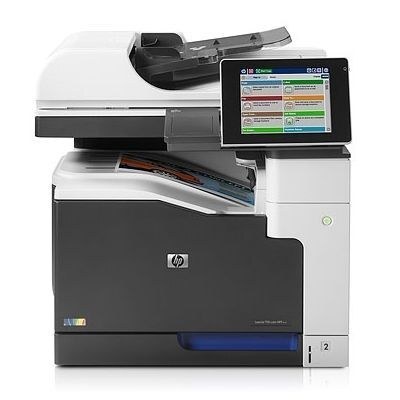
Two-sided A3 without being asked: duplex capability is what sets the Color LaserJet Enterprise 700 MFP M775D apart inside the wide-format flagship line, a managed machine that prints, copies and scans with both sides of the sheet as its default habit. It is fed by HP 651A toner — black CE340A, cyan CE341A, yellow CE342A and magenta CE343A — four cartridges that empty on four independent schedules.
Duplexing at tabloid size changes the supply conversation in a subtle way: paper consumption drops noticeably on long reports and training manuals, while toner use follows page count exactly as before. Departments chose this configuration to finish documents in-house — bound, two-sided, ready to hand out — and that finishing role means the machine is expected to be ready every morning. A supplies shelf with one spare of each color, restocked when a cartridge is swapped rather than when it runs out, is what readiness looks like in practice.
Toner Cartridges for Color LaserJet Enterprise 700 MFP M775D
- CE340A — black
- CE341A — cyan
- CE342A — yellow
- CE343A — magenta
- CE343A, alternate magenta listing
- 651A four-color set
- Enterprise 700 MFP M775d four-color set
- 651A four-color set, alternate listing
- 651A eight-color set
One set on this shelf needs its own warning: the three-color set built on CE261A, CE262A and CE263A wears a 651A name, but those codes belong to an earlier HP color family and the set does not fit this machine. It is stocked here under its own listing — 651A-named three-color set — for the printers it actually serves.
Which cartridge should you buy?
Buy against the slot that is low, not against the calendar. On a duplex departmental machine, black empties first by a wide margin, so singles of black are the standing order and colors are replaced as each one flags. A four-color set makes sense at two moments: when a new supplies shelf is being established for the machine, and when several cartridges happen to run low together after a heavy project. The eight-color set suits a stockroom serving more than one of these MFPs. Resist replacing colors early to make the set tidy — every cartridge keeps its unused toner, and an early swap is money left inside a cartridge in a drawer.
Chip, toner and everyday use
When colors drift on this machine, run a calibration or cleaning page from the control panel before suspecting a cartridge; the panel also tells you which of the four cartridges is actually low, which is the usual culprit when one hue goes wrong. Swaps register most cleanly with the machine powered on, and a cartridge rocked gently side to side before installation settles its toner bed for an even first run. Remember that the yield figures quoted for any cartridge assume ordinary page coverage — a department printing dense A3 solids is living in a different world from those numbers and should judge replacements by output, not arithmetic.
Frequently Asked Questions
What toner cartridges does the M775D use?
Four separate cartridges from the HP 651A family: CE340A black, CE341A cyan, CE342A yellow and CE343A magenta. Match those exact codes when buying replacements for this machine.
Can the M775D scan and copy as well as print?
Yes — it is a multifunction unit, so printing, copying and scanning live in one machine. Use the scanner glass for single or bound pages and the document feeder for stacks, all driven from the control panel.
Why are the colors wrong on my M775D's output?
Run a calibration or cleaning page from the control panel and check which cartridge is low. A nearly empty color — or one whose code does not match this machine — is the most common cause of off-colors on an enterprise MFP.
Does duplex printing change how much toner I need?
No. Two-sided printing halves paper, not toner: the same pages carry the same ink either way. What duplexing does change is how professional a long in-house document looks when it lands on the table.
More printers that use the same cartridges
The family, read from the top configuration back to the base machine:
LJ Enterprise 700 Color MFP M775f, LJ Enterprise 700 Color MFP M775Z+, LJ Enterprise 700 Color MFP M775Z, LJ Enterprise 700 Color MFP M775DN, LJ Enterprise 700 Color MFP M775D, LJ Enterprise 700 Color MFP M775, HP 651A, Color LaserJet MFP M775Z, Color LaserJet MFP M775F, Color LaserJet MFP M775D, Color LaserJet MFP M775, Color LaserJet Enterprise 700 MFP M775Z, Color LaserJet Enterprise 700 MFP M775F, Color LaserJet Enterprise 700 MFP M775, Color LaserJet Enterprise 700