




Color LaserJet Enterprise 700 MFP M775
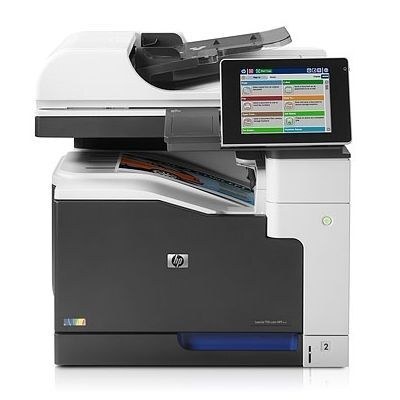
A3 printing, copying and scanning in one managed machine — the Enterprise 700 MFP M775 is the wide-format MFP flagship for large departments. Everything happens on one capable box.
It runs the HP 651A family: CE340A black with CE341A, CE342A and CE343A color. Compatible and genuine OEM toner are both stocked for the M775.
Toner Cartridges for Color LaserJet Enterprise 700 MFP M775
This printer works with the following toner cartridges:
- HP CE340A
- HP CE341A
- HP CE342A
- HP CE343A
More HP Printers
- Color LaserJet Enterprise 700 MFP M775D
- Color LaserJet Enterprise 700 MFP M775F
- Color LaserJet Enterprise 700 MFP M775Z
- Color LaserJet MFP M775
- Color LaserJet MFP M775D
- Color LaserJet MFP M775F
- Color LaserJet MFP M775Z
- LJ Enterprise 700 Color MFP M775
- LJ Enterprise 700 Color MFP M775D
- LJ Enterprise 700 Color MFP M775DN
- LJ Enterprise 700 Color MFP M775f
- LJ Enterprise 700 Color MFP M775Z
- LJ Enterprise 700 Color MFP M775Z+
Frequently Asked Questions
What toner does the Color LaserJet Enterprise 700 MFP M775 take?
The Color LaserJet Enterprise 700 MFP M775 needs all four of these cartridges installed: CE340A, CE341A, CE342A, CE343A. Any cartridge set marketed as a replacement for these exact codes will work in the Color LaserJet Enterprise 700 MFP M775.
Can the Color LaserJet Enterprise 700 MFP M775 scan and copy documents?
Yes — the Color LaserJet Enterprise 700 MFP M775 is a multifunction unit, so it prints, copies and scans in one machine. Use the scanner glass or automatic document feeder on the Color LaserJet Enterprise 700 MFP M775 to copy or scan straight from the control panel.
How do I check toner levels on the Color LaserJet Enterprise 700 MFP M775?
Open the supplies or consumables menu on the Color LaserJet Enterprise 700 MFP M775's control panel to see the remaining level of each CE340A, CE341A, CE342A, CE343A cartridge. You can also print a supplies-status page from the device menus for a quick snapshot.