




Color LaserJet 4550N
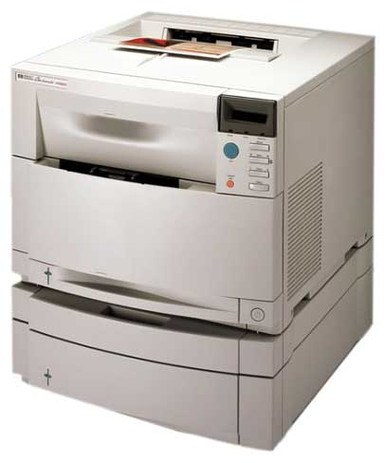
Shared across the office LAN, the HP Color LaserJet 4550N delivered early-2000s color to every desk. It was a workhorse many businesses ran for years.
It runs HP 640A toner — C4191A black alongside cyan C4192A, magenta C4193A and yellow C4194A. Compatible and genuine OEM cartridges are both available.
Toner Cartridges for Color LaserJet 4550N
This printer works with the following toner cartridges:
- HP C4191A
- HP C4192A
- HP C4193A
- HP C4194A
More HP Printers
- Color LaserJet 4500
- Color LaserJet 4500D
- Color LaserJet 4500DN
- Color LaserJet 4500HDN
- Color LaserJet 4500N
- Color LaserJet 4550
- Color LaserJet 4550DN
- Color LaserJet 4550HDN
Frequently Asked Questions
What toner does the Color LaserJet 4550N take?
The Color LaserJet 4550N needs all four of these cartridges installed: C4191A, C4192A, C4193A, C4194A. Any cartridge set marketed as a replacement for these exact codes will work in the Color LaserJet 4550N.
How do I get the Color LaserJet 4550N onto my office network?
Plug an Ethernet cable into the network port on the Color LaserJet 4550N and it will pick up an address automatically from most routers. Print a configuration page from the control panel to find the Color LaserJet 4550N's IP address for driver setup.
Why is my Color LaserJet 4550N printing faded or streaked pages?
If your Color LaserJet 4550N prints faded or streaked pages, check the supplies menu to confirm none of the C4191A, C4192A, C4193A, C4194A cartridges are low, then run a cleaning page from the device menus. If streaks persist, remove the suspect cartridge, rock it gently to redistribute toner, and reseat it in the Color LaserJet 4550N.