




Color LaserJet 4550
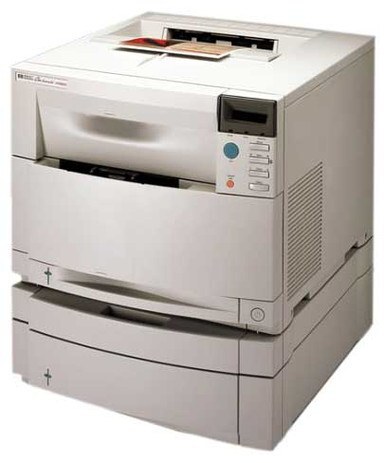
The Color LaserJet 4550 refined the 4500 platform with improved color quality for the early-2000s office, and presentations and marketing pieces came out noticeably sharper for it. It uses the same HP 640A family as its predecessor: black C4191A, stocked on this page, alongside C4192A, C4193A and C4194A for color.
A machine bought for better color gets used for better color — the 4550's surviving workload leans toward the documents people look at: proposals, handouts, presentation pages. That makes its color cartridges work harder than a 4500's do, while black still carries the everyday text load underneath. Owners who print color in bursts learn to check color levels before a big run rather than after it stalls.
Toner Cartridges for Color LaserJet 4550
| Cartridge | Color | Page Yield |
|---|---|---|
| C4191A | Black | See product page |
Before ordering for your Color LaserJet 4550, read the code printed on the cartridge you are replacing. This page stocks the black member of the 640A family, C4191A. The family's color codes — C4192A cyan, C4193A magenta and C4194A yellow — are printed on this page so that a color cartridge you already own can be identified by its number.
Which cartridge should you buy?
Match codes first, then think about timing. The black listing above is the standing purchase for this page; the three colors are replaced one at a time as each finishes, and on a color-leaning machine they finish at genuinely different times. Before a presentation deadline, the supplies page is worth a glance — running a color dry mid-deck costs more than the cartridge does. Our compatible black is backed by a 1-year warranty and 1-year returns, which suits a machine kept in service for its output quality rather than its age.
Chip, toner and everyday use
Color work exposes a weak cartridge faster than text does: banding or a washed-out cast on one color points at that cartridge, not the printer. Rocking it gently can even the toner out for a few more pages, but treat that as a bridge to the replacement, not a cure. Keep spares sealed and out of sunlight, and let a newly installed cartridge settle through the machine's calibration before judging whether colors match the last run.
Frequently Asked Questions
Does the Color LaserJet 4550 take compatibles, or only genuine HP?
Both fit and print; the machine takes the 640A family either way. Match the number on your current cartridge to the code you order, and the swap is a straight exchange.
How can I cut down on paper jams in the 4550?
Power off, open the trays and rear door, and pull any stuck sheet straight out along the paper path — never yank it sideways. Check for torn scraps, then reload with paper that is neither curled nor overfilled.
Does a compatible cartridge void the 4550's warranty?
No. A compatible cartridge does not void the hardware warranty by itself; cartridges built to the 640A fit are made to the same dimensions as the original.
More printers that use the same cartridges
The rest of the 4500/4550 line runs on the same 640A shelf:
Color LaserJet 4500HDN, Color LaserJet 4500N, Color LaserJet 4550DN, Color LaserJet 4550HDN, Color LaserJet 4550N, HP 640A, Color LaserJet 4500, Color LaserJet 4500D, Color LaserJet 4500DN