




Color LaserJet 4500DN
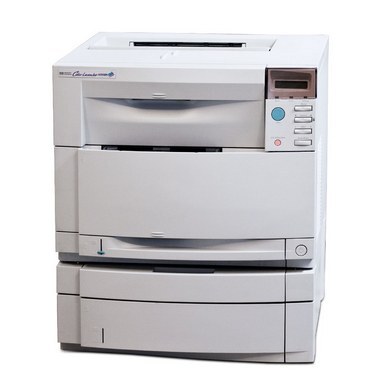
Networking and duplexing arrived together in the Color LaserJet 4500DN, the office-ready configuration of its generation: shared, two-sided color printing when that combination was still cutting-edge. Its cartridge shelf is the HP 640A family — black C4191A, the listing stocked on this page, with C4192A cyan, C4193A magenta and C4194A yellow completing the set of four.
Sharing changes the arithmetic of toner. A networked 4500DN prints for a whole workgroup, so its black cartridge serves many people's everyday documents while its colors wait for the fewer jobs that need them. Whoever keeps this machine running becomes, in effect, the group's toner manager — and the panel's supplies reading is the tool that keeps that job to five minutes a month.
Toner Cartridges for Color LaserJet 4500DN
| Cartridge | Color | Page Yield |
|---|---|---|
| C4191A | Black | See product page |
If you are matching a cartridge already in your hands, the color codes from the 640A family for the Color LaserJet 4500DN are C4192A for cyan, C4193A for magenta and C4194A for yellow. The listing actually stocked on this page is the family's black cartridge, the C4191A.
Which cartridge should you buy?
Buy for the slot that empties, not for the set. On a shared machine the black cartridge cycles far faster than any color, so the black listed here is the standing reorder; colors are one-at-a-time purchases when the panel names them. Because a workgroup depends on the printer, keeping one black in reserve is worth more than any small saving from waiting — an empty black slot idles everyone's queue, while a spare on the shelf makes the swap a two-minute errand. This compatible cartridge is covered by a 1-year warranty and 1-year returns.
Chip, toner and everyday use
A low-toner message on this machine is an early warning, not a hard stop: printing can usually continue while the replacement travels. When pages do start to fade, removing the cartridge and rocking it side to side redistributes the toner and buys extra output. Seat replacements firmly until they click — a cartridge resting slightly out of place is the most common cause of a 'not recognized' complaint on a shared printer that several people load.
Frequently Asked Questions
Can I use compatible toner in the Color LaserJet 4500DN?
Yes. Compatible 640A cartridges fit and print like the originals in this machine; just confirm the code on the cartridge matches the slot you are filling, since cartridges from other HP families will not fit.
Does a compatible cartridge void the printer's warranty?
No — using a compatible cartridge does not void the hardware warranty on its own. A cartridge problem would be a cartridge claim; the printer itself stays covered as before.
Should I replace a cartridge at the first low-toner warning?
Not immediately. Treat the warning as your reorder signal, keep printing, and swap when output actually fades. The rock-the-cartridge trick stretches that last stretch further.
More printers that use the same cartridges
The rest of the 4500/4550 line runs on the same 640A shelf:
HP 640A, Color LaserJet 4550N, Color LaserJet 4550HDN, Color LaserJet 4550DN, Color LaserJet 4550, Color LaserJet 4500N, Color LaserJet 4500HDN, Color LaserJet 4500D, Color LaserJet 4500