




Color LaserJet 4550DN
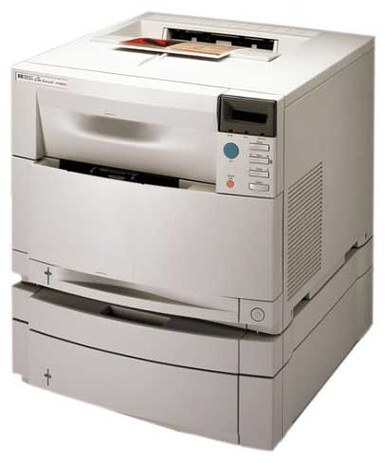
Two-sided printing and network sharing made the HP Color LaserJet 4550DN the practical choice of its line. Offices got improved color quality with the connectivity to share it.
It takes HP 640A toner — black C4191A plus cyan C4192A, magenta C4193A and yellow C4194A. Compatible and genuine OEM cartridges for the 4550DN ship fast.
Toner Cartridges for Color LaserJet 4550DN
This printer works with the following toner cartridges:
- HP C4191A
- HP C4192A
- HP C4193A
- HP C4194A
More HP Printers
- Color LaserJet 4500
- Color LaserJet 4500D
- Color LaserJet 4500DN
- Color LaserJet 4500HDN
- Color LaserJet 4500N
- Color LaserJet 4550
- Color LaserJet 4550HDN
- Color LaserJet 4550N
Frequently Asked Questions
What toner cartridges does the Color LaserJet 4550DN use?
The Color LaserJet 4550DN is a color laser printer that takes four separate toner cartridges: C4191A, C4192A, C4193A, C4194A. Match these exact codes when buying replacements for the Color LaserJet 4550DN.
Does the Color LaserJet 4550DN support automatic double-sided printing?
Yes — the duplex unit is built into the Color LaserJet 4550DN, so choose the two-sided option in your print dialog and it flips each sheet automatically. It works with plain paper loaded in the Color LaserJet 4550DN's main tray.
How do I install a toner cartridge in the Color LaserJet 4550DN?
Open the front access door of the Color LaserJet 4550DN, pull the empty cartridge straight out by its handle, and slide the new cartridge in until it clicks. Close the door and let the Color LaserJet 4550DN finish its calibration before printing.