




Multifunction 3115cn
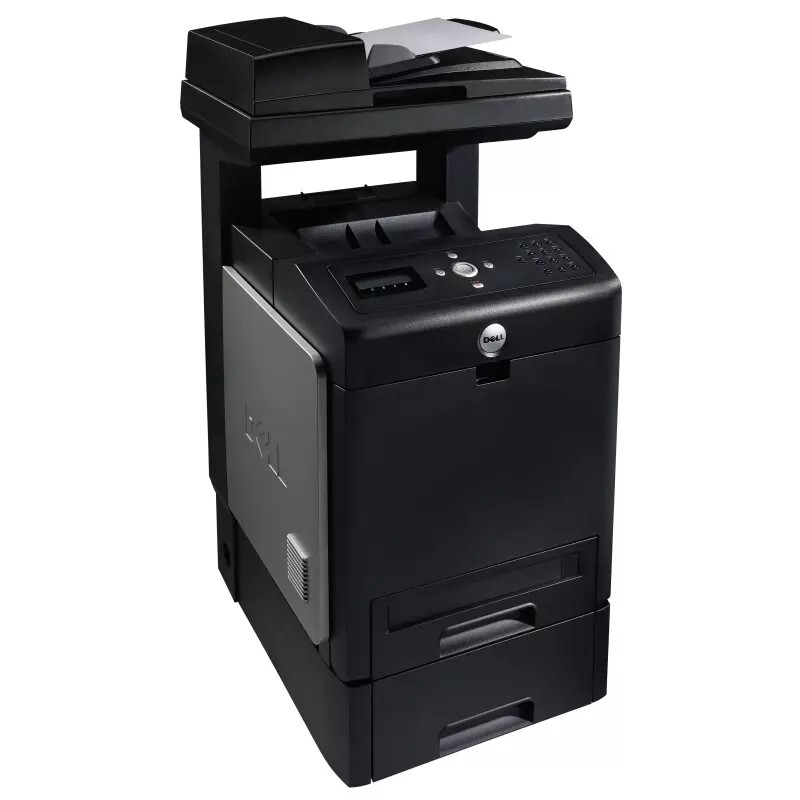
Dell's 3115cn is the all-in-one counterpart to the 3110cn color laser, giving small workgroups print, copy, scan, and fax from a single networked device. The color laser engine runs at up to 31 ppm in mono and 17 ppm in color, while the document feeder keeps multi-page scan and copy jobs moving without babysitting.
Like the rest of the 3110/3115 family, it feeds on the 310-8092 through 310-8098 cartridge set, with high-capacity options that stretch service intervals on busy print weeks. Genuine and compatible cartridges for the 3115cn are listed below — a full four-cartridge refresh is the simplest way to restore out-of-box color.
Toner Cartridges for Dell 3115cn
This printer works with the following toner cartridges:
- Dell 310-8092
- Dell 310-8094
- Dell 310-8096
- Dell 310-8098
Frequently Asked Questions
Which cartridges does the Dell 3115cn use?
The 3115cn uses 310-8092, 310-8094, 310-8096, and 310-8098 - one cartridge per color (black, cyan, magenta, yellow). The display shows which color is running low.
How do I replace a color cartridge in the 3115cn?
Open the 3115cn's front cover, pull out the depleted color cartridge, unpack the replacement (matching 310-8092, 310-8094, 310-8096, or 310-8098), remove the seals, and insert it until it clicks. Close the cover and run a calibration.
My 3115cn wastes color toner on black-and-white jobs - fix?
Set the 3115cn's driver default to black-and-white so routine jobs never touch the color cartridges. Switch to color only when the document actually needs it.