




Color Laser 3115
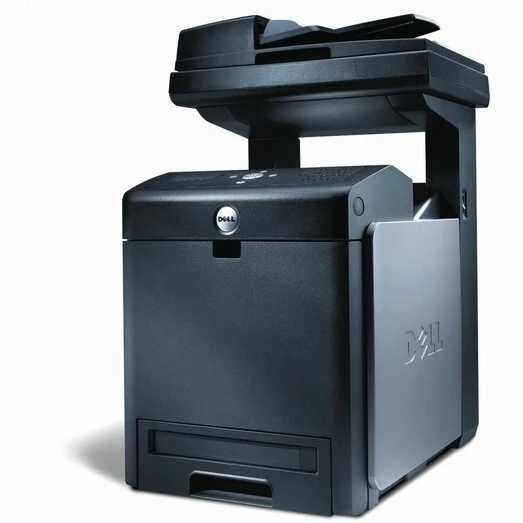
The Dell 3115 consolidates workgroup color printing with scanning, copying, and fax into a single multifunction unit. It drinks from the same long-life cartridge family as the print-only 3110: black 310-8092, cyan 310-8094, magenta 310-8096, and yellow 310-8098, with the high-capacity versions rated near 8,000 pages apiece.
Departments that handle color documents end to end — marketing materials, client presentations, signed contracts — get every function in one place with this machine. The flip side of consolidation is shared consumption: the scanner's copies and the fax line's output draw on the same four cartridges as network printing, so a busy 3115 empties them on several fronts at once. Yield selection matters more here than on a printer that only prints.
Toner Cartridges for Dell 3115
| Cartridge | Color | Page Yield |
|---|---|---|
| 310-8092 — Black High Yield | Black | 8,000 pages |
| 310-8094 — Cyan High Yield | Cyan | 8,000 pages |
| 310-8096 — Magenta High Yield | Magenta | 8,000 pages |
| 310-8098 — Yellow High Yield | Yellow | 8,000 pages |
| Dell 3115 Cyan Cartridge (310-8094) | Cyan | 8,000 pages |
| Dell 3115 Yellow Cartridge (310-8098) | Yellow | 8,000 pages |
| 4 Color Set — 310-8092 / 310-8094 / 310-8096 / 310-8098 | All four colors | 8,000 pages per cartridge |
| Dell 3115 Laser High Yield 4 Color Set | All four colors | 8,000 pages per cartridge |
| Dell 3115 Premium Quality 4 Color Set | All four colors | 8,000 pages per cartridge |
Which cartridge should you buy?
On a multifunction machine, the safest stocking pattern is a complete spare set within reach. Four functions share four cartridges, so the call for toner can come from a fax marathon or a copying session as easily as from printing — and an empty slot idles the whole department's document flow, not just one print queue. Between refreshes, replace colors singly: the cartridges deplete at genuinely different rates depending on whether the office scans and copies in color or mostly prints text. The high-yield build is the only sensible size for this machine; at 8,000 pages it keeps a busy MFP running far longer between changes than standard sizes would, and the premium set is that same build in the higher-grade line.
Chip, toner and everyday use
Store the spare set the way you would store the machine's own parts: sealed, flat, and in a climate-controlled room. Toner does not truly expire, but heat, damp, and sunlight degrade a stored cartridge long before its toner runs out — a garage or attic shelf is where good spares go to clump and leak. When a cartridge is changed, leave the printer to complete its initialization before the next job; multifunction units run through their checks on their own schedule. Rock any fading cartridge gently end to end before replacing it, since settled toner often explains a pale final stretch.
Frequently Asked Questions
My Dell 3115 needs new toner — which cartridges should I order?
Order the four family numbers: 310-8092 for black, 310-8094 for cyan, 310-8096 for magenta, and 310-8098 for yellow, in the high-yield build. Keep the list handy at the machine — ordering by part number is the most reliable way to get a match.
I bought a new cartridge for my 3115 — how do I put it in?
Open the machine, lift out the spent cartridge by its handle, and slide the new one into the matching color slot until it clicks home. Close the cover and let the printer run its short initialization. If the panel still shows the old cartridge, the new one is not fully seated — open up and reseat it.
How should I store spare toner for the Dell 3115?
Keep spare cartridges sealed in their packaging, stored flat in a climate-controlled space at room temperature. Avoid garages, attics, and anywhere that swings hot or damp. Stored that way, a spare set stays ready for the day the 3115 calls for it.
Only one color is low on my 3115. Do I need a whole set?
No. Each color is a separate cartridge and can be changed on its own — that is the point of the four-cartridge design. Replace the low color, and leave the others until their own warnings arrive.
More printers that use the same cartridges
The same cartridge family serves these models as well: Color Laser 3110, Color Laser 3110CN, Color Laser 3115 MFP, Color Laser 3115CN, DELL (310-8092, 310-8094, 310-8096, 310-8098), Multifunction 3115cn.