




Color Laser 3115 MFP
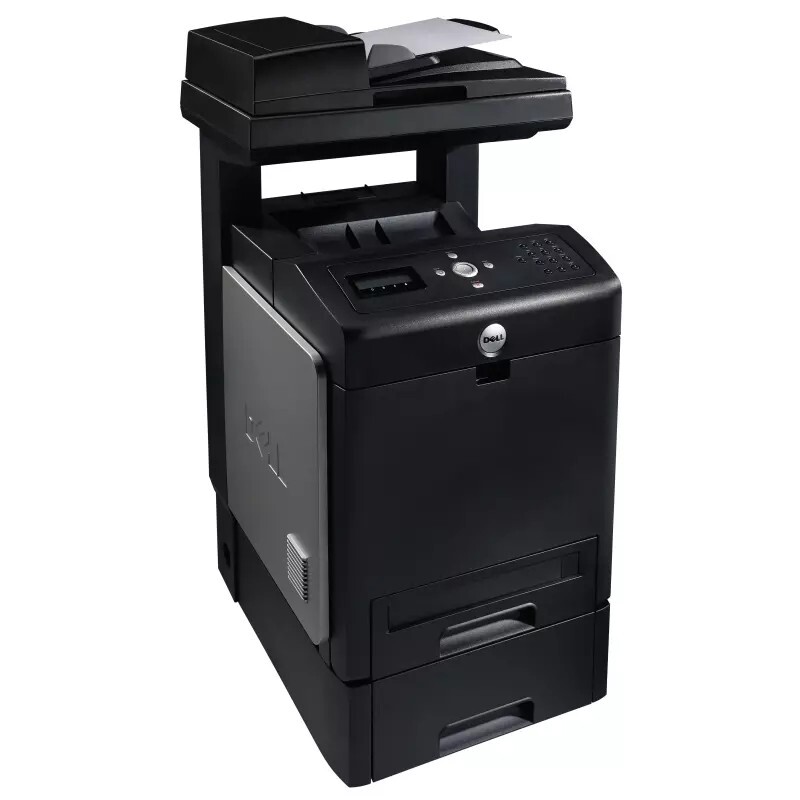
The Dell 3115 MFP builds a complete color office station on Dell's proven 3110cn print engine, combining the networked color laser with copying, scanning, and faxing in one unit. It pushes out up to 31 pages per minute in black and white and 17 ppm in color, so mixed-document workflows keep moving through morning rushes and end-of-day reporting alike.
A 60,000-page monthly duty cycle and an input path that expands to 950 sheets make it a genuine workgroup machine rather than a personal-printer compromise. Toner changes stay predictable across the four-cartridge system (310-8092 black, 310-8094 cyan, 310-8096 magenta, 310-8098 yellow), and compatible cartridges cut the cost per page without touching output quality.
Toner Cartridges for Dell 3115 MFP
This printer works with the following toner cartridges:
- Dell 310-8092
- Dell 310-8094
- Dell 310-8096
- Dell 310-8098
Frequently Asked Questions
Which toner cartridges does the Dell 3115 MFP take?
The Dell 3115 MFP uses the Dell cartridge family that includes 310-8092, 310-8094, 310-8096, 310-8098. Match the part number on your old cartridge to be sure you get the right color.
What causes horizontal bands on my 3115 MFP's prints?
Repeating marks at regular intervals on 3115 MFP output usually trace to a damaged drum or roller inside one of the toner cartridges (310-8092, 310-8094, 310-8096, 310-8098). The spacing of the marks hints at which roller — replace the cartridge for the affected color.
Is it normal for 3115 MFP cartridges to empty unevenly?
Uneven emptying is expected on the 3115 MFP: every document has its own color mix, so the cartridges in its set (310-8092, 310-8094, 310-8096, 310-8098) rarely run out together. Replace only the spent color — that's the whole point of separate cartridges.