




Laser 1720DN
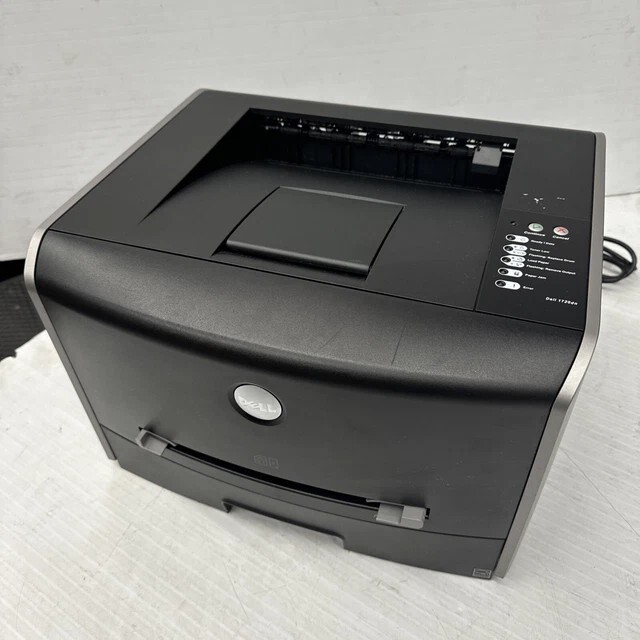
The Dell 1720DN is the networked, duplexing version of the 1720 mono laser — automatic two-sided printing and 10/100 Ethernet added to the 28 ppm engine. For small offices, it's the sweet spot: fast black-and-white output, shared over the network, with duplexing that cuts paper use in half.
The 1720DN uses the same 310-8700-series toner family as the base 1720, in standard and high-capacity yields. Both genuine and compatible cartridges for the 1720DN are below with fast shipping.
Toner Cartridges for Dell 1720DN
This printer works with the following toner cartridges:
- Dell 310-8700
- Dell 310-8706
- Dell 310-8707
- Dell 310-8708
- Dell 310-8709
- Dell GR332
- Dell MW558
- Dell MW559
- Dell PY449
- Dell RP380
- Dell RP441
Frequently Asked Questions
What toner fits the Dell Laser 1720dn?
The 1720dn takes the same 310-8700 through 310-8709 black toner family as the base 1720: standard to extra-high-yield, plus the GR332, MW558, MW559, PY449, RP380 and RP441 alternate numbers. Duplex and networking change nothing about the cartridge; match capacity to your volume.
How do I enable automatic duplex on the 1720dn?
The duplexer is built in: in the print driver, set two-sided printing to flip on long edge (or short edge for landscape documents) rather than manual duplex. If duplex jobs jam, use paper between 60 and 105 gsm; very heavy stock does not bend through the duplexer path reliably.
Duplex prints smudge on the second side, what is the cause?
Smudging on side two usually means the paper-type setting does not match the loaded stock, so the fuser runs too cool to bond the second-side toner. Set the correct media type in the driver, and give the printer a few seconds between sides on heavy jobs by using the driver's slower duplex mode if available.