




Laser 1720DTN
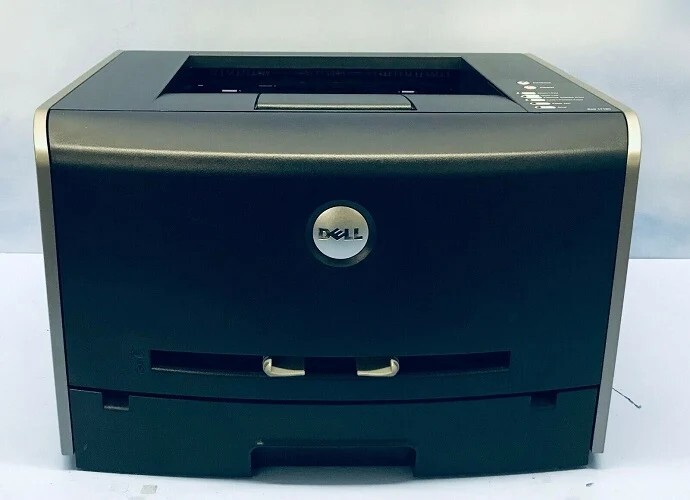
The Dell 1720DTN is the most capable member of the 1720 mono laser line, combining the 1720dn's automatic duplexing and networking with expanded paper capacity for busier desktops. The 28 ppm engine, 1200 x 1200 dpi resolution, and 25,000-page duty cycle stay constant — the DTN just feeds it better.
Like the rest of the 1720 family, the 1720DTN runs on the 310-8700/8706/8707/8708/8709 toner series, with high-capacity (6,000-page) options for high-volume users. Genuine and compatible cartridges are stocked below.
Toner Cartridges for Dell 1720DTN
This printer works with the following toner cartridges:
- Dell 310-8700
- Dell 310-8706
- Dell 310-8707
- Dell 310-8708
- Dell 310-8709
- Dell GR332
- Dell MW558
- Dell MW559
- Dell PY449
- Dell RP380
- Dell RP441
Frequently Asked Questions
Does the Laser 1720dtn use the same toner as the 1720dn?
Yes: the 1720dtn uses the identical 310-8700 through 310-8709 black toner cartridges (alternates GR332, MW558, MW559, PY449, RP380, RP441). The extra 'T' just means it shipped with an additional paper tray; the print engine and toner slot are unchanged.
How do I make the 1720dtn pull from the second tray by default?
Set the default paper source in the printer driver preferences to Tray 2: that is a software setting, not a toner or hardware issue. Keep Tray 1 loaded with letterhead or special media so you can select it per-job without swapping paper.
The 1720dtn frequently misfeeds from the lower tray, how do I fix it?
Lower-tray misfeeds are usually worn or dusty pickup rollers: remove the tray, wipe the rubber rollers with a damp lint-free cloth, and let them dry. Also fan the paper and do not fill past the max line; an overfilled tray is the other classic cause of multi-sheet feeds.