






 See Compatible Printers
 Read more about our ink!
Dell
Compatible Dell 1720 (310-8710) Toner Cartridge Black 2 Pack
- Page Yield:
- Black: 30000
- Availability:
- In Stock
- Shipping:
- Free Shipping

Amazon Price:

- Page Yield:
- Black: 30000
- Availability:
- In Stock
- Shipping:
- Free Shipping
- Compatible Printers
- Specifications
- SKU:
- CS-Dell-Drum-Laser-1720-2BK
- Printer Brand:
- Dell
- OEM Number:
- 310-8710
- Ink Color:
- Black
- Page Yield:
- Black: 30000
- Printer Type:
- Laser Cartridge
- Condition:
- New Compatible
- Description
- Reviews



Renowned for its reliability, the Dell 1720 Laser printer is a trusted choice for various printing needs. With models like the 1720dn, this printer ensures efficient and consistent printing for both personal and business use. To maintain optimal output quality, the printer utilizes the specific 310-8710 Black cartridge, ensuring sharp and clear black text on every print. Additionally, the Dell 1720 drum unit plays a crucial role in the printing process, helping to transfer toner onto the paper accurately. It ensures that images and text are reproduced with precision, resulting in high-quality prints. Designed for ease of use and installation, the Dell 1720 drum unit is straightforward to replace when necessary, minimizing downtime and ensuring continuous productivity. With compatible Dell components, users can trust that their printer will deliver reliable performance and consistent print quality. Experience the dependable printing capabilities of the Dell 1720 Laser printer and its accompanying drum unit. From everyday documents to important business reports, this printer ensures clarity and professionalism with every print.
Frequently Asked Questions
What does the 2 pack actually save us?
Two single 310-8710 drum units bought one at a time would cost $120.42. This 2 pack is $101.95, so you save $18.47 and bring the price of each drum down to $50.98. On a part rated for 30,000 pages, that drops the drum cost of printing to about 0.17 cents per page. It is the same drum unit, twice in one box — the discount is purely for buying the pair together.
How much printing do two drum units cover?
Each 310-8710 drum is rated for up to 30,000 pages, so the pair covers up to 60,000 pages of drum life for your Dell Laser 1720 or Laser 1720dn. For a single office printer that is a long runway: the first drum goes in when print quality starts to slip, and the second waits on the shelf until the cycle repeats, which for many offices is a year or more later.
Why keep a spare drum on the shelf at all?
Because drum wear does not announce itself politely in advance. A drum usually keeps printing while its surface slowly degrades, and then the streaks, repeating spots and gray background show up in the middle of real work — a report run, invoices, a deadline. With the second drum already in the supply cabinet, the fix takes minutes: swap the unit, reseat your existing toner cartridge in it, and the printer is back to clean pages the same morning.
Does the second drum lose anything sitting in storage?
Kept sealed in its packaging, in a cool, dry place away from direct light, a drum unit stores well — that is how our own warehouses in IL, PA, GA and CA hold them. The drum surface is light-sensitive, so the practical rules are simple: leave the second unit in its sealed bag until the day you install it, don't stack heavy boxes on it, and rotate stock so the older unit gets used first.
Which printers do the drums in this pack serve?
Both units are 310-8710 drums for the Dell Laser 1720 and Laser 1720dn. If your office runs one of each, this single pack covers both machines — the drum number is identical, so there is no need to stock two different parts. And remember what this part is: the drum unit, not the toner cartridge. Your toner cartridges transfer into whichever drum is installed.
What if one of the two drums turns out to be a problem?
Each unit in the pack carries the same cover: a 1-year warranty and 1-year free returns on this compatible Clever Supplies product. If a drum arrives damaged or prints with defects that are not normal wear, the return process on our Shipping & Returns page applies to it just as it would to a single. Support is available Monday to Friday, 9 AM to 5 PM CST if you want help confirming the drum is really the culprit before you send anything back.
How should a new drum be handled during installation?
Keep the 310-8710 in its sealed bag until the moment it goes in — the drum surface is light-sensitive, and the bag is its protection. Once it is out, handle the unit by its frame, avoid touching the drum surface itself, and complete the swap without leaving the new drum sitting exposed on a desk in bright light. Your existing toner cartridge transfers into the new drum, so the whole job takes minutes when done in one unhurried pass.
How do we judge whether the drum swap fixed the problem?
Print a multi-page document you know well and read the later pages, not the first. A fresh 310-8710 can carry faint handling marks onto its opening prints, which clear as it runs. By page three or four, the repeating spots, streaks or gray background that prompted the change should be gone. If the same defect appears at the same interval on the page, note it — a defect unchanged by a drum swap points elsewhere in the printer, and that observation is worth having before you call support.
How do we know when the second drum will be needed?
Work from the machine's page count rather than the calendar. Note the Laser 1720 or 1720dn counter reading when a 310-8710 goes in; with a 30,000-page rating, you can project the next change from your monthly volume and check the counter occasionally as you approach it. That turns the shelf spare from a vague comfort into a planned event — and tells you when to order the following pack while the second drum is still sealed.
What should we do with the worn drum we remove?
Slide it into the packaging the new drum came out of — it protects the surface, keeps toner residue contained, and makes the unit easy to store or dispose of. Keep it for a few days while the new 310-8710 proves itself; if a defect appears, the old drum is your comparison for whether it is new or long-standing. After that it can go out with your office's electronics or toner recycling collection, clearly marked as the spent unit.
About This 2 Pack
This 2 pack of Dell 310-8710 drum units gives a Laser 1720 or Laser 1720dn up to 60,000 pages of drum life for $101.95 — $50.98 per unit, about 0.17 cents per page, and $18.47 less than buying the two drums separately. One unit goes in the printer, the other waits sealed on the shelf, so the day streaks and repeating spots announce a worn drum, the replacement is already in the building. Both units are covered by a 1-year warranty and 1-year free returns. Browse the rest of the Dell range for the matching toner cartridges and other supplies.
Related Items

Dell
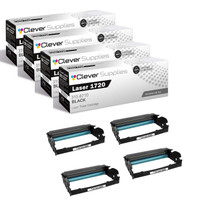
Compatible Dell 1720 (310-8710) Toner Cartridge Black 4 Pack



Dell
Compatible Dell 1720 Toner Cartridges Black 2 Pack (310-8701)
/>


Dell
Compatible Dell 1720 Toner Cartridges Black 3 Pack (310-8701)
/>

Dell
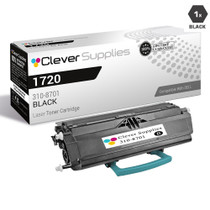
Compatible Dell 1720 Toner Cartridge Black (310-8701)
/>