




Color Laser Laser 1720dn
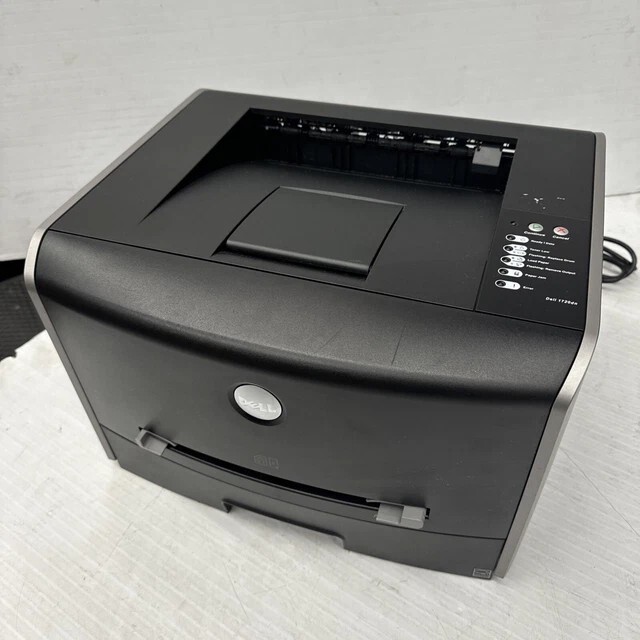
Shared-office printing is where the Dell 1720DN shines. Ethernet networking and automatic duplexing turn its 28 ppm monochrome engine into a proper small-workgroup printer, backed by a 25,000-page monthly duty cycle and an optional 550-sheet second drawer for offices that outgrow the standard tray. Order toner by one part number — the 310-8701 — and you have the right black cartridge every time; the listings below run from a single cartridge to a 10 pack.
Duplexing quietly changes the economics of a workgroup machine: two-sided output halves paper consumption on long documents, which makes toner the main running cost left to manage. That is a good position to be in, because this cartridge family offers a high-yield compatible option built for networked use — the economical way to feed a printer that several people depend on. One shared machine, one cartridge code, one shelf of spares: office printing does not get simpler to administer.
Toner Cartridges for Dell 1720DN
| Cartridge | Color | Page Yield |
|---|---|---|
| 310-8701 — Single cartridge | Black | See product page |
| 310-8701 — 2 pack | Black | See product page |
| 310-8701 — 3 pack | Black | See product page |
| 310-8701 — 5 pack | Black | See product page |
| 310-8701 — 10 pack | Black | See product page |
Every row is the same 310-8701 cartridge in a different pack size.
Which cartridge should you buy?
A workgroup printer should never be bought toner one cartridge at a time. Start with the 2 pack so a spare is always in the building, and let the high-yield version of the cartridge do the heavy lifting in the machine itself — longer intervals between swaps suit a printer nobody wants to think about. Teams printing through the optional second drawer at real volume should price the 3 pack and 5 pack, where the per-cartridge cost drops noticeably, and the 10 pack serves the supply-closet model for offices that also run the base 1720 on the same code. Singles still make sense for a lightly used satellite machine.
Chip, toner and everyday use
With several users sending jobs, the cartridge chip's level reporting is what keeps surprises away — the 1720DN can show its toner state honestly, so the swap gets scheduled instead of erupting mid-meeting. Fitting a cartridge takes a minute: front cover up, old unit out, new unit rocked gently to level the toner and slid home. Quoted yields rest on 5% coverage, and duplexed reports full of tables will consume toner faster per sheet than the rating suggests. Keep the reserve cartridge sealed, stored flat in a cool cabinet, and rotate it into service before opening a newer one.
Frequently Asked Questions
What is the correct cartridge for the Dell 1720DN?
The black 310-8701. It is the only cartridge code this page sells, and it is the part number to match against the cartridge you remove.
Does the 1720DN share toner with the standard 1720?
Yes, both models run on the 310-8701, so one stock of spares can cover a mixed fleet of the two machines.
How does duplexing affect toner buying?
Duplexing cuts paper use, not toner per printed side. It makes toner the bigger share of running cost, which is why the high-yield cartridge and multipacks pay off here.
When should a workgroup reorder?
The moment the shelf spare goes into the machine. Ordering at that point keeps one buffer cartridge in the building at all times.
More printers that use the same cartridges
Its desktop sibling uses the identical cartridge, so spares move freely between them: Color Laser 1720.