




Laser 1710
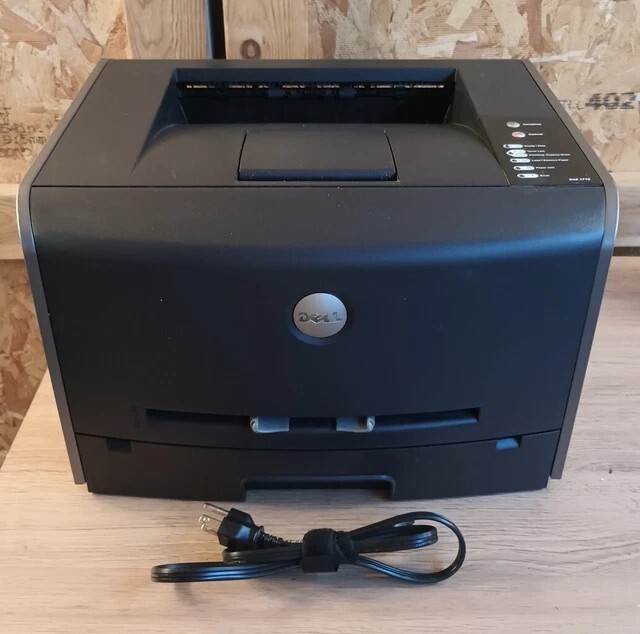
The Dell 1710 moves the 1700 formula up a gear: 27 pages per minute, sharp 1200-dpi monochrome output, a 15,000-page monthly duty cycle, and paper capacity that can expand to 800 sheets for busier stretches. It was aimed at home offices and small businesses that wanted workgroup-like speed without workgroup pricing. The cartridge story matches its smaller sibling — a standard 310-5400, a mid-capacity 310-5401 and the high-capacity 310-5402 — all interchangeable in the same slot.
What makes the 1710 economical is not its purchase price but the appetite of its top cartridge. A printer rated for 15,000 pages a month would chew through small cartridges; the high-capacity option turns toner into a quarterly chore instead of a monthly one. Small firms tend to keep these machines for years, printing invoices, contracts and reports day after day, and the running-cost math only works if the cartridge keeps pace with the engine. That is exactly the balance the listings on this page are built around.
Toner Cartridges for Dell 1710
| Cartridge | Color | Page Yield |
|---|---|---|
| 310-5402 High Yield | Black | See product page |
| Dell 1710 High Yield | Black | See product page |
| 310-5402 Premium (5 Pack) | Black | See product page |
| Dell 1710 High Yield (5 Pack) | Black | See product page |
Which cartridge should you buy?
Buy for the volume you actually have, not the volume you fear. A 1710 printing a light daily stack is perfectly served by the standard or mid-capacity cartridge, and tying money up in a high-yield cartridge you take a year to empty is no bargain. Once the printer is clearing a ream a week, the math flips: the 310-5402 high-capacity cartridge drops the cost of every page and cuts swaps to a few times a year. The 5-pack listings suit offices that treat toner the way they treat paper — a standing stock item, reordered when the shelf runs low rather than when the printer stops. Both the standard and Premium Quality lines on this page fit the same slot.
Chip, toner and everyday use
The most useful habit with a fast printer is measuring. The 1710 can report how many pages it has printed, so note the count when a cartridge goes in and again when it comes out; after one full cycle you know your real yield and can order the next cartridge on schedule instead of reacting to the low-toner light. When you swap, peel the sealing tape fully clear, seat the cartridge with a firm push, and run a test page. Near the end of a cartridge, output that fades on one side usually means the toner has settled inside — a gentle rock levels it again for the remaining pages.
Frequently Asked Questions
Which toner does the Dell 1710 use?
The 1710 runs on the 310-5400 standard and the 310-5401 and 310-5402 higher-capacity black cartridges — one slot, three capacity choices. If the number on your current cartridge has worn off its label, any of the three fits; pick the capacity that matches your monthly volume.
How long should a 310-5402 cartridge last in the 1710?
At the rated 5% coverage, a high-capacity 310-5402 lasts several thousand pages; for a typical small office that works out to a few months. Track pages per cartridge once through the printer's reports and you will be able to predict replacements instead of watching for the warning light.
Why are my 1710 prints coming out crooked?
Skewed pages are a paper-feed issue, not a toner issue. Make sure the tray guides sit snug against the stack and that the paper is not curled or damp. If only the manual feed misaligns, clean its pickup roller — a worn roller grabs one edge of the sheet before the other.
More printers that use the same cartridges
The 1710 shares its cartridge family with the rest of the 1700 line, including the base model and the networked variants:
Color Laser Laser 1700n, Color Laser Laser 1710, Color Laser Laser 1710n, Color Laser Laser 1700, Dell 310-5402, Laser 1700, Laser 1700N, Laser 1710N