




Color Laser Laser 1710n
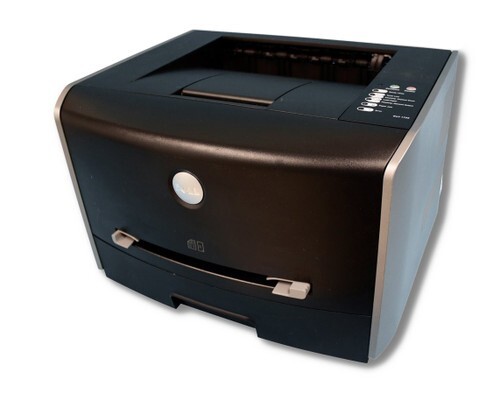
Small workgroups standardized on the Dell 1710N because it landed exactly where a shared printer should: 27 ppm printing over the network, crisp 1200-dpi documents, and a purchase price low enough that offices deployed one per department instead of one per floor. Every department's machine drinks from the same well — the black 310-5402 cartridge — available below as singles and multipacks in both the 1700 and 1700-D listing groups.
The compact chassis matters more than it sounds. A 1710N tucks into a corner of an accounts office or a clinic's back room where a full-size workgroup printer would never fit, yet it behaves like shared infrastructure once it is on the network. When several people print to one machine, cartridge capacity becomes the metric that counts, and the high-capacity version of this cartridge is what keeps a department machine fed without weekly supply runs. One code, many machines, simple stocking.
Toner Cartridges for Dell 1710N
| Cartridge | Color | Page Yield |
|---|---|---|
| 310-5402 — Single cartridge | Black | See product page |
| 310-5402 — 2 pack | Black | See product page |
| 310-5402 — 3 pack | Black | See product page |
| 310-5402 — 5 pack | Black | See product page |
| 310-5402 — 10 pack | Black | See product page |
| 310-5402 — Single cartridge (1700-D listing) | Black | See product page |
| 310-5402 — 2 pack (1700-D listing) | Black | See product page |
| 310-5402 — 3 pack (1700-D listing) | Black | See product page |
| 310-5402 — 5 pack (1700-D listing) | Black | See product page |
| 310-5402 — 10 pack (1700-D listing) | Black | See product page |
Both groups list the same 310-5402 cartridge; the 1710N accepts either.
Which cartridge should you buy?
Departments should buy like departments. A single cartridge leaves a shared printer one busy Monday away from a standstill, so start at the 2 pack: one installed, one in reserve. Busier teams will find the 3 pack and 5 pack better economics — fewer purchase orders, lower cost per cartridge, and a buffer that survives a heavy reporting week. Facilities running several of these machines, or a mix of this family across floors, can justify the 10 pack and treat toner as a stocked commodity. If your volume is genuinely light — a satellite office with two staff — a single cartridge plus a standing reminder to reorder is enough.
Chip, toner and everyday use
On a networked machine, the cartridge chip does quiet but important work: it reports the toner level the whole office relies on, so the person who notices first can swap in the spare. Installation is a front-cover job that takes a minute — pull the old cartridge, level the new one with a gentle rock, slide it in until it seats. Yields are rated at 5% coverage; departmental printing full of forms and tables usually lands denser than that, which is another argument for keeping the reserve. Store spares sealed in a supply cabinet, away from radiators and sunny shelves.
Frequently Asked Questions
What toner does the Dell 1710N take?
The black 310-5402 cartridge, the same one used across this printer family. Match that code and the cartridge fits.
Can one spare serve several office printers?
If they are from this cartridge family, yes. The models listed at the bottom of this page all run on the 310-5402, so a shared shelf stock works.
Why do some listings say 1700-D?
Those listings sell the same 310-5402 cartridge under a different listing name. For the 1710N they are interchangeable with the plain 1700 listings.
How should a department handle toner ordering?
Keep one spare minimum, reorder when the spare goes into the machine, and consider multipacks — they lower the per-cartridge cost and cut down on orders.
More printers that use the same cartridges
Standardizing pays off because this whole group of Dell models shares the 310-5402 cartridge: Color Laser 1700N, Color Laser 1710, Color Laser 1700, Dell 310-5402, Laser 1700, Laser 1700N, Laser 1710, Laser 1710N.