




Color Laser Laser 1700n
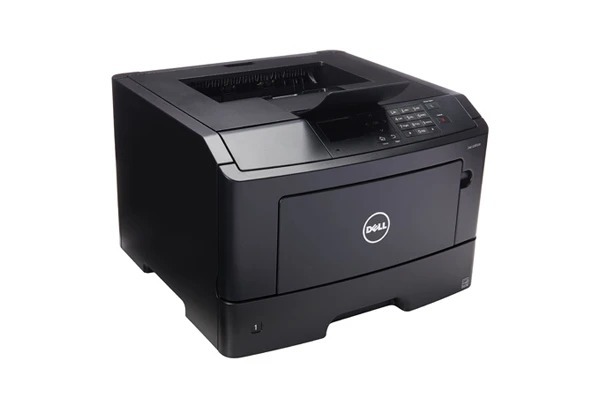
A networked printer earns its place by never being the reason work stops, and the Dell 1700N was built around that idea: 25 ppm monochrome output shared over Ethernet, paper capacity expandable to 800 sheets, and a 15,000-page monthly duty cycle that absorbs busy weeks without strain. All of it prints through one black cartridge, the 310-5402, sold below as singles and multipacks under both the 1700 and 1700-D listing names.
Think of the 1700N as the small office's set-and-forget print server. Nobody owns it, everybody uses it, and the only maintenance it should ever demand is a cartridge swap. That makes toner logistics the whole game: a high-capacity cartridge in this family is rated at roughly 6,000 pages, which for a typical small team means months between changes. Pair that with one spare on the shelf and the shared printer simply never becomes an interruption.
Toner Cartridges for Dell 1700N
| Cartridge | Color | Page Yield |
|---|---|---|
| 310-5402 — Single cartridge | Black | See product page |
| 310-5402 — 2 pack | Black | See product page |
| 310-5402 — 3 pack | Black | See product page |
| 310-5402 — 5 pack | Black | See product page |
| 310-5402 — 10 pack | Black | See product page |
| 310-5402 — Single cartridge (1700-D listing) | Black | See product page |
| 310-5402 — 2 pack (1700-D listing) | Black | See product page |
| 310-5402 — 3 pack (1700-D listing) | Black | See product page |
| 310-5402 — 5 pack (1700-D listing) | Black | See product page |
| 310-5402 — 10 pack (1700-D listing) | Black | See product page |
The 1700 and 1700-D listing groups both carry the correct 310-5402 cartridge for the 1700N.
Which cartridge should you buy?
Shared machines punish single-cartridge buying: the day the installed cartridge dies is the day three people discover it at once. For a 1700N serving a team, the sensible floor is a 2 pack — one cartridge in the machine, one waiting. Offices with a steady document flow should look at the 3 pack or 5 pack, which cut the per-cartridge cost and reduce orders to a couple of times a year. The 10 pack suits a supply-closet approach, especially where sister models from the same family share the shelf and draw on the same cartridge code. Whatever the size, keep the rotation simple: oldest spare goes in first.
Chip, toner and everyday use
Because several computers talk to this printer, its toner reporting matters — the chip on each compatible cartridge keeps the level readings honest so the low-toner state is visible before it becomes urgent. When swapping, power the printer on, open the front cover, and seat the new cartridge until it locks; the machine recalibrates on its own. Page yields assume 5% coverage, and shared office printing with logos and forms usually runs denser, so treat ratings as a planning guide rather than a promise. Keep the spare sealed until needed and store it flat in a cool spot away from windows.
Frequently Asked Questions
Does the 1700N take the same cartridge as the 1700?
Yes — both machines use the black 310-5402. A spare bought for one model works in the other, which is handy in offices running both.
Which listing should I choose, 1700 or 1700-D?
Either. The two listing groups sell the same cartridge under different names; choose the pack size you want from whichever group has it.
How do I stretch the time between cartridge changes?
Use the high-capacity version of the cartridge, rated at about 6,000 pages, and keep one spare in the building so a change never waits on a delivery.
What if a new cartridge prints faintly at first?
Remove it and rock it gently side to side to distribute the toner evenly, then reinstall. Faint first pages usually settle once the toner is level.
More printers that use the same cartridges
The 310-5402 cartridge is shared across this Dell family, so one stock of spares can serve several models: Color Laser 1710, Color Laser 1710N, Color Laser 1700, Dell 310-5402, Laser 1700, Laser 1700N, Laser 1710, Laser 1710N.