




Laser 1700N
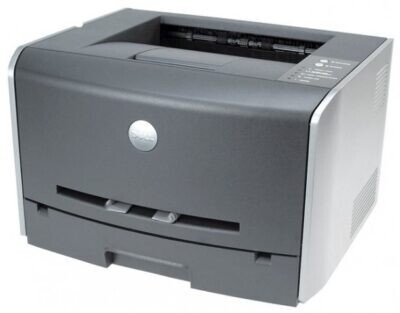
The Dell 1700N takes the compact 1700 mono laser and adds integrated Ethernet, turning its 25 ppm, 1200 dpi output into a shared office resource. One cartridge does all the work: the high-capacity black 310-5402, rated at about 6,000 pages, which is the cartridge that makes this small printer's running costs so low.
Do not let the footprint fool you. With paper capacity expandable to 800 sheets and a 6,000-page cartridge in the slot, the 1700N quietly handles genuine workgroup volume — the kind of steady, all-day text printing that wears out lesser desktop machines. Fewer orders, fewer swaps and a much lower cost per page are the whole point of the design, and the compatible cartridges below keep those economics intact on any budget.
Toner Cartridges for Laser 1700N
| Cartridge | Color | Page Yield |
|---|---|---|
| 310-5402 — High yield black toner cartridge | Black | ≈6,000 pages |
| Dell 1700N — High yield black toner cartridge | Black | ≈6,000 pages |
| Dell 1700N — High yield black, 5 Pack | Black | ≈6,000 pages per cartridge |
| 310-5402 Premium Quality — High yield black, 5 Pack | Black | ≈6,000 pages per cartridge |
Which cartridge should you buy?
There is only one cartridge decision on this page, and it is about quantity rather than type: every listing is the high-capacity black, sold as a single, under the 1700N model name, or in five-packs. A lightly used 1700N in a side office does fine with a single cartridge and a spare in the drawer. A shared machine printing all day belongs on the five-pack, where the per-cartridge price drops and the office stops reordering every few weeks.
The Premium Quality five-pack is the step-up grade of the same cartridge for shops that want the higher line. Whichever format you choose, keep at least one unopened cartridge next to a networked printer: when a shared machine runs dry, the whole room feels it, and a spare turns a stoppage into a two-minute swap. Every compatible cartridge here is covered by a 1-year warranty with 1-year returns, so stocking ahead carries no risk.
Chip, toner and everyday use
A networked printer gives you a toner gauge without leaving your chair: type the 1700N's IP address into a web browser and its built-in status page shows the cartridge's remaining life. Check it before a big print run rather than after the faded pages appear. When a fresh cartridge goes in, push it home until it seats fully so the printer reads the chip correctly on the first attempt.
Yield figures assume roughly 5% coverage per page, which describes a typical text document; pages of dense forms or graphics will land lower. If output fades before the cartridge reports empty, take it out and rock it gently end to end — the toner inside redistributes and usually carries the cartridge through its remaining life evenly. Keep spares sealed, flat and out of direct sunlight.
Frequently Asked Questions
What toner does the Dell 1700N take?
The high-capacity black 310-5402, rated at about 6,000 pages. It is the same cartridge family the base Laser 1700 uses — the N variant changes the printer's networking, not its supplies.
The 1700N shows as offline after a router restart — is it broken?
Almost certainly not. The usual cause is the printer picking up a new IP address when the router rebooted. Print a network configuration page to find the current address, update the printer port on your computers, or assign the printer a static IP so the address stops wandering.
Can I check the toner level without walking to the printer?
Yes. Open the printer's IP address in a browser to reach its status page, which reports the cartridge's remaining life — far handier than a trip down the hall when you are deciding whether to order a spare.
Does the 1700N need different cartridges from the plain 1700?
No. The supplies are fully interchangeable between the two models; only the network connection differs. Any cartridge listed for the 1700 family works in the 1700N.
More printers that use the same cartridges
The same black cartridge family also serves these Dell models: Color Laser Laser 1700n, Color Laser Laser 1710, Color Laser Laser 1710n, Color Laser Laser 1700, Dell 310-5402, Laser 1700, Laser 1710, Laser 1710N.