




Color Laser S2825
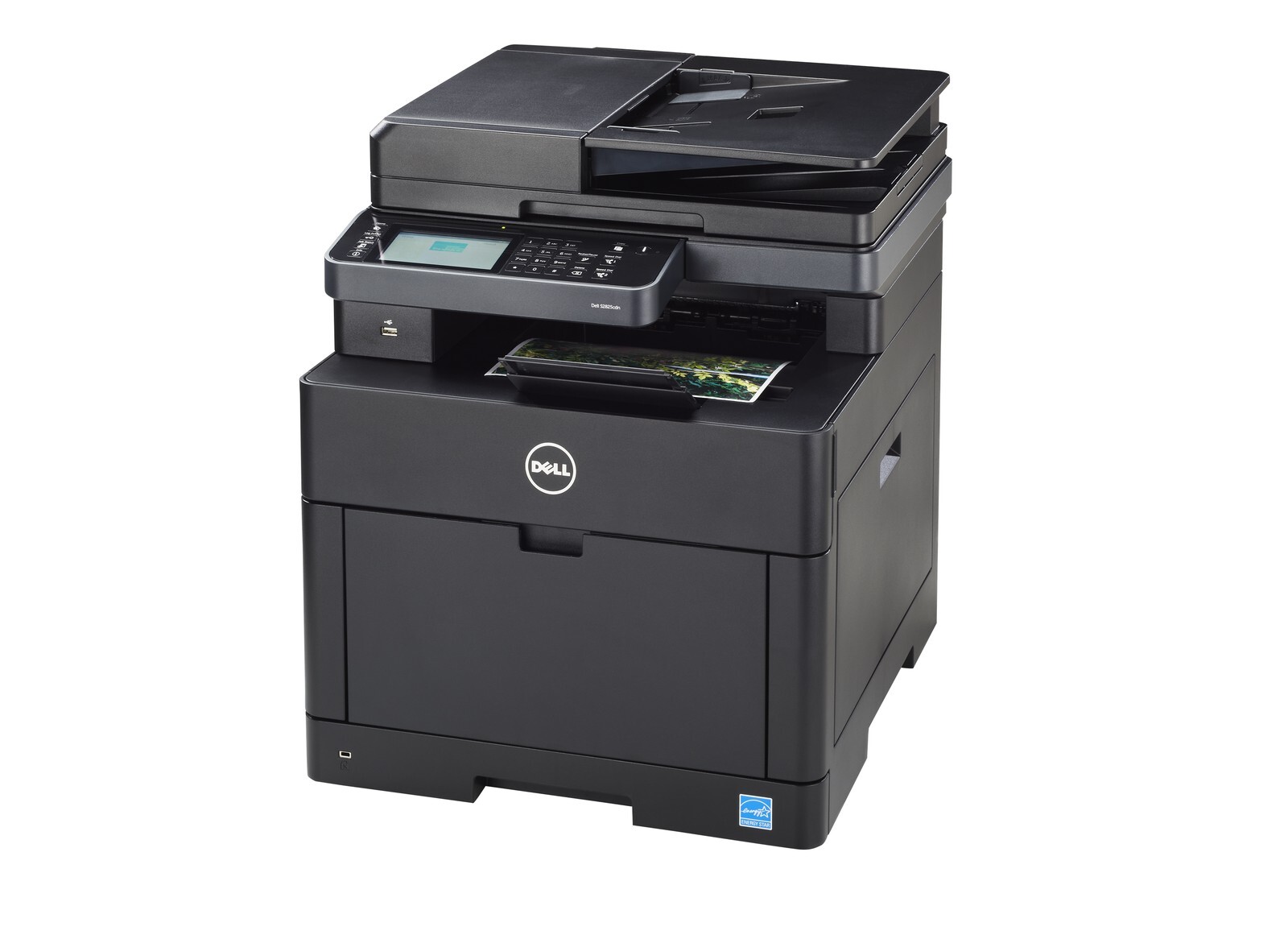
The Dell S2825 is the smart color laser printer of its family: up to 28 pages per minute, automatic duplexing and wired networking, built as a shared color resource for workgroups that want speed without committing to a full multifunction. Ordering starts with the complete code list, because this family runs two ranges: standard black NCH0D and cyan WG4T0, magenta 042T1 and yellow 2RF0R, all rated at 1,200 pages — or, for longer intervals, black N7DWF at 3,000 pages and cyan P3HJK, magenta 5PG7P and yellow 3P7C4 at 2,500 pages each.
As a shared resource, the S2825 sits in the middle of a workgroup's day: whoever needs color walks up and prints, and nobody owns the supply shelf. Printers in that position fail their teams in one predictable way — an empty cartridge discovered at the worst moment — so the practical virtues here are boring ones: cartridges that last, levels that are easy to check, and a spare that is actually in the building. The four-slot family with two capacity ranges lets each office calibrate that balance for itself.
Toner Cartridges for S2825
| Cartridge | Color | Page Yield |
|---|---|---|
| 042T1 | Magenta | 1,200 pages |
| 2RF0R | Yellow | 1,200 pages |
| 3P7C4 — High Yield | Yellow | 2,500 pages |
| 5PG7P — High Yield | Magenta | 2,500 pages |
| N7DWF, P3HJK, 5PG7P, 3P7C4 — High Yield, 4 Color Set | Black / Cyan / Magenta / Yellow | See product page |
| N7DWF, P3HJK, 5PG7P, 3P7C4 — High Yield, 5 Color Set | Black / Cyan / Magenta / Yellow | See product page |
| N7DWF, P3HJK, 5PG7P, 3P7C4 — High Yield, 8 Color Set | Black / Cyan / Magenta / Yellow | See product page |
| NCH0D, WG4T0, 042T1, 2RF0R — 4 Color Set | Black / Cyan / Magenta / Yellow | See product page |
| NCH0D, WG4T0, 042T1, 2RF0R — 5 Color Set | Black / Cyan / Magenta / Yellow | See product page |
| NCH0D, WG4T0, 042T1, 2RF0R — 8 Color Set | Black / Cyan / Magenta / Yellow | See product page |
| P3HJK, 5PG7P, 3P7C4 — High Yield, 3 Color Set | Cyan / Magenta / Yellow | See product page |
| Color Laser S2825 Laser Toner Cartridges 4 Color Set | Black / Cyan / Magenta / Yellow | See product page |
| Color Laser S2825 Premium Quality Laser Toner Cartridges 4 Color Set | Black / Cyan / Magenta / Yellow | See product page |
| WG4T0, 042T1, 2RF0R — 3 Color Set | Cyan / Magenta / Yellow | See product page |
| WG4T0, 042T1, 2RF0R — 6 Color Set | Cyan / Magenta / Yellow | See product page |
| N7DWF — High Yield, 2 Pack | Black | See product page |
| N7DWF — High Yield, 3 Pack | Black | See product page |
| N7DWF — High Yield, 5 Pack | Black | See product page |
| N7DWF — High Yield | Black | 3,000 pages |
| NCH0D — 2 Pack | Black | See product page |
| NCH0D — 3 Pack | Black | See product page |
| NCH0D — 5 Pack | Black | See product page |
| NCH0D | Black | 1,200 pages |
| P3HJK, 5PG7P, 3P7C4 — High Yield, 6 Color Set | Cyan / Magenta / Yellow | See product page |
| P3HJK — High Yield | Cyan | 2,500 pages |
| WG4T0 | Cyan | 1,200 pages |
Which cartridge should you buy?
The lowest cost per page on this printer comes from the high-yield range, full stop: the black cartridge more than doubles from 1,200 to 3,000 pages, and each color more than doubles to 2,500. If the S2825 prints color regularly, put all four slots on high-yield and order a 4-color set when the second slot runs low — that rhythm keeps one spare cycle ahead of the machine. Standard cartridges are the sensible exception for a slot that barely moves: an office that prints color only for the occasional chart gains nothing by parking a 2,500-page cartridge in a slot that takes two years to empty. Singles handle the in-between moments, since no slot's schedule obliges the others.
Chip, toner and everyday use
Each cartridge's chip reports its own level to the printer, so a shared machine can be checked in seconds before a long job — worth doing before a board pack or a mail merge, not after page forty fades. When a color begins to streak while its level still shows toner remaining, pull that cartridge and rock it gently side to side; redistributing the toner inside restores even coverage for the rest of its life. Keep cartridges in their sealed packaging until installation day, stored flat and out of direct heat, and write the color on the box end so the shelf reads at a glance. Compatible cartridges for this model carry a 1-year warranty and 1-year returns.
Frequently Asked Questions
Which replacement toner is compatible with the Dell S2825?
The family's eight singles: standard NCH0D, WG4T0, 042T1 and 2RF0R, or high-yield N7DWF, P3HJK, 5PG7P and 3P7C4. Match the part number on your old cartridge to be certain you have the right color and range.
Which cartridge size gives the lowest cost per page on the S2825?
The high-yield size for whichever slot you are replacing — black N7DWF at 3,000 pages and the 2,500-page colors spread their cost over more than twice the pages of the standard range. The savings are largest on the colors you print most.
Can I replace just the empty cartridge in the S2825?
Yes, always. Each cartridge has its own life and its own level reading, so replace only the color the printer flags and let the others finish their pages.
Does the S2825 use a separate drum unit?
No separate drum appears in this model's supply list — the cartridges in the table above are the complete set of consumables sold for the S2825 on this page.
More printers that use the same cartridges
The same eight cartridges serve the models and cartridge pages listed here: Color Laser H625, Color Laser H625CDW, Color Laser H825, Color Laser H825CDW, Color Laser S2825CDN, Dell (N7DWF, P3HJK, 5PG7P, 3P7C4), Dell (NCH0D, WG4T0, 042T1, 2RF0R).