




Color Laser Laser 5330DN
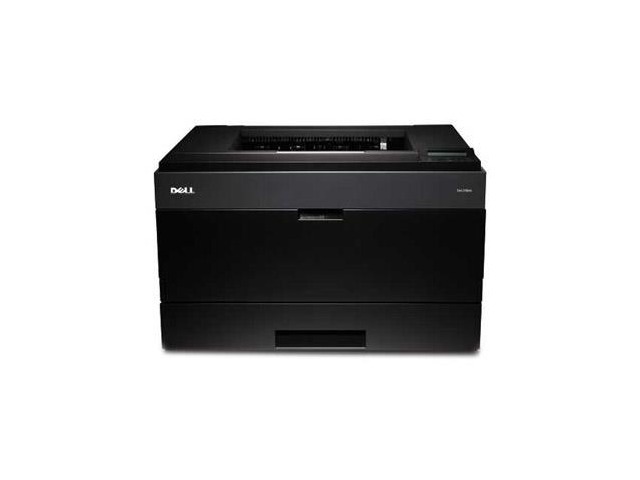
Shared printers live or die by their network features, and the Dell 5330DN delivers them: networking, automatic duplex, and the speed to clear queues fast even at peak hours — around 50 pages per minute of crisp monochrome output. The supply that keeps this machine economical is the 330-2045 black cartridge family, with higher-yield options for departments printing thousands of pages a month; this page sells it from a single cartridge up to a 10 pack.
Peak hour is the honest test of a shared printer. At nine in the morning, a dozen workstations send jobs at once, and the 5330DN's job is to drain that queue before it becomes a hallway conversation. Two-sided printing trims the paper bill while it works. What keeps the arrangement stress-free is boring supply discipline — toner treated as a standing stock item, not a purchase someone remembers after the warning light.
Toner Cartridges for Laser 5330DN
| Cartridge | Color | Page Yield |
|---|---|---|
| 330-2045 Black Toner Cartridge — Single | Black | See product page |
| 330-2045 Black Toner Cartridges — 2 Pack | Black | See product page |
| 330-2045 Black Toner Cartridges — 3 Pack | Black | See product page |
| 330-2045 Black Toner Cartridges — 5 Pack | Black | See product page |
| 330-2045 Black Toner Cartridges — 10 Pack | Black | See product page |
Which cartridge should you buy?
Match the pack to the queue. A department printing in the thousands of pages monthly should treat the 5 pack as its baseline and the 10 pack as its busy-season position; the higher-yield design of the 330-2045 family keeps cost per page in check, and sealed spares mean the morning rush never waits on a delivery van. Smaller teams sharing one 5330DN can run well on the 2 or 3 pack. The single cartridge is the right size for a first compatible order — run it through a peak week and let the machine itself make the case.
Chip, toner and everyday use
Because this printer is networked, its toner warnings surface on screens belonging to people who may never open the printer door. Give the warning a home: one team member confirms the spare, another owns reordering, and the low-toner message becomes routine instead of rumor. When a cartridge nears its end, rocking it gently side to side redistributes the toner and can carry the printer through the rest of a peak period before the planned swap.
Frequently Asked Questions
Does the 5330DN use the same cartridge as the 5330?
Yes. Both models draw on the 330-2045 black cartridge family, and every listing on this page fits either machine — helpful if your office runs one of each.
What do the extra letters in the model name mean here?
They mark the networked, duplexing configuration: the printer connects to your network for shared use and prints on both sides of the page automatically. Neither feature changes the cartridge it takes.
We print thousands of pages a month — what should we stock?
Keep at least one sealed spare beside the printer at all times and buy in the 5 or 10 pack range. At your volume the higher-yield cartridge plus pack pricing is where the real saving sits, and a stocked shelf removes toner from your list of peak-hour risks.
Are compatible cartridges covered if something goes wrong?
Our compatible cartridges for this printer carry a 1-year warranty with 1-year returns, so a department can standardize on them without taking on supply risk.
More printers that use the same cartridges
These pages cover the other models that run on the same 330-2045 cartridge family: Color Laser Laser 5330, Dell 330-2045, Laser 5330, Laser 5330DN.