




Color Laser Laser 5330
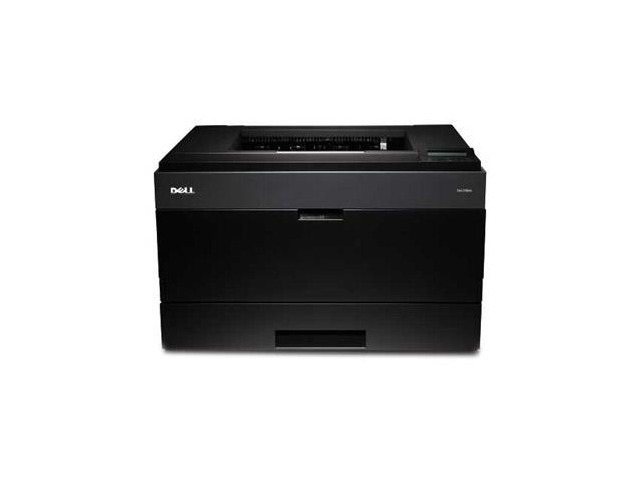
High-volume offices judge a printer by uptime, and the Dell 5330 was built to score well: fast monochrome output, a duty cycle rated for heavy daily use, and paper handling that keeps refills rare. It is the kind of machine that quietly becomes the backbone of an accounting or logistics department. Keeping a backbone fed economically comes down to cartridge choice, and this page stocks the 330-2045 black toner cartridge as a single and in 2, 3, 5 and 10 packs.
The 5330's working life is measured in deadlines other people set — invoices that must post today, shipping documents that cannot miss the truck, ledgers printed because the auditors are in the building. A printer carrying that load should never be the reason a queue forms at the wrong moment. That is why the cartridge conversation for this model is really a readiness conversation: the right supply, on site, before it is needed.
Toner Cartridges for Laser 5330
| Cartridge | Color | Page Yield |
|---|---|---|
| 330-2045 Black Toner Cartridge — Single | Black | See product page |
| 330-2045 Black Toner Cartridges — 2 Pack | Black | See product page |
| 330-2045 Black Toner Cartridges — 3 Pack | Black | See product page |
| 330-2045 Black Toner Cartridges — 5 Pack | Black | See product page |
| 330-2045 Black Toner Cartridges — 10 Pack | Black | See product page |
Which cartridge should you buy?
The 5330's cartridge family offers yields matched to punishing print schedules, so even the single 330-2045 is a workhorse supply rather than a light-duty one. The pack decision follows your department's rhythm. Accounting teams with a hard monthly close often choose the 5 pack and reorder on the close cycle itself; logistics operations that print every day lean toward the 10 pack so a busy season never starts with a thin shelf. The 2 and 3 packs fit steadier, smaller installations. Either way, buying the cartridge in quantity keeps the cost per page where a high-volume machine needs it to be.
Chip, toner and everyday use
A chip on each cartridge lets the 5330 report toner status before a job is at risk, and heavy-use departments do best when someone actually owns that signal — one person who checks the shelf when the warning shows. Rotate stock so the oldest sealed cartridge is used first, and keep spares in the room where the printer works rather than in a distant storeroom. Toner cartridges tolerate shelf time well when sealed; it is heat and direct sun that a supply shelf should avoid.
Frequently Asked Questions
Which cartridge fits the Dell 5330?
The 330-2045 black cartridge. Every product above is that supply, differing only in how many cartridges the box contains.
Is there a higher-yield option for heavy schedules?
The 330-2045 family was designed with higher-yield options for departments printing on demanding schedules, which is why it pairs naturally with this printer. Choosing the larger packs compounds the benefit by lowering the effective cost per page further.
How long can a spare cartridge sit before use?
A sealed cartridge stored flat, away from heat and sunlight, keeps well for extended periods — toner is a dry powder and does not dry out. That stability is what makes stocking a 5 or 10 pack a safe decision rather than a gamble.
What coverage are page yields based on?
Industry yield figures assume roughly 5% page coverage — a typical text page. Dense forms, bold graphics and full-page tables use toner faster, so a forms-heavy department will see fewer pages per cartridge than the headline estimate suggests.
More printers that use the same cartridges
The 5330's closest relatives share its cartridge, so the pages below are worth knowing if your office runs more than one of them: Color Laser Laser 5330DN, Dell 330-2045, Laser 5330, Laser 5330DN.