




Color Laser 5110
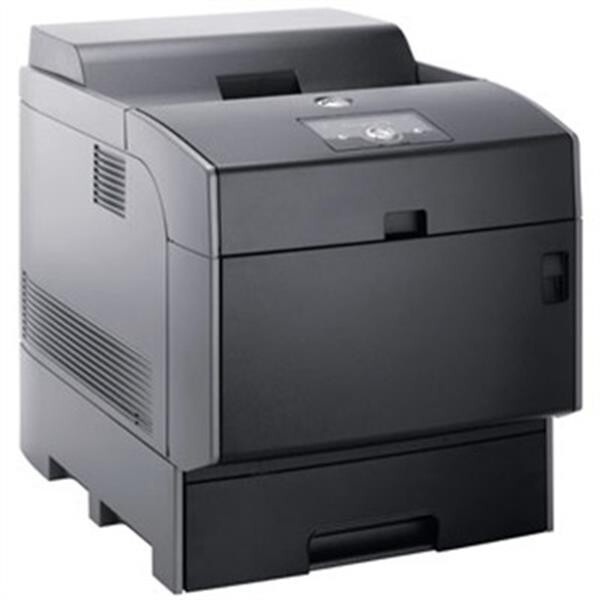
The Dell 5110 brings workgroup-class color laser printing to smaller businesses: crisp color for proposals and brochures, monochrome speed that keeps up with daily paperwork, and a footprint that does not demand a dedicated print room. Its black cartridge is 310-7890, and the three colors are individual cartridges — cyan 310-7891, magenta 310-7893, and yellow 310-7895 — each offered in standard and high-yield builds.
The 5110's proposition is proportionality: a small business should pay for the printing capacity it actually uses, not for a departmental machine's appetite. That logic runs through its cartridge shelf as well. Light color users can run standard builds; offices whose brochures and presentations go out daily step up to the high-yield versions of the same colors. Either way, compatible cartridges deliver the sharp black text and vibrant color the machine was bought for, at a noticeably lower cost than the genuine line.
Toner Cartridges for Dell 5110
| Cartridge | Color | Page Yield |
|---|---|---|
| Dell 5110 Black Cartridge (310-7890) | Black | See product page |
| Dell 5110 Cyan Cartridge (310-7892) | Cyan | See product page |
| Dell 5110 Magenta Cartridge (310-7894) | Magenta | See product page |
| Dell 5110 Yellow Cartridge (310-7896) | Yellow | See product page |
| 310-7891 Cyan | Cyan | See product page |
| 310-7893 Magenta | Magenta | See product page |
| 310-7895 Yellow | Yellow | See product page |
| 310-7891 Cyan High Yield | Cyan | See product page |
| 310-7893 Magenta High Yield | Magenta | See product page |
| 310-7895 Yellow High Yield | Yellow | See product page |
| Dell 5110 Black 2 Pack (310-7890) | Black | See product page |
| Dell 5110 4 Color Set (310-7890, 310-7892, 310-7894, 310-7896) | All four colors | See product page |
| Dell 5110 5 Color Set (310-7890, 310-7892, 310-7894, 310-7896) | All four colors | See product page |
Which cartridge should you buy?
Two number series appear on this shelf, and both are genuine listings for this model. The cartridges named for the 5110 carry the 310-7890 series — that black, plus 310-7892 cyan, 310-7894 magenta, and 310-7896 yellow — while the code-named singles carry 310-7891, 310-7893, and 310-7895 for the three colors, in standard and high-yield builds. When a color runs out, any correct-number single for that color does the job; choose the high-yield build for the colors your documents actually burn. Because every document has its own color mix, the cartridges will not empty together — replace the single spent color instead of the set, and keep the black 2 pack in mind if your paperwork is mostly monochrome with occasional color.
Chip, toner and everyday use
Before unwrapping a replacement, read the number on the cartridge coming out of the printer and match it to your order — with two number series in this family, that ten-second check is the whole compatibility game. Seat the new cartridge until it clicks, close up, and let the machine initialize. For storage, keep spares sealed and flat at room temperature. One habit stretches color toner noticeably: send internal documents in grayscale or draft mode from the driver, so everyday paperwork runs on the black cartridge and the color cartridges are spent only when you actually choose color.
Frequently Asked Questions
How can I tell I am buying the right toner for my Dell 5110?
Match the part number on the cartridge you remove. This page's black is 310-7890; the colors are listed under both the 5110-named series (310-7892, 310-7894, 310-7896) and the code-named singles (310-7891, 310-7893, 310-7895). Ordering by the number on your old cartridge is the reliable route.
Is it normal for 5110 cartridges to empty at different times?
Completely normal. Every document carries its own color mix, so the four cartridges in this machine rarely run out together — a month of blue reports drains cyan while yellow barely moves. Replace only the spent color; that independence is the whole point of the separate-cartridge design.
How can I make the color toner last longer in the 5110?
Route everyday internal documents through the black cartridge: set the driver to grayscale or draft quality for drafts, memos, and proofs. The difference on internal prints is barely noticeable, and the color cartridges then sip only on work that genuinely needs color.
Should I choose standard or high-yield cartridges for the 5110?
Both builds fit the same slots; the high-yield versions simply hold more toner and run longer between changes. If a color matters enough that running out mid-week is a problem, buy that color in high yield. For a color you use a few pages a month, the standard build is the proportionate choice.
More printers that use the same cartridges
Related models in this line, and the categories that gather its cartridge numbers: Color Laser 5100, Color Laser 5100CN, Color Laser 5110CN, Color Laser 5110N, Dell (310-5807, 310-5810, 310-5809, 310-5808), Dell (310-7889, 310-7891, 310-7893, 310-7895).