




Color Laser 5100
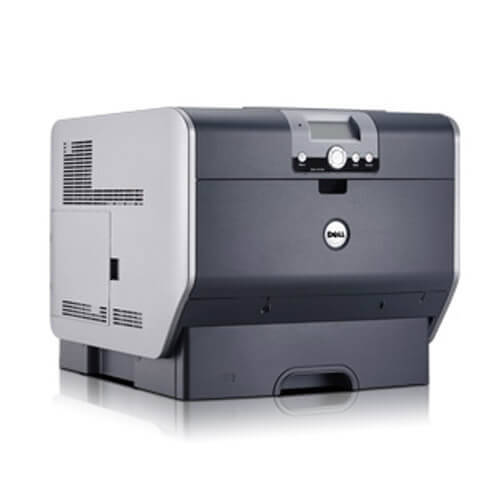
Not every office needs the networked flagship; the Dell 5100 is the color laser for teams that want the output without the extras — vivid color for presentations and brochures, quick monochrome for everyday paperwork, one dependable machine on the desk. Its four slots each take a dedicated cartridge: black 310-5807, cyan 310-5810, magenta 310-5809 and yellow 310-5808, all stocked below as high-yield singles and sets in compatible form.
The 5100's running-cost story is about granularity. Because each color lives and dies on its own schedule, a small business replaces exactly what ran out and nothing else — a meaningful saving against machines that push full sets. Brochure and presentation work drinks color toner unevenly (one brand color always goes first), so the discipline of reading the spent cartridge's number before ordering pays for itself in avoided mistakes. Tell us which office does not have a wrong-color cartridge gathering dust in a drawer.
Toner Cartridges for 5100
| Cartridge | Color | Page Yield |
|---|---|---|
| 310-5807 | Black | See product page |
| 310-5810 | Cyan | See product page |
| 310-5809 | Magenta | See product page |
| 310-5808 | Yellow | See product page |
| 5100 Black (310-5807) | Black | See product page |
| 5100 Cyan (310-5810) | Cyan | See product page |
| 5100 Magenta (310-5809) | Magenta | See product page |
| 5100 Yellow (310-5808) | Yellow | See product page |
| 310-5807 / 310-5810 / 310-5809 / 310-5808 High Yield 4 Color Set | Black, Cyan, Magenta, Yellow | See product page |
| 5100 High Yield 4 Color Set | Black, Cyan, Magenta, Yellow | See product page |
| 5100 Premium High Yield 4 Color Set | Black, Cyan, Magenta, Yellow | See product page |
| 5100 8 Color Set (310-5807, 310-5810, 310-5809, 310-5808) | Two of each color | See product page |
Which cartridge should you buy?
Follow the printer's lead. When one color flags low, a single cartridge in that color is the whole answer, and both a code-named and a model-named single are listed for each slot. Sets make sense at inflection points: a rebrand that floods the machine with color work, a second 5100 joining the office, or the moment three cartridges report low in the same month. The 8-color set doubles every slot and suits genuinely color-heavy shops that would rather order rarely. One honest caution: buying a full set to cure a single empty color throws away the remaining life in the other three cartridges, which is money off your desk.
Chip, toner and everyday use
If text ever appears with colored shadows or fringes on this machine, suspect registration before you suspect toner: the four color layers are landing a fraction off, and the printer's built-in color registration adjustment realigns them in a couple of minutes. Genuine print-quality problems from a cartridge look different — fading, streaks or a background wash that follows one color. Store color spares upright, sealed and out of sunlight, and resist shaking a color cartridge hard to squeeze out extra pages; a gentle rock redistributes toner without risking a spill of the brightest powder you will ever clean up.
Frequently Asked Questions
Which cartridges does the Dell 5100 take?
Four high-yield cartridges: 310-5807 black, 310-5810 cyan, 310-5809 magenta and 310-5808 yellow. The part number on your old cartridge confirms the color and the fit in one glance.
Should I run genuine Dell toner or compatibles in the 5100?
Genuine cartridges buy predictability; compatibles buy the same everyday output for less, and the ones listed here carry a one-year warranty and one-year returns. Many offices mix the two — compatibles for internal work, and either for client pieces once they have seen the results. The practical answer is to try a compatible in one slot and judge the pages yourself.
Text on my 5100 has colored shadows. What fixes it?
Run the color registration adjustment from the printer's menu. The cyan, magenta, yellow and black images are printed in layers, and when those layers drift slightly apart, text grows colored edges. Realignment takes a minute or two and asks for no parts and no toner.
Can I replace just one color in the 5100?
Yes — that is how the machine is designed to run. Each cartridge is independent, so replace the empty color and leave the others to finish their rated lives.
More printers that use the same cartridges
Relatives sharing this four-cartridge family, plus the family's code pages: Color Laser 5100CN, Color Laser 5110, Color Laser 5110CN, Color Laser 5110N, Dell (310-5807, 310-5810, 310-5809, 310-5808), Dell (310-7889, 310-7891, 310-7893, 310-7895).