




Color Laser 5110N
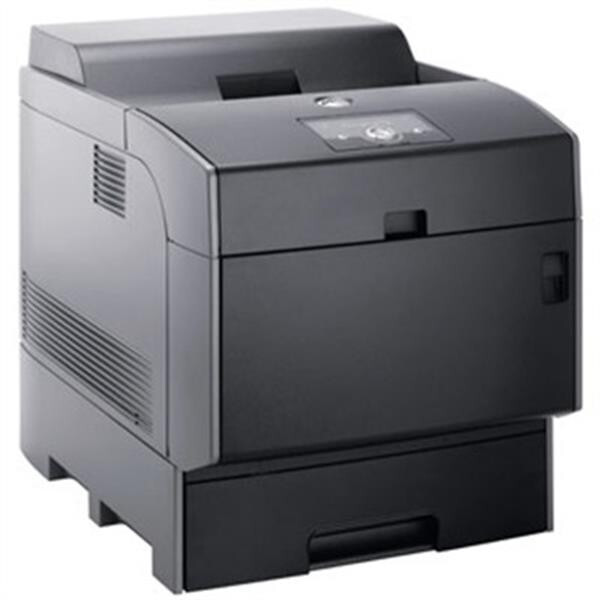
The Dell 5110N is the networked member of Dell's 5110 color laser family, built to sit in the middle of an office and serve every desk around it. Because a shared printer burns through toner faster than a personal one, its cartridge lineup splits into two tiers. Standard capacity runs 310-7890 in black, 310-7892 in cyan, 310-7894 in magenta and 310-7896 in yellow. The longer-running high-yield colors are 310-7891 cyan, 310-7893 magenta and 310-7895 yellow, for teams that would rather swap cartridges less often.
A printer that everyone in the office can reach develops its own rhythm: quiet spells in the morning, then a rush of reports, invoices and presentation decks before lunch. The 5110N was made for exactly that pattern, and its toner shelf reflects it — four slots, each with its own cartridge, so a single empty color never takes the whole machine out of service during the busy hour.
Toner Cartridges for Dell 5110N
| Cartridge | Color | Page Yield |
|---|---|---|
| 310-7891 | Cyan | See product page |
| 310-7893 | Magenta | See product page |
| 310-7895 | Yellow | See product page |
| 310-7895 (High Yield) | Yellow | See product page |
| 310-7891 (High Yield) | Cyan | See product page |
| 310-7893 (High Yield) | Magenta | See product page |
| 310-7894 | Magenta | See product page |
| 310-7896 | Yellow | See product page |
| 310-7890 | Black | See product page |
| 310-7892 | Cyan | See product page |
| 310-7890 — Black 2 Pack | Black | See product page |
| 310-7890 / 310-7892 / 310-7894 / 310-7896 — 5 Color Set | Black / Cyan / Magenta / Yellow | See product page |
| 310-7890 / 310-7892 / 310-7894 / 310-7896 — 4 Color Set | Black / Cyan / Magenta / Yellow | See product page |
Which cartridge should you buy?
Start with how the printer is actually used. On a lightly loaded 5110N — a small team printing mostly text with the occasional color chart — the standard-capacity cartridges keep the purchase price of each refill low and are the sensible default. Where the machine serves a full department, the high-yield colors earn their keep: fewer interruptions, fewer orders to place, and a lower cost per page across the cartridge's life. Black deserves separate thought, because mono documents dominate most office output; the black cartridge is offered in multi-packs, which suit offices that go through several blacks for every color change. If one color consistently runs out first — blue-heavy charts usually drain cyan — buy that color singly in high yield and leave the rest standard. Every compatible cartridge here is covered by a 1-year warranty and 1-year returns, so a first trial on a shared machine carries little risk.
Chip, toner and everyday use
Each 5110N cartridge carries a chip the printer reads to confirm the part and track the remaining level, so seat every replacement firmly until it clicks and let the machine finish its calibration before judging the first page. A cartridge that reports low is estimating, not measuring: gently rocking it side to side levels the toner inside and often restores even coverage for a while longer. Keep spare cartridges sealed, stored flat and away from heat or direct sun, and rotate stock so the oldest box is used first. On a shared printer it also helps to keep one spare black on the shelf at all times, since black almost always runs out ahead of the colors.
Frequently Asked Questions
Which toner cartridges does the Dell 5110N take?
Four standard-capacity cartridges — 310-7890 black, 310-7892 cyan, 310-7894 magenta and 310-7896 yellow — plus high-yield color options 310-7891, 310-7893 and 310-7895. The full lineup is listed in the table above, and matching the number on your spent cartridge is the surest check before ordering.
Is there a high-yield black cartridge for the 5110N?
The high-yield tier on this page covers the three colors; black stays with the standard-capacity 310-7890, which is also sold in multi-packs for offices that consume black quickly. If your 5110N prints mostly mono documents, the multi-pack route is the practical way to cut cost per page.
Can I replace just one color at a time?
Yes. The four cartridges are independent, and the printer flags each one separately as it runs low. Swap only the slot that is empty, leave the others in place, and the machine continues printing with the remaining cartridges untouched.
My 5110N does not recognize a new cartridge. What should I check?
Confirm the part number matches the 5110N list, then reseat the cartridge so its chip contacts meet the printer's reader. A power cycle after reseating clears most recognition complaints; if one color still refuses, try it in a known-good slot order — install one cartridge at a time so the problem unit identifies itself.
More printers that use the same cartridges
The same two cartridge tiers also feed the other members of this Dell color laser family, so offices running several of these models can stock one shelf for all of them: Color Laser 5100, Color Laser 5100CN, Color Laser 5110, Color Laser 5110CN, Dell (310-5807, 310-5810, 310-5809, 310-5808), Dell (310-7889, 310-7891, 310-7893, 310-7895).