Frequently Asked Questions
Prints from our 1710n have gone gray and washed out — is it the cartridge or the machine?
On a Dell Laser 1710n, that symptom is the cartridge asking to retire, nine times out of ten. The 310-5402 announces its end gradually: blacks soften to gray, large solid areas lose their density, and the page can develop a faint haze. A dying printer complains differently — the same mark repeating down every page, creased paper, jams in the same spot. The decisive test is cheap: install a fresh cartridge. If the first page out is properly black — and it almost always is — the old cartridge had simply delivered its fill and the machine was never at fault.
What are the classic end-of-life signs of a 310-5402?
Three, in rough order. First, overall fading that no settings change fixes, often worse on one side of the page than the other — toner distributes unevenly as the fill runs low. Second, streaks or a gray background wash behind text that should sit on clean white paper. Third, the fade that briefly improves after you rock the cartridge and then returns within days; that pattern means the remaining toner is being scraped from the corners. Any one of these on a cartridge that has been in service a long while means the same thing: its rated life is spent.
Can we squeeze more pages out of a fading cartridge?
A few, honestly — and it is worth knowing for the day a deadline meets an empty cartridge. Remove the 310-5402 and rock it gently from side to side a handful of times; this redistributes the toner settled in the cartridge and typically recovers a few dozen presentable pages. Treat it as an emergency measure. The cartridge is not refilled by rocking, the fade will return, and print quality in the recovered pages is passable rather than perfect. The right use of the trick is to finish the urgent job while the replacement is on its way.
Which printers does the replacement need to match?
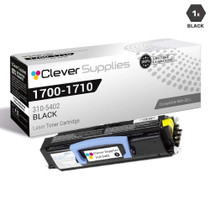
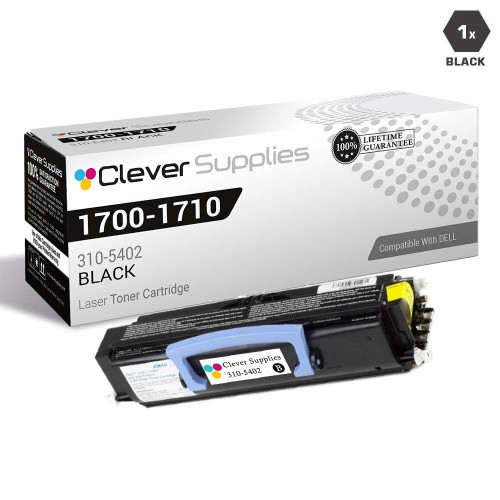
The 310-5402 fits the Dell 1700-series mono platform: the Laser 1710n on this listing, the Laser 1700, the Laser 1700n and the Laser 1710. One part number covers the family, which is why checking is simple — the label on the cartridge you pull out of your 1710n will show 310-5402, and the supply list in the manual shows the same code. Match that number and the rest follows.
What does the fresh cartridge cost per page?
$78.57 buys a cartridge rated at 6,000 pages, which is about 1.31¢ per page — the high-yield figure for this platform, and the reason the 310-5402 became the default cartridge for the 1700 family. On a networked workgroup machine like the 1710n, that per-page rate is the number to hold onto when toner budgets are discussed: it is low, it is predictable, and it does not change with who is printing.
What if a brand-new cartridge prints badly from the first page?
Then it is our problem, not yours. Every cartridge is covered by a 1-year warranty against defects and by 1-year free returns if it does not perform as it should — the terms are on our shipping and returns page. A cartridge that is faulty out of the box is exactly what that cover exists for. This is a compatible cartridge built to the 310-5402 specification rather than a Dell-manufactured one, and if you need help deciding whether a fault is the cartridge or the machine, support is available Monday to Friday, 9 AM to 5 PM CST.
What is the right way to fit the replacement cartridge in our 1710n?
Start with the old unit: as it comes out, glance at its label and confirm it reads 310-5402 — the same code the new box should carry. Unseal the fresh cartridge, seat it squarely until it settles home, then print a page your office knows well. Judge the result on density: blacks should be solid and even from the first sheet or two. If one side looks pale, pull the cartridge out and reseat it once; a unit that is not fully home often prints unevenly. Only when a reseated cartridge still prints badly is there anything more to discuss.
Is it worth keeping a spare beside a networked machine like the 1710n?
More than beside a personal printer, because the 1710n is shared infrastructure: when it stops, several people's work stops with it, not one person's. A single sealed 310-5402 kept in the same room turns a toner outage from an emergency order into a two-minute swap. Store it sealed, flat, in a cool dry spot away from radiators and window sun, and treat fitting the spare as the moment to order its replacement — that way the shelf is never actually empty, and the machine's uptime stops depending on delivery speeds.
Different people here raise purchase orders. How do we make sure the right cartridge gets bought?
Order by the cartridge number rather than the printer's name. The supply list for this machine should carry one line — 310-5402 — because that code is what is printed on the cartridge you remove and on the box that replaces it. Printer model names invite mistakes: the 1700 family has several near-identical names, and other Dell machines take entirely different toner. A buyer matching the number cannot go wrong, and a delivery can be checked against the same code in seconds before the seal is broken.
Our pages look gray even though the cartridge is fairly new. What else could it be?
Before blaming the toner, test the paper. Paper that has sat open in a damp room absorbs moisture, and damp paper takes toner poorly: output looks gray, uneven and sometimes slightly wavy, which mimics a dying cartridge almost exactly. Print the same document on fresh sheets taken from a newly opened, sealed ream. If the fresh-paper pages come out properly black, the 310-5402 was never the problem — the open paper stack was. It is a two-minute test that has saved many good cartridges from early retirement.
About This Dell 1710n Cartridge
This is a single compatible high-yield black toner cartridge for the Dell Laser 1710n, built to the 310-5402 specification and rated at 6,000 pages, priced at $78.57 — about 1.31¢ per page. The same cartridge serves the Laser 1700, Laser 1700n and Laser 1710. It ships from one of our four US warehouses in Illinois, Pennsylvania, Georgia or California, and is covered by our 1-year warranty and 1-year free returns. Other compatible supplies for this printer family are listed on our Dell toner page.






 See Compatible Printers
 Read more about our ink!