






 See Compatible Printers
 Read more about our ink!
Epson
Compatible Epson 748 T748120 Black Ink Cartridge
- Page Yield:
- Up to 2,500 pages (ISO/IEC 24711)
- Shipping:
- Calculated at Checkout

Amazon Price:

- Page Yield:
- Up to 2,500 pages (ISO/IEC 24711)
- Shipping:
- Calculated at Checkout
- Compatible Printers
- Specifications
- SKU:
- CS-EP-748-BK
- Condition:
- New Compatible
- OEM Part #:
- T748120
- Color:
- Black
- Ink Type:
- Pigment
- Page Yield:
- Up to 2,500 pages (ISO/IEC 24711)
- Chip:
- New compatible chip
- Warranty:
- Lifetime Warranty
- Returns:
- 1-Year Free Returns
- Description
- Reviews
"Standard" means something different on a WorkForce Pro: this compatible T748120 black pack carries DURABrite Pro pigment ink rated up to 2,500 pages (ISO/IEC 24711) — a serious fill by any home measure, but the entry tier for departmental printers that can eat it. It suits the smaller end of this family's world: a WF-6090 at a branch desk, a workgroup that prints steadily through the week rather than in end-of-month avalanches.


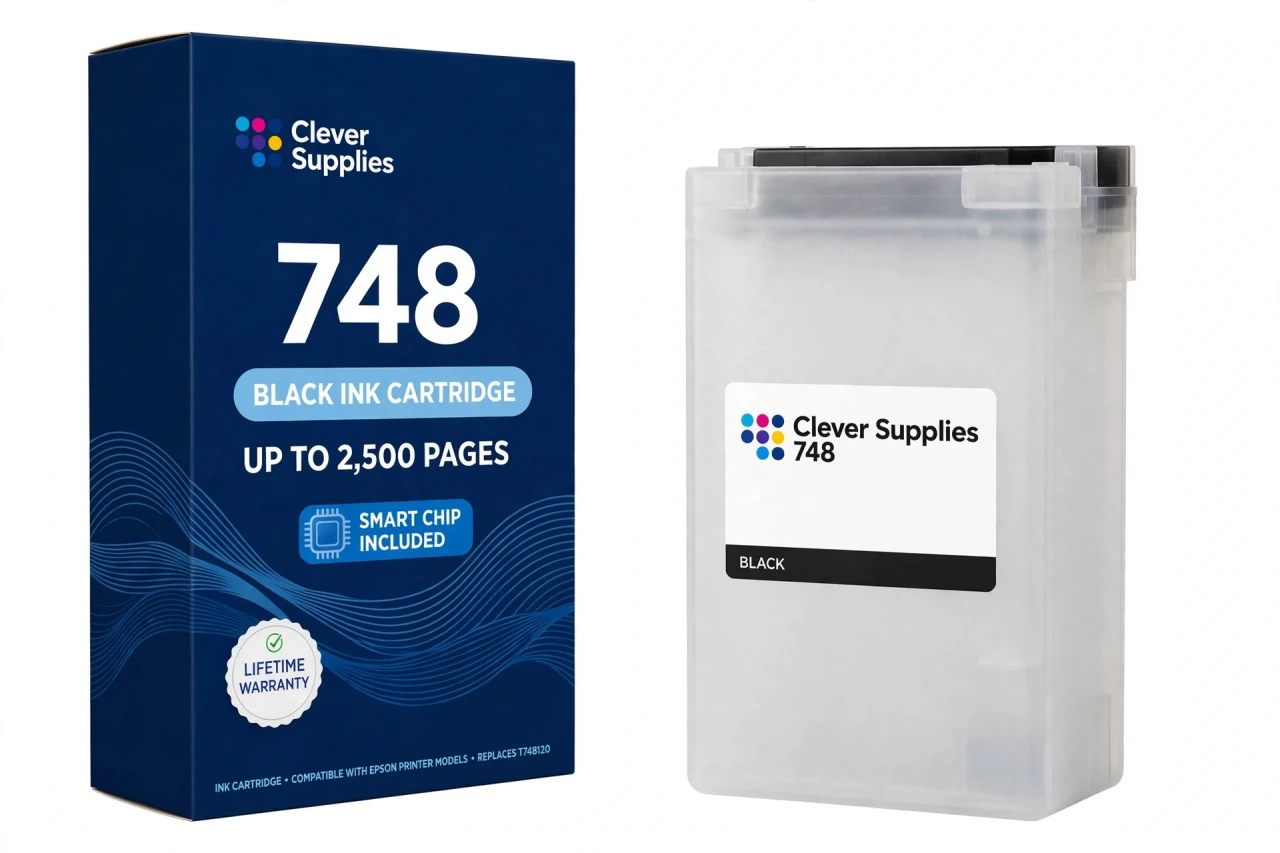
The ladder above it is explicit, so choose with open eyes: the T748XL120 black steps up to 5,000 pages, and Epson's line tops out at an XXL tier — both share the same slots, so a printer can start on standard packs and graduate slot by slot as volume proves itself. Beside this black sit the standard T748220 cyan, T748320 magenta and T748420 yellow packs at up to 1,500 pages each. DURABrite Pro pigment is the point of the family: laser-sharp text that resists water, smudging and fading on plain paper. The pack carries a new compatible chip for ink-level reporting; the firmware note in the questions below matters on administered office machines.
It fits the WorkForce WF-6090, WF-6530, WF-6590, WF-8090 and WF-8590 — and no other models. Covered by our lifetime warranty, with free returns for the first year.
Shop the Epson 748 family: T748220 Cyan Ink Cartridge · T748320 Magenta Ink Cartridge · T748420 Yellow Ink Cartridge · T748XL120 Black Ink Cartridge
Browse by series:
Frequently Asked Questions
Is this the standard, XL or XXL black?
Standard — the T748120, rated up to 2,500 pages (ISO/IEC 24711). The XL black (T748XL120) is rated up to 5,000 pages; Epson also fields an XXL tier above that. All tiers share the same slots in the five printers below.
Which printers take this pack?
Five WorkForce Pro models: WF-6090, WF-6530, WF-6590, WF-8090 and WF-8590. No other Epson printer accepts the 748 family.
Who is the standard tier actually for, on machines this size?
The measured end of the family: a single workgroup, a satellite office, a department whose printing is daily but not relentless. At 2,500 rated pages it is still a large pack — it is "standard" only next to its 5,000-page XL sibling.
Does the pack carry a chip?
Yes — a new compatible chip that reports ink levels to the printer, so the panel and driver gauges track it normally.
What is the firmware caveat on an office printer?
Plainly: this pack carries a new compatible chip, and if your printer's firmware has been updated, recognition issues can occasionally occur — Epson writes its firmware for Epson cartridges, and managed fleets update often. If a warning appears, reseat the pack firmly and restart; if it persists, we work through it under the lifetime warranty.
What ink is inside?
DURABrite Pro pigment ink, the business ink line for this family — engineered for sharp text on plain paper with water-, smudge- and fade-resistance.
Can I mix standard and XL packs in one printer?
Yes. Each slot reads its own pack, so a standard black can run beside XL colours, or the reverse. Fleets often graduate only the black to XL, because it empties first.
How is the pack installed?
Open the front ink compartment, remove the empty pack, slide the new one in until it seats, and close up. The printer primes briefly. Keep the pack upright and do not touch the chip contacts or the ink port.
How many millilitres does it hold?
We do not publish a figure: Epson's US documentation states no millilitre volume for this family, so the Volume field is left blank rather than borrowing a reseller's number. Compare packs on ISO page yield — 2,500 pages here.
Is it a genuine Epson pack?
No — it is a Clever Supplies compatible built to the T748120 specification and labelled compatible on the box and on this page. Epson does not manufacture it.
How should a spare pack be stored?
Upright, sealed in its box, at room temperature away from direct sun. Do not unseal it until fitting day; the ink port and chip age best untouched.
What does the lifetime warranty promise?
Replacement of a pack that fails to perform — not recognised after troubleshooting, leaking, or printing poorly from new — for the life of the pack, with free returns within the first year.
Related Items

Epson
Compatible Epson 748 T748320 Magenta Ink Cartridge
Magenta carries the warm half of an office's printed identity — the red in the logo, the bars in the report, the highlights in the proposal. This standard-capacity compatible T748320 magenta pack...


Epson
Compatible Epson 748 T748220 Cyan Ink Cartridge
Business colour is mostly discipline: charts that read clearly, logos on shade, letterheads that match last month's. This standard-capacity compatible T748220 cyan pack carries DURABrite Pro pigment...
Epson
Compatible Epson 748 T748420 Yellow Ink Cartridge
Yellow is the pack an office discovers through its greens: as it fades, charts lose their balance and every green in the deck turns blue. This standard-capacity compatible T748420 yellow pack carries...

Epson
Compatible Epson 232 T232120 Black Ink Cartridge
The standard black is where this family's ladder starts — and unlike its closest relatives, the 232 ladder genuinely includes it. Our compatible T232120-S is rated up to 150 pages (ISO/IEC 24711),...