




Some cartridge families make you pick a tier before you pick a box. This one never does. Brother assigns exactly one cartridge family to its six INKvestment Tank printers — LC3029, its INKvestment Super High-yield line, black rated up to 3,000 pages and each color up to 1,500 — so the only decision here is how much ink to buy at once. What does need care is the neighborhood: a standard-cassette family across the aisle publishes the same headline ratings on cartridges shaped for different machines, and these printers arrive holding more in-box ink than most. Both points are worked through below, with all six offers priced per page and the two screen behaviors a compatible cartridge can bring.
If the nameplate on your machine reads MFC-J5830DW, MFC-J5830DW XL, MFC-J5930DW, MFC-J6535DW, MFC-J6535DW XL or MFC-J6935DW, this page is your shelf: six listings, all compatible, a new compatible chip inside each cartridge, and not one genuine LC3029 offered in this store. Leading the page is the Set of 4 at $43.44, the complete four-slot refill; behind it sits the Set of 9 at $89.91, the deep reserve, and the one order on the page that reaches free shipping without company. Brother never built a second tier for these printers, so no paragraph below weighs one LC3029 against another — the comparisons that matter are box against box, this platform against the lookalike standard-cassette shelf whose ratings match these exactly, and the chip claim against the two display behaviors the listings attach to it.
Six offers, one tier: full refill, deep box, four singles
Since one roster settles fit for the whole family, what orders the ladder below is how long an order keeps the reorder page closed. The Set of 4 leads — one cartridge for each slot, every one at the platform’s full rating. The Set of 9 comes next, stocked deep by owners who think in seasons rather than months. The four singles bring up the rear, each answering the one slot that ran dry ahead of the others.
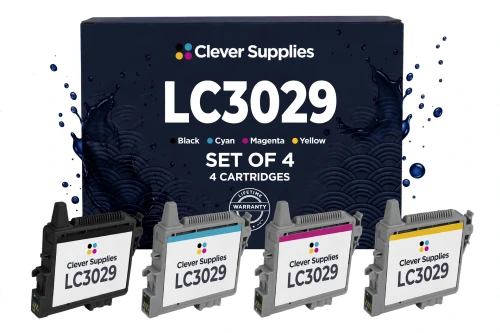
Brother’s own counter makes the gap plain: the genuine black single is $29.99 — and stood out of stock at Brother when these figures were gathered — with each genuine color at $19.99, so a genuine refill of these four slots totals $89.96. For $43.44 this box covers those same slots at the same published ratings. Standing alone it stops short of the $49 free-shipping line; within this family, only the deep box underneath crosses that line unaccompanied.
Shop the LC3029 Set of 4 →THE REST OF THE LADDER — DEEP BOX FIRST, THEN THE SINGLES
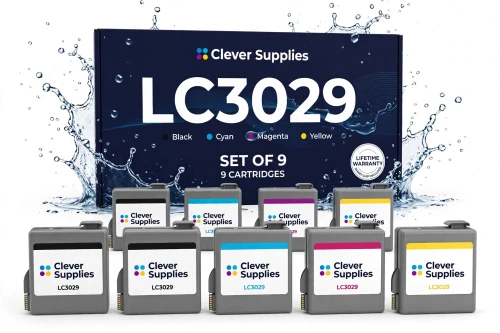
The unit price bottoms out here at $9.99 a cartridge. Three blacks against two of each color follows how these machines drink — documents first — and at $89.91 the box carries its own free shipping.
Shop the LC3029 Set of 9 →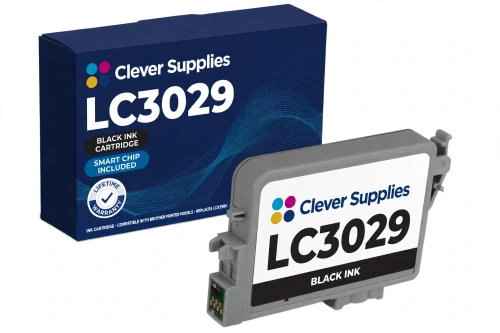
The least expensive page anywhere in this guide, from the cartridge that carries the paperwork. A 3,000-page rating keeps replacements rare; Brother’s genuine black is $29.99, and was out of stock at Brother when checked.
Shop LC3029BK Black →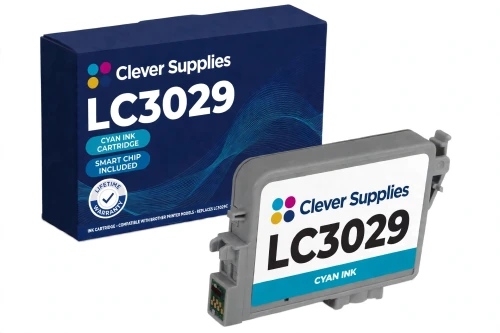
Cyan does the heavy lifting in charts, logos and letterhead color, and on a busy Tank machine it is commonly the first color to fade. It costs the same $11.99 on the standard-cassette shelf across the aisle — but that shelf’s cartridge will not fit here.
Shop LC3029 Cyan →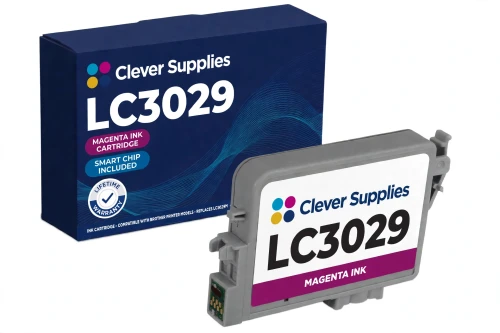
Magenta at $11.99, rated up to 1,500 pages — the reds in reports and presentation pages live in this slot. Brother’s genuine version of the same cartridge is priced at $19.99.
Shop LC3029 Magenta →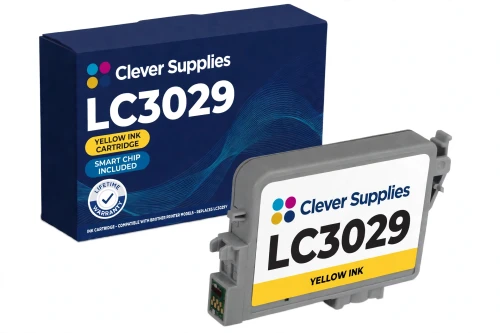
Yellow rarely announces itself — output washes out gradually instead of failing outright — so its 1,500-page rating is a quiet convenience. $11.99 on this shelf; $19.99 buys the genuine cartridge at Brother.
Shop LC3029 Yellow →Every offer on one table, priced per page
The basis line first, in Brother’s own words for this platform: “Approximate page yield in accordance with ISO/IEC 24711.” Under it, ratings sit per cartridge and per slot — black up to 3,000 pages, colors up to 1,500 each — and never attach to a box. The two set rows therefore cost the box against what is inside it: the Set of 4’s price spread over the 7,500 rated pages of its four cartridges gives its blended figure, and the Set of 9’s over 18,000. Costing arithmetic only — no box on this page carries a yield of its own.
| Offer | Fits | Price | Pages per cartridge | Per-page cost | Versus the singles |
|---|---|---|---|---|---|
| LC3029 Set of 4 BCMY — the flagship | All six Tank models | $43.44 | Black up to 3,000; each color up to 1,500 | 0.58¢ blended | SAVE $6.02 |
| LC3029 Set of 9 | All six Tank models | $89.91 | 3 blacks at 3,000 pages each; 2 of each color at 1,500 | 0.50¢ blended | SAVE $22.50 · ships free alone |
| LC3029BK black single | All six Tank models | $13.49 | Up to 3,000 pages | 0.45¢ | The family’s cheapest page |
| LC3029C cyan single | All six Tank models | $11.99 | Up to 1,500 pages | 0.80¢ | One slot, one cartridge |
| LC3029M magenta single | All six Tank models | $11.99 | Up to 1,500 pages | 0.80¢ | One slot at a time |
| LC3029Y yellow single | All six Tank models | $11.99 | Up to 1,500 pages | 0.80¢ | One slot, one cartridge |
Read the rows as two descents and one upset. The per-cartridge price steps down as the box grows — $13.49 and $11.99 bought singly, $10.86 apiece inside the Set of 4, $9.99 inside the Set of 9 — and the blended column steps down with it, 0.58¢ to 0.50¢. The upset sits in the singles: the black, at 0.45¢ a page, undercuts the deepest box, because its rating is double a color’s and blending colors into a set pulls the set’s average up. Document-heavy owners live on it; the sets earn their place by renewing every slot at once.
The mirror across the aisle: same ratings, different ink
Brother builds a second family of office inkjets in this same model neighborhood, and it is close enough to this one to cause genuine ordering mistakes. Three standard-cassette Business Smart machines — the MFC-J5330DW, its shelf-mates the MFC-J6530DW and MFC-J6930DW — are fed from front-loading slots of a conventional design. Their top cartridge family is LC3019 — and it advertises headline yields that match this page’s figure for figure: each color up to 1,500 pages, the black up to 3,000, on the same ISO/IEC 24711 basis. A buyer who shops by the yield column alone can pick a side at random and never notice. The cartridges, however, are physically different parts, built for two different ink systems, and they do not interchange in either direction — no LC3029 cartridge will run in those three machines, and no LC3019 cartridge will run in a Tank model. The LC3019 guide in this series covers that shelf in full; if your model number belongs to it, that is the page you want.
Since the ratings tie, the shelf comparison between the platforms is pure price arithmetic — and it does not run one way, so it is printed whole. The Tank black is the cheaper black: $13.49 here against $14.99 there, 0.45¢ a page against 0.50¢. The colors are dead level at $11.99 a cartridge, 0.80¢ on both shelves. The Tank Set of 4 undercuts its mirror by $1.50 — $43.44 against $44.94, blending to 0.58¢ against 0.60¢ — with, by coincidence, the identical SAVE of $6.02 measured against each family’s own singles. Only the deep box flips the result: the Tank Set of 9 costs $2.29 more than its counterpart, $89.91 against $87.62, blending to 0.50¢ against 0.49¢. None of those numbers can settle a purchase, because neither shelf can serve the other’s printers at any price — they are here so a reader who landed on the wrong guide finds the same honest figures in both.
One more near-name deserves a line, because the branding invites the confusion: Brother runs a second, later INKvestment Tank generation on LC3033, for a different group of Tank machines. Same Tank name, different cartridges again — LC3033 is not a tier of this platform and nothing on this page fits its printers either. On the Tank side as on the cassette side, the model name on the front panel is the whole of the law.
The ink in the box: starters of its own, and what XL really buys
Owners meet this family in an order worth understanding, because the platform handles its first cartridges differently from its neighbor. Every one of the six Tank printers ships with LC3029 starter cartridges — this family’s own ink, in its own slots, from day one. (The standard-cassette printers, by contrast, leave the factory holding the tier below their top family.) Brother’s footnote on the bundle pages rates the initial starters at approximately 80% of a replacement LC3029 black and 65% of a replacement LC3029 color, the difference spent on ink system initialization. So the first replacement an owner buys is not an upgrade in kind, only in measure: the same cartridge, at its full published rating.
The two XL models turn that in-box arrangement into the product itself. The MFC-J5830DW XL ships with 16 cartridges in the box — Brother pitches it as up to two years of ink, on a stated basis of roughly 450 pages a month. The MFC-J6535DW XL goes further: 20 cartridges, five starter sets deep, which Brother totals at approximately 14,000 black pages and 8,000 color pages of in-box yield, on a basis of roughly 550 pages a month. In both bundles, the starter set does the initializing and the remaining cartridges are ordinary full stock.
And the XL point itself, stated as plainly as the listings state it: the XL variants are separate printer models, with their own names and their own pages — but the difference between an XL machine and its plain sibling is the ink bundled at purchase, not a different cartridge design. Every LC3029 cartridge on this page, single or set, fits the XL models and the plain models alike. An owner who bought the XL bundle has prepaid part of this shelf; when the bundle runs down, the replacement is the same cartridge either way.
A new chip in every cartridge — and two Tank footnotes that ride with it
The claim starts in a specification field — “New compatible chip”, printed on all six listings — and the descriptions repeat it in prose, in their own words: the cartridge “carries a new compatible chip”, and inside a set box every cartridge carries one. The listings even point at the hardware: a small green chip seated on the cartridge’s top, the contact Brother’s support pages ask about first when detection fails. Nothing in this store’s LC3029 shelf is sold without one.
The first footnote is the display message, in the sharper form these texts give it. Brother’s support text for this family says “Cannot Detect Ink Volume” typically appears only with generic, third-party or refilled cartridges — and that a genuinely empty cartridge does not bring it up. So the message, when it comes, is information about the cartridge’s origin rather than its ink: the machine may lose its read on the ink level while printing continues undisturbed. From that point the gauge is the printed page — watch output quality, and keep a spare within reach so an empty slot never stops a job.
The second footnote belongs to this platform alone, and it is about firmware versions rather than ink. The listings lay it out by letter: on firmware versions A through K, an “Update failed — install genuine ink cartridge” prompt can appear, and the firmware should be updated while that prompt is on screen; from version L upward, the prompt instead remains visible until the cartridge runs out, and the machine keeps working throughout. Set against that, Brother’s published position, held since March 2025, is that third-party replacement ink is not blocked by its firmware updates — and the texts still concede that a recognition hiccup can occasionally follow an update, and promise no recognition guarantee under any version. This guide prints both halves, at the size the listings print them.
The practical routine is the one these printers reward: take hold of the housing and never the green chip, press the cartridge home until it seats, and install it soon after the pack is opened. Should a cartridge still refuse to register after that, the specification fields behind every listing on this page carry a lifetime warranty. What is said here covers these six ink listings only, in their own words — the store’s toner and drum families make their own, separate arrangements.
Six Tank printers, and everything on this page fits all six
Brother prints one and the same six-name list on every cartridge page in this family: “For use with: Brother MFC-J5830DW, MFC-J5830DW XL, MFC-J5930DW, MFC-J6535DW, MFC-J6535DW XL, MFC-J6935DW.” One line covering black, colors, singles and sets alike — no cartridge in the family is reserved to a subset of the six. The store’s filing mirrors Brother’s exactly: the identical six listings sit inside every one of the six model categories and in the family’s own code category, the Brother LC3029 category, so a shopper arriving from a model page and one arriving from the code land on the same six listings.
One piece of context explains why this shelf matters more to Tank owners every year: Brother’s own pages now carry a “Discontinued” marker on all six printers. The machines are end-of-life at their maker; the cartridges are not the owner’s problem to retire with them. Brother still lists the genuine LC3029 singles, and this store’s compatible family is the working shelf for as long as these printers keep printing — which can be a considerable while, at 3,000 pages a black cartridge.
What stands behind all six listings
Before you order: five checks for the Tank shelf
Questions owners of these printers ask
No — and that absence is the platform’s defining fact. LC3029 is the only cartridge family Brother assigns to these six printers: there is no second tier above it to step up to, none beneath it to economize with, and no LC3030 anywhere in Brother’s line or in this store. Owners arriving from two-tier platforms can put the tier question down entirely. What remains is a sizing question — singles against the Set of 4 against the Set of 9 — and the table above prices all three ways of answering it.
It does not. The MFC-J5830DW XL and MFC-J6535DW XL are separate printer models from their plain siblings — Brother sells them as distinct machines — but the XL in the name stands for the ink bundled in the box: 16 cartridges with the smaller XL, 20 with the larger. The cartridge design never changed. An XL owner and a plain-model owner buy from this identical shelf, and a cartridge that fits one fits the other; the XL purchase means the first stretch of replacements was prepaid.
You cannot, and the matching ratings are exactly what makes the question worth printing. LC3019 serves the standard-cassette MFC-J5330DW, MFC-J6530DW and MFC-J6930DW — a different ink system with a physically different cartridge. The two families publish identical headline yields and interchange in neither direction. Price gives no shortcut around the distinction either: the Tank black is cheaper, the colors tie, the Tank Set of 4 is cheaper and the Tank Set of 9 costs more, as the comparison section shows. The nameplate on the machine is the only test that settles it.
Because the genuine line it mirrors never had one. Brother’s own LC3029 shelf is four singles plus a single pack — the LC30293PK, a 3-pack of the colors — with no black 2-pack and no four-pack at any point. This store’s ladder is priced from a source that follows that shape, so a black 2-pack has no counterpart to price from; it is a sourcing fact, not a gap in the range. Owners who want black in depth are served by the Set of 9, which carries three blacks at the family’s lowest per-cartridge price.
LC3029 starter cartridges — this family’s own, which is not how every Brother platform works. Brother’s footnote rates the initial starters at approximately 80% of a replacement black and 65% of a replacement color, because part of that first ink is spent initializing the system. The plain models carry one starter set; the XL bundles multiply the box to 16 cartridges in the MFC-J5830DW XL and 20 in the MFC-J6535DW XL, whose remaining cartridges skip the initialization and deliver their full rating. When the in-box supply ends, a replacement from this page is the same cartridge at full measure.
Follow the listings’ own map of it, which runs by firmware letter. On versions A through K, an “Update failed — install genuine ink cartridge” prompt can appear, and the firmware should be updated while that prompt is showing on screen. From version L upward the prompt behaves differently: it stays visible until the cartridge runs out, while the machine keeps working the whole time. Neither behavior is a block — Brother’s stated position since March 2025 is that firmware updates do not block third-party ink — but the listings promise no recognition guarantee under any version, and this page will not promise one either.