




WorkCentre 5225
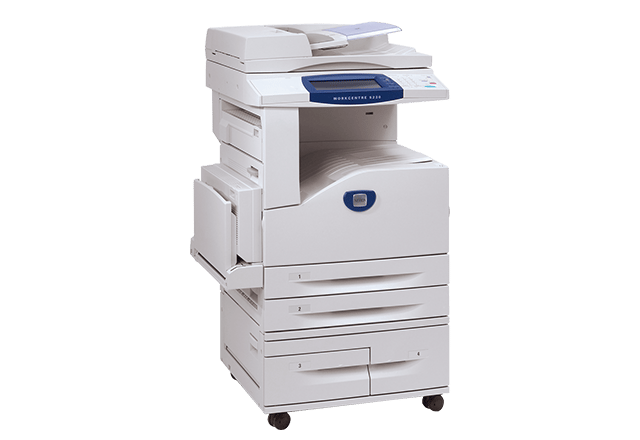
Centralized document handling is the Xerox WorkCentre 5225's strength: a monochrome multifunction machine that takes a department's printing, copying, scanning and faxing onto one shared device built for steady, heavy volume. A centralized machine only stays convenient if it is simple to supply, and the 5225 is — everything it prints comes from the 106R01306 black toner cartridge, one code to order and one cartridge to stock.
Consolidation is the idea behind a machine like this. Instead of a scatter of desktop printers, each with its own supply drawer, one departmental unit handles the floor's work and the supply list shrinks to a single line. The trade-off is that the whole department feels a stock-out at the same moment, which is why 5225 toner is best managed as a small standing inventory rather than as a reaction to an empty machine.
Toner Cartridges for WorkCentre 5225
The cartridge in every row is the 106R01306; the rows differ only in quantity and listing:
| Cartridge | Color | Page Yield |
|---|---|---|
| 106R01306 — single cartridge | Black | Check the product page |
| 106R01306 — 2 pack, 5225 listing | Black | Check the product page |
| 106R01306 — 4 pack, 5225 listing | Black | Check the product page |
| 106R01306 — 5 pack | Black | Check the product page |
| 106R01306 — premium quality 5 pack | Black | Check the product page |
| 106R01306 — WorkCentre 5225 listing, single | Black | Check the product page |
| 106R01306 — WorkCentre 5225 listing, 5 pack | Black | Check the product page |
Which cartridge should you buy?
Because the 5225's volume is steady, pack size is a planning decision. A single answers an immediate replacement. The 2 pack and 4 pack in listings labeled for this machine suit departments that reorder on a monthly rhythm and like a moderate shelf stock. For the heaviest floors, the 5 pack — or the premium quality 5 pack — turns toner into a set-and-forget shelf item, and buying several cartridges at once usually beats the per-cartridge cost of singles. The listings under this machine's own name are the same cartridge again. Whichever you choose, compatible cartridges here carry a 1-year warranty and 1-year returns.
Chip, toner and everyday use
Leave the machine switched on while you swap: open the cartridge door, take out the spent unit, slide the replacement in until it seats, then close the door and let the 5225 calibrate before you start a long run. Judging density on the very first sheet after a change can mislead, because the machine is still settling the new cartridge in. Store spares sealed, flat and away from direct heat, and remember that yield ratings are measured at roughly 5% page coverage — a department printing dense statements will cycle through cartridges faster than the rating suggests.
Frequently Asked Questions
What is the correct toner for the WorkCentre 5225?
The Xerox 106R01306 black toner cartridge. Match the 106R01306 code when you order and the cartridge will fit; it is the only toner this machine takes.
Are the 2 pack and 4 pack different cartridges?
No. They hold the same 106R01306 cartridge in different quantities, in listings labeled for the 5225. Only the count changes — and with it, how often you need to reorder.
Can the same stock serve our 5222 and 5230A?
Yes. The WorkCentre 5222 and the WorkCentre 5230A run on the same 106R01306 cartridge, so a single shelf stock can cover all three machines.
The first pages after a swap look light. Is the cartridge faulty?
Usually not. Let the machine finish calibrating, then print a few more pages; if density is still uneven, remove the cartridge, rock it gently side to side to level the toner, and refit it.
More printers that use the same cartridges
The 5225 shares its cartridge with these close relatives: WorkCentre 5222, WorkCentre 5225A, WorkCentre 5230, WorkCentre 5230A.