




WorkCentre 5225A
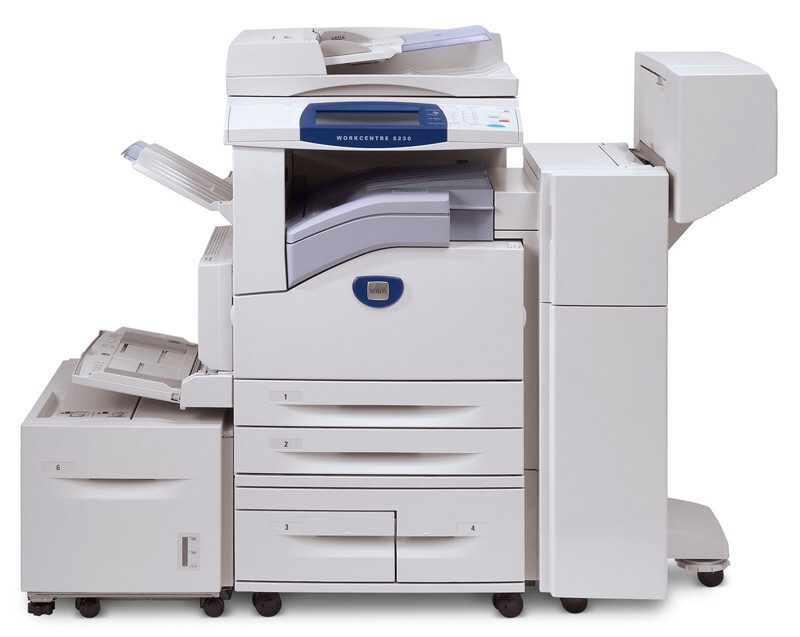
The Xerox WorkCentre 5225A is a monochrome multifunction laser printer aimed at departments with steady, high-volume print needs, and it was made for long runs between replacements. That design shows in its supply: the 106R01306 toner cartridge is the only consumable this page needs to cover, offered in singles and multipacks.
A machine bought for long, uninterrupted runs asks for a matching supply habit. Every cartridge change on a busy 5225A is a small interruption multiplied across everyone waiting on it, so the aim is fewer, better-timed interventions: cartridges ordered before they are needed and swapped during quiet stretches rather than in the middle of a print queue.
Toner Cartridges for WorkCentre 5225A
Every option below is the 106R01306 cartridge:
| Cartridge | Color | Page Yield |
|---|---|---|
| 106R01306 — single cartridge | Black | Listed on the product page |
| 106R01306 — 5 pack | Black | Listed on the product page |
| 106R01306 — premium quality 5 pack | Black | Listed on the product page |
| 106R01306 — WorkCentre 5225A listing, single | Black | Listed on the product page |
| 106R01306 — WorkCentre 5225A listing, 5 pack | Black | Listed on the product page |
Which cartridge should you buy?
Match the pack to the length of your runs. A single cartridge is the right answer when a cartridge gives out mid-run and the shelf is empty — it gets the machine back today. Departments that plan ahead usually standardize on the 5 pack, or the premium quality 5 pack if they prefer that line, so replacements come off the shelf instead of off a delivery schedule. Buyers who order by machine name will find the same supply in the listings carrying this model's name. Check each product page for the yield of the specific option, since ratings differ between listings; whichever you pick, compatibles here include a 1-year warranty and 1-year returns.
Chip, toner and everyday use
Keep unopened cartridges in their sealed packaging, out of sunlight and away from radiators, and they will wait patiently for their turn. When one is needed, gently rock it before fitting so the toner redistributes after its time in the box, then slide it in until it clicks and close the front cover. If pages start to gray near the end of a cartridge's life, rocking it once more can level the last of the toner for a modest run of extra pages — useful for finishing a job, but plan the replacement rather than stretching a finished cartridge.
Frequently Asked Questions
What toner does the WorkCentre 5225A use?
The Xerox 106R01306 toner cartridge. The OEM cartridge carries the same 106R01306 part number, and the compatible versions are listed alongside it on this page.
How many pages does a 106R01306 cartridge print?
It depends on the listing — the rated yield is printed on each product page, and your real total moves with coverage: text memos sip toner, dense forms drink it. Check the specific option you are buying rather than relying on a family-wide figure.
Is the 5225A's cartridge the same one the 5225 takes?
Yes, the WorkCentre 5225 runs on the same 106R01306 cartridge, so a department operating both machines stocks a single code for the pair of them.
How do I install a cartridge in the 5225A?
Open the front cover, remove the old cartridge, unbox the new one and rock it gently to distribute the toner, then slide it in until it clicks and close the cover.
More printers that use the same cartridges
The same cartridge also runs in: WorkCentre 5222, WorkCentre 5225, WorkCentre 5230, WorkCentre 5230A.