




WorkCentre 5230
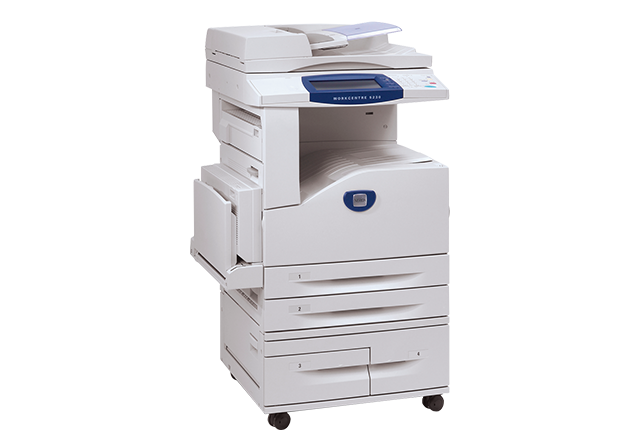
The WorkCentre 5230 was designed for departmental copying, printing and scanning at scale: a monochrome multifunction machine with robust paper handling and a durable build that keeps large black-and-white workloads running smoothly. A machine built at that scale sensibly keeps its supplies simple — one toner cartridge, the 106R01306, in the configurations listed below.
Scale changes what a toner stock-out means. On a personal printer it delays one person; on a 5230 it backs up a queue of copying and print jobs for a whole department, usually discovered at the worst moment — the peak reporting period, the big mailing. Against that pile-up, a stocked shelf is inexpensive insurance, and at this volume the shelf, not the single cartridge, is the real supply unit.
Toner Cartridges for WorkCentre 5230
One cartridge, several ways to buy it:
| Cartridge | Color | Page Yield |
|---|---|---|
| 106R01306 — single cartridge | Black | See the product listing |
| 106R01306 — 5 pack | Black | See the product listing |
| 106R01306 — premium quality 5 pack | Black | See the product listing |
| 106R01306 — WorkCentre 5230 listing, single | Black | See the product listing |
| 106R01306 — WorkCentre 5230 listing, 5 pack | Black | See the product listing |
Which cartridge should you buy?
At departmental scale, think in shelf units. The 5 pack is the natural order for a 5230 working at volume: five cartridges staged beside the machine turn a toner warning into a routine swap, and the per-cartridge cost in a multipack generally runs below singles bought separately. The premium quality 5 pack is the same plan in the premium line. Keep a single as the emergency unit if you prefer to order the larger packs against a fixed schedule. The listings under this model's name mirror the same cartridge for buyers who search that way. Every compatible here is covered by a 1-year warranty and 1-year returns.
Chip, toner and everyday use
Yield figures are rated at about 5% coverage, and a departmental copier's real coverage is rarely that polite — scanned originals, bold forms and full-page graphics all pull more toner per sheet. Expect the 5230 to finish cartridges faster than a light-duty office would. When streaks or one-sided fading appear, rock the cartridge to redistribute what is left while the next pack is on its way. Fit replacements with the front cover fully open and the cartridge pushed home firmly; a half-seated cartridge is the most common cause of a swap that did not fix light print.
Frequently Asked Questions
What is the OEM part number for the 5230's toner?
106R01306. The genuine Xerox supply and the compatibles on this page share the code, so the number printed on your spent cartridge is the number to order.
How do we avoid running dry during peak copy periods?
Hold a working reserve rather than a single spare. Departments that feel the peaks keep a 5 pack beside the machine and reorder the day the reserve is opened, which keeps the reorder point ahead of the rush instead of inside it.
Does the 5230A use the same cartridge?
Yes — the WorkCentre 5230A takes the same 106R01306 cartridge, as do the 5222, 5225 and 5225A, so one stock can serve the whole group.
How is the cartridge replaced?
Open the front cover, remove the spent cartridge, slide the new 106R01306 cartridge into its slot until it seats firmly, then close the cover and print a test page.
More printers that use the same cartridges
Departments that standardize on this supply will also find it in: WorkCentre 5222, WorkCentre 5225, WorkCentre 5225A, WorkCentre 5230A.