




WorkCentre 3655XM
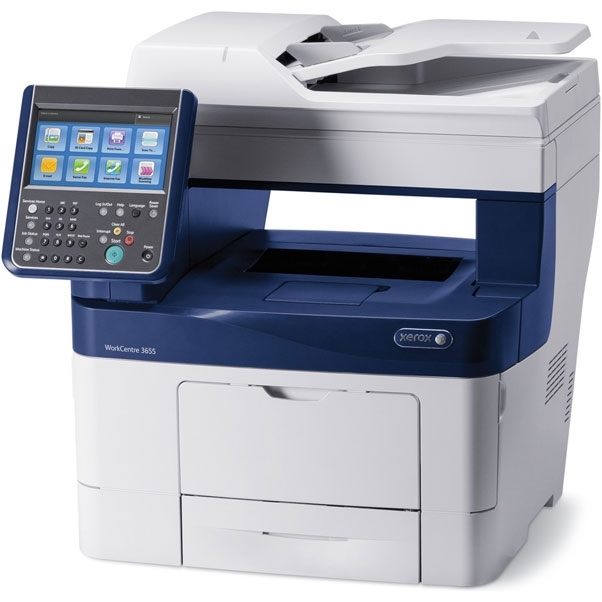
The WorkCentre 3655XM is the fully configured version of Xerox's 3655 monochrome MFP, sharing the 106R02736 black toner cartridge with the X model. Expect roughly 6,100 pages per standard cartridge. Compatible 106R02736 replacements drop straight in and keep output crisp.
Toner Cartridges for Xerox WorkCentre 3655XM
| Cartridge | Color | Page Yield | OEM # |
|---|---|---|---|
| Xerox 106R02736 (Compatible) | Black | 6,100 pages | 106R02736 |
Frequently Asked Questions
What toner does the Xerox WorkCentre 3655XM use?
The Xerox WorkCentre 3655XM uses the Xerox 106R02736 toner cartridge (OEM #106R02736).
How many pages does a Xerox 106R02736 cartridge print?
A Xerox 106R02736 black toner cartridge prints approximately 6,100 pages at 5% coverage; higher-capacity cartridges are also available in this family for heavier users.
Are compatible Xerox 106R02736 cartridges safe for the WorkCentre 3655XM?
Compatible cartridges are designed to work in the WorkCentre 3655XM. Check your printer's warranty terms for specific coverage details.
How do I install a Xerox 106R02736 toner cartridge in the WorkCentre 3655XM?
Open the front cover of your Xerox WorkCentre 3655XM, remove the old cartridge, unpack the new Xerox 106R02736 cartridge, gently rock it to distribute toner, and slide it into place until it clicks.