




WorkCentre 3615
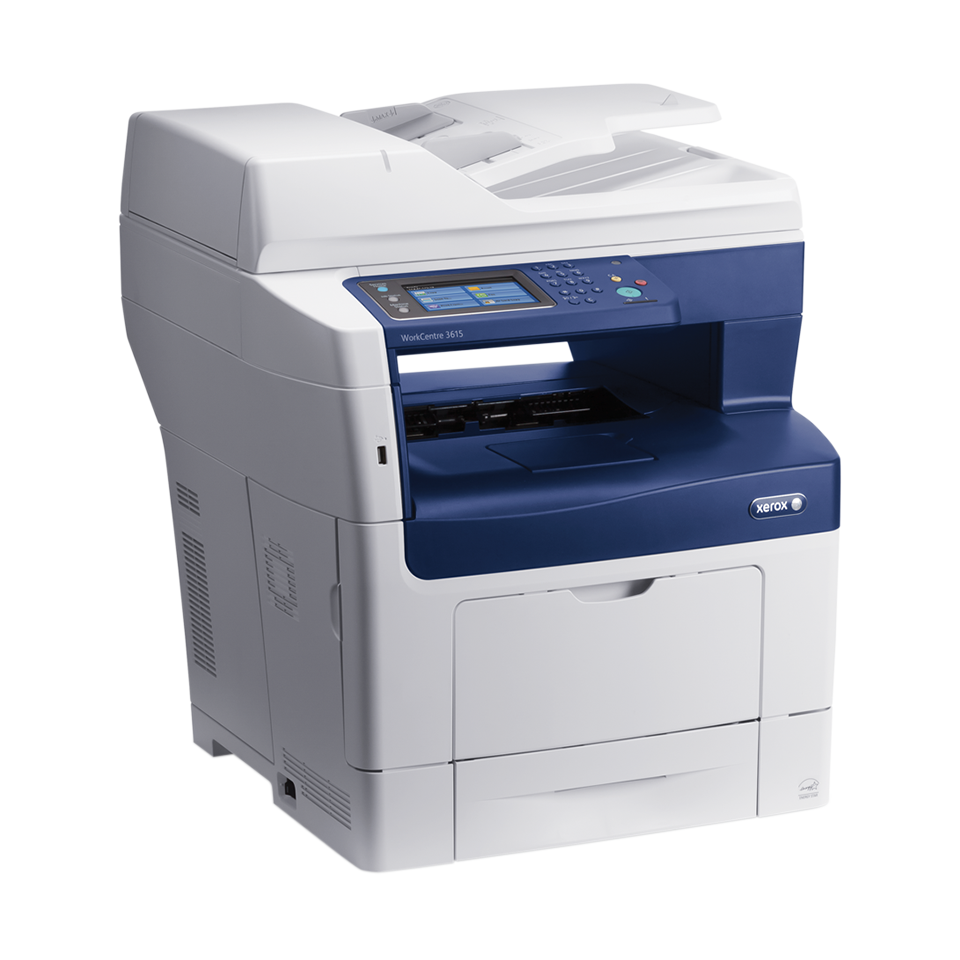
The WorkCentre 3615 is a monochrome laser multifunction built for workgroups with steady black-and-white needs: printing, copying, scanning and faxing all run through this one unit, with wireless and duplex built in. It feeds on the 106R02720 standard black cartridge, and the same slot accepts three bigger fills — the high-yield 106R02722, plus the extra-high-yield 106R02731 and 106R02740 for teams that print in volume.
Because the 3615 usually sits at the center of a small office rather than on one desk, its toner choice is really a scheduling decision. A shared machine cannot wait on a delivery, so most workgroups either load a high-capacity cartridge or keep a sealed spare beside it. The buying notes below are written with that shared-duty reality in mind.
Toner Cartridges for WorkCentre 3615
| Cartridge | Color | Page Yield |
|---|---|---|
| 106R02720 | Black | See product page |
| 106R02722 — High Yield | Black | See product page |
| 106R02722 — High Yield, 3 Pack | Black | See product page |
| 106R02722 — High Yield, 5 Pack | Black | See product page |
| 106R02722 — Premium Quality High Yield, 5 Pack | Black | See product page |
| 106R02731 — Extra High Yield | Black | See product page |
| 106R02731 — Extra High Yield, 5 Pack | Black | See product page |
| 106R02740 — Extra High Yield, WorkCentre 3615 listing | Black | See product page |
| 106R02740 — Extra High Yield, 2 Pack | Black | See product page |
| 106R02740 — Extra High Yield, 4 Pack | Black | See product page |
| WorkCentre 3615 High Yield Black (model-named listing) | Black | See product page |
| WorkCentre 3615 High Yield Black, 5 Pack (model-named listing) | Black | See product page |
Which cartridge should you buy?
Start with the standard cartridge if the 3615 handles a light, predictable load — a small team printing everyday correspondence will get honest service from it. Step up to the high-yield fill when several people share the machine and the monthly page count climbs; fewer swaps means fewer interruptions mid-job. The two extra-high-yield options suit the heaviest volumes, where the cartridge should be an afterthought for weeks at a time. Multipacks of any tier lower the cost per page and double as insurance: the next cartridge is already in the building when the low-toner warning appears. If two tiers seem close, choose by how painful an empty machine would be on your busiest day, not by the quietest week.
Chip, toner and everyday use
Each cartridge carries a chip the 3615 reads on installation, so seat the new unit firmly until it clicks and let the machine recognize it before sending a job. When output starts to fade near the end of a cartridge, pull it out and rock it gently from side to side — redistributing the toner inside often restores even coverage for a while longer. Store spares sealed, upright and away from direct light, and rotate stock so the oldest box is used first. On a shared machine, a small note on the supply shelf naming the cartridge codes saves real time when someone else has to reorder.
Frequently Asked Questions
What toner does the WorkCentre 3615 take?
It takes the 106R02720 standard black cartridge, and the same machine also accepts the higher-capacity 106R02722, 106R02731 and 106R02740 fills listed in the table above. All four are black; this is a monochrome printer, so there are no color cartridges to match.
Can I switch between the standard and extra-high-yield cartridges?
Yes. The capacity tiers are interchangeable in the same slot, so you can load a standard cartridge one month and an extra-high-yield one the next without changing anything on the machine. Many workgroups keep the bigger fill in the printer and a standard cartridge as the shelf spare.
Does the WorkCentre 3615 use a separate drum unit?
Every listing on this page is a toner cartridge; no separate drum is stocked here for the 3615. If print quality issues point beyond toner, the machine manual is the right place to check which parts are user-replaceable.
How long will a cartridge last in a shared office?
That depends on how much the workgroup prints and how dense the pages are. Rather than counting weeks, watch the machine: when the low-toner notice appears, a high-capacity replacement stretches the interval furthest before the next warning.
More printers that use the same cartridges
- DOCUPRINT M455DF
- DOCUPRINT P455D
The 3615 belongs to a wider family of Xerox machines running on this same black toner range:
Phaser 3610, Phaser 3610DN, Phaser 3610N, Phaser 3610YDN, WorkCentre 3615DN, WorkCentre 3655, WorkCentre 3655S, WorkCentre 3655X, WorkCentre 3655XM, WorkCentre 3655i.