




Versalink C505 X
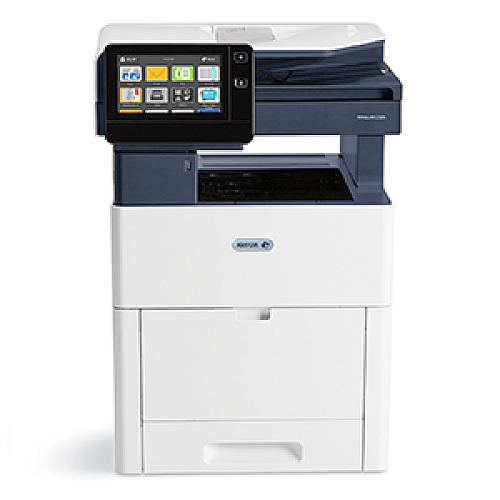
Some workgroups ask one machine to print, copy and scan all day, and to hold enough paper to do it without constant refills. The VersaLink C505 X is that machine: an expanded-configuration color multifunction printer for workgroups. It runs on the 106R03862 toner family — black 106R03862 at about 5,500 pages, with cyan 106R03863, magenta 106R03864 and yellow 106R03865 near 3,000 pages each — and it accepts the high-capacity family stocked on this page: black 106R03869 at roughly 12,100 pages, cyan 106R03866, magenta 106R03867 and yellow 106R03868 at about 9,000 pages each.
An MFP sits at the center of a department's paper flow. Scanning sends documents out digitally, but every copy and print still draws on these four cartridges, and a busy C505 X can work through toner while handling jobs nobody thinks of as printing — the stack of copies for a meeting, the signed forms reprinted for a file. Supplies planning matters more here than on a print-only machine, because a dry cartridge stalls copying for the whole group, not just one person's print job.
Toner Cartridges for Versalink C505 X
| Cartridge | Color | Page Yield |
|---|---|---|
| 106R03869 | Black | About 12,100 pages |
| 106R03866 | Cyan | About 9,000 pages |
| 106R03867 | Magenta | About 9,000 pages |
| 106R03868 | Yellow | About 9,000 pages |
| 106R03869 | Black — 2 Pack | About 12,100 pages each |
| 106R03866, 106R03867, 106R03868 | Cyan, Magenta, Yellow — 3 Color Set | About 9,000 pages each |
| 106R03869, 106R03866, 106R03867, 106R03868 | All four colors — 4 Color Set | Black about 12,100 pages; colors about 9,000 pages |
| 106R03869, 106R03866, 106R03867, 106R03868 | All four colors — 5 Color Set | Black about 12,100 pages; colors about 9,000 pages |
Which cartridge should you buy?
Copying changes how colors drain. A department that copies charts and marked-up documents often finds one color fading well ahead of the others, so buy that color as a single and let the rest run. When color copying is heavy and even, the 3 color set keeps all three fresh together. Black disappears fastest of all on an MFP, since most copies are text: the black 2 pack keeps a spare beside the machine so a swap never waits on a delivery. Moving from the standard family to the high-capacity listings on this page roughly doubles the black interval and triples each color interval, which is the simplest way to cut how often this shared machine needs attention.
Chip, toner and everyday use
After a swap on the C505 X, run one copy before the queue builds up: it confirms the printer has recognized the cartridge and that the color looks right. The chip in each cartridge reports levels to the panel, but those figures assume about five percent page coverage, and dense copied pages use toner faster than the estimate suggests. Store spares in their sealed bags near the machine, keep them out of humid supply rooms, and when output from a nearly empty cartridge turns streaky, a gentle rock of the cartridge can level the remaining toner for a few more jobs.
Frequently Asked Questions
Does the VersaLink C505 X take the same toner as the C500 printers?
Yes. It uses the same standard and high-capacity families as the C500 models; the difference between the machines is paper handling and configuration, not the cartridges.
Does scanning use up toner?
No. Scanning sends a document to email or a folder without printing it. Only printed pages and copies draw toner, so a scan-heavy workflow is gentle on these cartridges.
Copies of one color look faded. Which cartridge do I change?
The one matching the faded color. Print a test page to confirm which of cyan, magenta or yellow is low, then replace that single cartridge — the others can stay.
Is the high-capacity family worth it on a multifunction machine?
For a shared MFP, usually yes: at about 12,100 pages for black and 9,000 per color, the high-capacity cartridges cut swap frequency sharply compared with the standard family.
More printers that use the same cartridges
These cartridges are shared across the workgroup family: see the Versalink C500 DN, the Versalink C500N and the Versalink C505S for the same supplies on their own pages.