




Phaser 6700DN
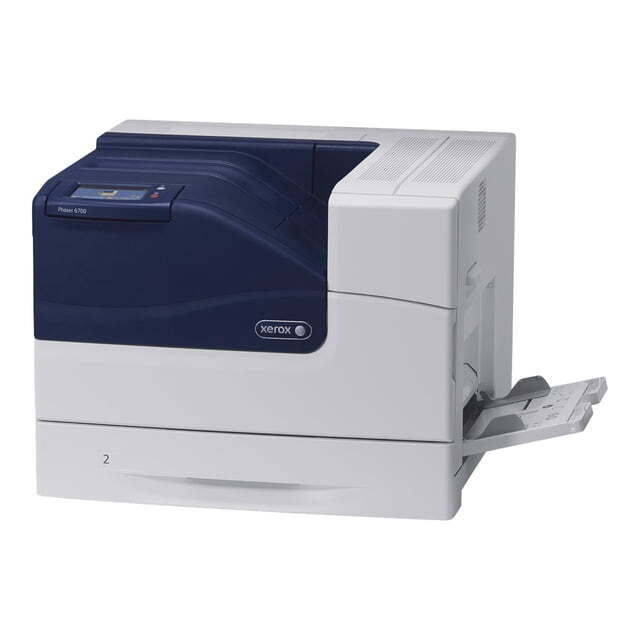
The Xerox Phaser 6700DN is a color laser printer built to run quietly in the background of a busy office while still handling daily workloads with ease. Its full high-yield set breaks down as cyan 106R01507, magenta 106R01508, yellow 106R01509 and black 106R01510 — four separate cartridges, stocked below as singles and as complete four-color sets.
A background machine gets no attention until it stops, and the people who feed it tend to rotate. That is why the supply routine for the 6700DN works best kept deliberately simple: four codes, written on a note by the machine, and one spare set within reach. Whoever the low-toner message finds can act on it without hunting down the one colleague who usually orders.
Toner Cartridges for Phaser 6700DN
| Cartridge | Color | Page Yield |
|---|---|---|
| 106R01510 — Black, single cartridge | Black | High yield |
| 106R01507 — Cyan, single cartridge | Cyan | High yield |
| 106R01508 — Magenta, single cartridge | Magenta | High yield |
| 106R01509 — Yellow, single cartridge | Yellow | High yield |
Complete sets stocked on this page: the High Yield 4 Color Set, the Phaser 6700DN 4 Color Set and the Premium 4 Color Set.
Which cartridge should you buy?
Most orders for this machine will be singles: the printer names the color that has run out, and only that cartridge needs to change. A four-color set earns its place when several colors are low in the same period, or when the machine is new to your office and you want a known-good starting point in every slot. Two set lines are listed — the standard four-color set and the premium one — both built on the same four high-yield codes; pick one line and stay with it, so output stays consistent from one change to the next. These compatible cartridges are covered by a 1-year warranty and 1-year returns.
Chip, toner and everyday use
Quiet machines are easy to forget, so make the toner check part of a weekly round rather than waiting for a failed print job: the cartridges' chips report each level to the printer, and a glance at the display shows which color is getting close. Fit replacements fully until they seat — a cartridge resting half-in can go unrecognized. Keep the spare set together in one place; four boxes scattered across a stockroom turn a two-minute swap into a scavenger hunt. Before fitting, rock each new cartridge gently side to side to level the toner for clean first pages.
Frequently Asked Questions
What is the full cartridge set for the Phaser 6700DN?
Cyan 106R01507, magenta 106R01508, yellow 106R01509 and black 106R01510, all in the high-yield size. Those four codes are the complete supply list for this model.
Can I replace a single color, or must the set go in together?
A single color is fine. Each cartridge sits in its own slot with its own chip, so change the one the printer names and leave the rest until they are called for.
Two different four-color sets are listed. Which should I choose?
Both contain the same four high-yield cartridges; one is the premium-quality line. The deciding factor is simply which line you want to standardize on for this machine — the codes, and the fit, are identical either way.
How do I install a cartridge in the Phaser 6700DN?
Open the front cover, take out the used cartridge, and unpack the new one. Rock it gently to distribute the toner, slide it in until it clicks, and close the cover.
More printers that use the same cartridges
The same black cartridge also fits the other members of the 6700 family: Phaser 6700, Phaser 6700DT, Phaser 6700DX, Phaser 6700N.