




Phaser 6700DT
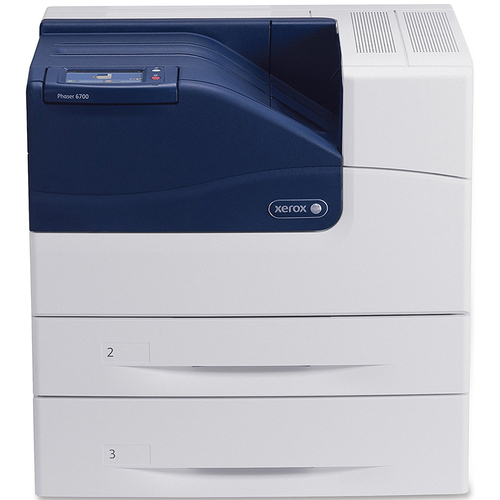
Part of the Phaser laser printer line, the Xerox Phaser 6700DT is a color laser printer made for regular office use, its paper handling and duty cycle suited to shared departmental use. High-yield toner for it comes in four colors — black 106R01510, cyan 106R01507, magenta 106R01508 and yellow 106R01509 — each stocked as a separate cartridge below, alongside complete sets for restocking the department shelf.
Departmental printing arrives in an unpredictable mix: a morning of black-and-white reports, an afternoon of color presentations. Whoever is standing at the machine when a cartridge gives out is the person who changes it, so the supply shelf has to be understandable at a glance. Four codes, a full set in reserve, and singles to top up whichever color runs ahead — that is the whole system this model asks for.
Toner Cartridges for Phaser 6700DT
| Cartridge | Color | Page Yield |
|---|---|---|
| 106R01510 — Black, single cartridge | Black | High yield |
| 106R01507 — Cyan, single cartridge | Cyan | High yield |
| 106R01508 — Magenta, single cartridge | Magenta | High yield |
| 106R01509 — Yellow, single cartridge | Yellow | High yield |
Complete sets stocked on this page: the High Yield 4 Color Set, the Phaser 6700DT 4 Color Set and the Premium 4 Color Set.
Which cartridge should you buy?
For a department, the sensible pattern is sets for the shelf and singles for surprises. A four-color set in reserve means any empty slot can be refilled the day it happens; singles then replace the one color your team burns through fastest between set orders. Everything stocked for the 6700DT is the high-yield family, which suits shared machines: longer intervals between changes mean fewer interruptions landing on random users. Put the four codes on the department's standing supply order so a reorder never depends on someone reading a label under time pressure.
Chip, toner and everyday use
Label the shelf, not just the boxes: a strip of tape with the four codes and their colors saves the next person a search. Each slot in the printer is keyed to its color, so a cartridge that will not go in is almost always the wrong color for that slot — never force it; check the code against the slot instead. Rotate your stock so the oldest spare is fitted first, and rock a cartridge gently side to side before installation, especially one that has sat in storage, so its toner starts out evenly spread.
Frequently Asked Questions
What toner is compatible with the Phaser 6700DT?
The high-yield family listed here: black 106R01510, cyan 106R01507, magenta 106R01508 and yellow 106R01509. Your printer manual lists the same codes if you want to confirm against the machine's documentation.
Why does this page list only high-yield cartridges?
Every listing stocked for the 6700DT on this page is the high-yield version. For a shared departmental machine that simply means fewer cartridge changes to go around — there is no standard-yield alternative listed here to choose instead.
How can I be sure I am ordering the correct toner?
Compare the cartridge number on the toner currently in the machine with the listings on this page. The products shown here are matched to the Phaser 6700DT, so a code that matches is the right order.
A color cartridge will not go into the slot. What is wrong?
Almost certainly the color does not match the slot — each of the four positions accepts only its own cartridge. Check the code on the box against the color the printer is asking for, and swap in the correct one rather than pressing harder.
More printers that use the same cartridges
The 6700DT draws its black cartridge from the same family pool as its siblings: Phaser 6700, Phaser 6700DN, Phaser 6700DX, Phaser 6700N.