




Phaser 6700N
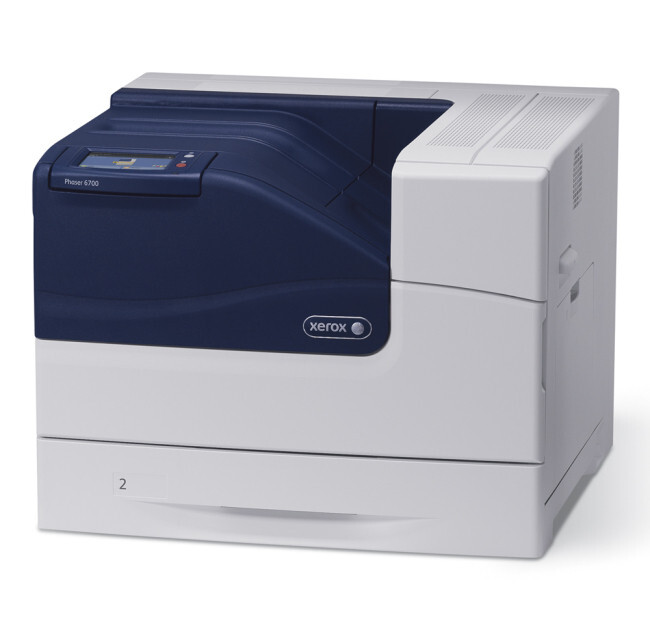
Xerox built the Phaser 6700N as a color laser printer for offices that need consistent, reliable output, with paper handling and a duty cycle that suit shared departmental use. It takes the same high-yield family as the rest of the range: 106R01509 for yellow, 106R01508 for magenta, 106R01507 for cyan and 106R01510 for black — four cartridges, each living in its own slot.
Consistency is this machine's promise, and toner is where consistency is won or lost. A reprint has to match the original run, a report's tenth page has to match its first. That steadiness comes from changing cartridges when they are due rather than stretching faded ones, and from keeping a complete reserve set so a change is never postponed for want of stock.
Toner Cartridges for Phaser 6700N
| Cartridge | Color | Page Yield |
|---|---|---|
| 106R01510 — Black, single cartridge | Black | High yield |
| 106R01507 — Cyan, single cartridge | Cyan | High yield |
| 106R01508 — Magenta, single cartridge | Magenta | High yield |
| 106R01509 — Yellow, single cartridge | Yellow | High yield |
Complete sets stocked on this page: the High Yield 4 Color Set, the Phaser 6700N 4 Color Set and the Premium 4 Color Set.
Which cartridge should you buy?
Singles cover the everyday pattern — one color ends, one cartridge changes. The four-color sets, in both the standard and premium lines listed here, suit a fuller refresh or the building of a reserve. Because everything stocked for the 6700N is high-yield, whichever route you take, each slot ends up with the long-life version and the machine keeps its even output for the longest stretch between changes. Order against the display's reading rather than the calendar: the four colors empty at four different rates, and the printer already knows which is next.
Chip, toner and everyday use
A fading cartridge does more than lighten text — in color work it quietly shifts the balance of everything the machine prints, so replace a color when the printer calls for it instead of nursing it along. Rock a fresh cartridge gently side to side before fitting it so its first pages come out at full, even density. The chips report each level separately; when one color is changed, glance at the other three readings while the cover is open, and note any that are close — the next order can then be placed calmly, ahead of the stop.
Frequently Asked Questions
What toner does the Phaser 6700N use?
The high-yield set used across this family: black 106R01510, cyan 106R01507, magenta 106R01508 and yellow 106R01509.
Does the 6700N use the same black cartridge as the other 6700 models?
Yes — 106R01510 is the family's black cartridge, and the models listed at the bottom of this page share it. The color codes match across the family as well.
Every listing says high yield. Is there a standard version for this model here?
No standard-yield version is listed for the 6700N on this page; every cartridge and set shown is the high-yield family. If a supplier offers you a different code for this machine, check it against the four codes above before buying.
My prints look lighter than they used to. What should I check?
Check the level reading for the color that looks weak, then take that cartridge out and rock it side to side to redistribute the toner. If the output stays pale after that, the cartridge is at the end of its life and a replacement will restore the density.
More printers that use the same cartridges
One black cartridge serves the whole 6700 group — you will find the same 106R01510 listed for: Phaser 6700, Phaser 6700DN, Phaser 6700DT, Phaser 6700DX.