




S
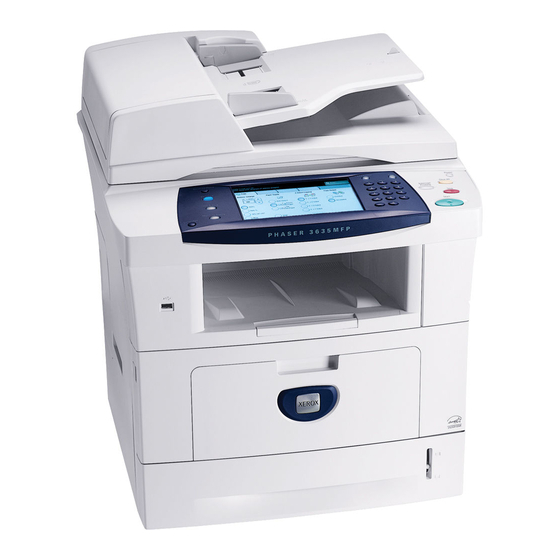
The Phaser 3635MFP/S is a departmental workhorse: a monochrome laser multifunction that combines printing, copying, scanning and faxing in one chassis for a whole team. It runs on a single supply, the 108R795 high-capacity black toner cartridge engineered for this engine. One cartridge, one code to reorder — the listings below carry it as a single cartridge and in packs of two, three, five and ten for departments that like to buy ahead.
Workgroups with heavy black-and-white document flow judge a machine by how rarely it stops them. A high-capacity cartridge is the supply-side half of that equation: fewer swaps, fewer half-finished copy runs, and a single cartridge type that anyone on the team can fit without training. The other half is keeping a spare within reach of the machine, because on a shared multifunction the cost of an empty cartridge is measured in other people's waiting time.
Toner Cartridges for the Phaser 3635MFP/S
| Cartridge | Color | Page Yield |
|---|---|---|
| 108R795 high-capacity cartridge, single | Black | See product page |
| 108R795 high-capacity cartridges, 2 pack | Black | See product page |
| 108R795 high-capacity cartridges, 3 pack | Black | See product page |
| 108R795 high-capacity cartridges, 5 pack | Black | See product page |
| 108R795 high-capacity cartridges, 10 pack | Black | See product page |
Which cartridge should you buy?
There is only one cartridge decision to make here, because the 3635MFP/S takes a single cartridge type — the high-capacity 108R795 — and the choice is how many to hold. A single cartridge with a sealed spare beside the machine covers most departments. Teams that run the multifunction hard all week, or that share one supply cabinet across several 3635-family machines, step up to the 3 or 5 pack and reorder less often. The 10 pack is the facilities order: maximum stock, fewest purchase orders, same cartridge in every box.
Chip, toner and everyday use
The cartridge's chip lets the machine confirm the supply and report toner levels, so push it home until it clicks and allow the printer a moment to register it. Rotate stock first-in, first-out: use the oldest spare first so no cartridge sits in a cupboard for years. Yield varies with coverage — a department printing dense forms will empty a cartridge faster than one printing short emails — and the rated figure for each listing is shown on its product page. When prints fade evenly, rocking the cartridge side to side can redistribute the last of the toner.
Frequently Asked Questions
What toner does the Phaser 3635MFP/S use?
It takes the 108R795 high-capacity black toner cartridge — the only supply this multifunction consumes. Order by that code and the cartridge will match the machine.
How many pages does the cartridge print?
The rated yield is given on the individual product listing, so check the listing for the cartridge you are considering. As with any toner rating, your real figure will move with the coverage of the pages you print.
Do the S and X configurations use the same cartridge?
Yes. The Phaser 3635MFP/X and this S configuration draw on the same 108R795 cartridge family, along with the other 3635 variants listed below — one stock can serve them all.
How do I install a new cartridge?
Open the front cover, lift out the used cartridge, rock the new one gently side to side to distribute the toner, then slide it in until it clicks and close the cover. The machine is ready to print as soon as it registers the new supply.
More printers that use the same cartridges
The 108R795 cartridge family is shared across the 3635 range: Phaser 3635, Phaser 3635MFP/S, Phaser 3635MFP/X, Phaser 3635MFP, Phaser 3635MFPS, Phaser 3635MFPX, Phaser 3635S, Phaser 3635SM, Phaser 3635X, Phaser 3635XM, Phaser 3635MFP/X.