




Phaser 3635XM
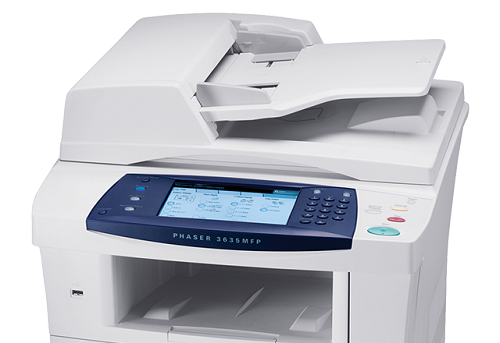
The Xerox Phaser 3635XM is a monochrome multifunction laser printer that brings printing, copying, scanning and faxing together in one workgroup device. All of its paper output runs on a single toner supply, the Xerox 108R00793 cartridge, and the machine also accepts the 108R00795 high-yield black cartridge for offices that cycle through standard fills too fast. This page stocks that high-yield family: the cartridge on its own, a MICR build, 3 and 5 packs, a premium five-pack, and listings named for the 3635XM.
A multifunction device concentrates risk in a way a plain printer does not. When the toner is gone, the copying stops and incoming faxes have nothing to print on, even though the scanner still works. Keeping this machine fed is therefore less about print volume alone and more about never letting one empty cartridge idle four jobs at once, which is why a spare belongs with the device rather than in a central store room.
Toner Cartridges for Phaser 3635XM
| Cartridge | Color | Page Yield |
|---|---|---|
| 108R00795 | Black | See product page |
| 108R00795 MICR | Black (MICR) | See product page |
| 108R00795 3 Pack | Black | See product page |
| 108R00795 5 Pack | Black | See product page |
| 108R00795 Premium 5 Pack | Black | See product page |
| Phaser 3635XM High Yield, Single | Black | See product page |
| Phaser 3635XM High Yield 5 Pack | Black | See product page |
Which cartridge should you buy?
The high-yield 108R00795 is the natural fit for a multifunction machine, because copying adds page volume that never passes through anyone's print queue and is easy to underestimate. Compared with the standard 108R00793, the deeper fill simply lasts longer under that combined load. Buy the single if this is your first compatible order for the device. Offices that already know the machine eats cartridges steadily should step up to the 3 Pack or 5 Pack and keep the reorder cycle boring. The Premium 5 Pack is the premium-line take on the same bundle, and the Phaser 3635XM-named listings present the same high-yield cartridge under the model's name. The MICR build is only for check printing.
Chip, toner and everyday use
One cartridge feeds every function on this device, so the toner level deserves a glance before a long copying session, not just before print jobs. The chip reports the remaining supply to the panel; when the warning appears, a gentle side-to-side rock of the cartridge evens out what is left and buys time for the replacement to arrive. Fit the new cartridge until it clicks into place and let the machine register it before running copies. Store the spare in its packaging near the device, away from heat and bright light, so whoever hits the empty warning can solve it on the spot.
Frequently Asked Questions
What toner does the Phaser 3635XM use?
It uses the 108R00793 as its standard cartridge, and it also accepts the high-yield 108R00795. The listings on this page are the high-yield family, including single cartridges, multipacks and the listings named for the Phaser 3635XM.
Does copying use the same cartridge as printing?
Yes. Print and copy output both come from the one toner cartridge, and received faxes print from it too. Only scanning is toner-free, which is why a multifunction machine can empty a cartridge faster than its print count alone suggests.
Is there a longer-running cartridge for the 3635XM?
Yes, the 108R00795 is the high-yield build for this machine, with a deeper toner fill than the standard 108R00793. It fits the same slot and is the cartridge most workgroups settle on for this model.
What happens if the toner runs out completely?
Printing and copying stop until the cartridge is replaced, and faxes wait in memory rather than printing. Keeping one spare high-yield cartridge with the device turns that situation into a two-minute swap instead of a stalled workgroup.