




ProXpress C3010ND
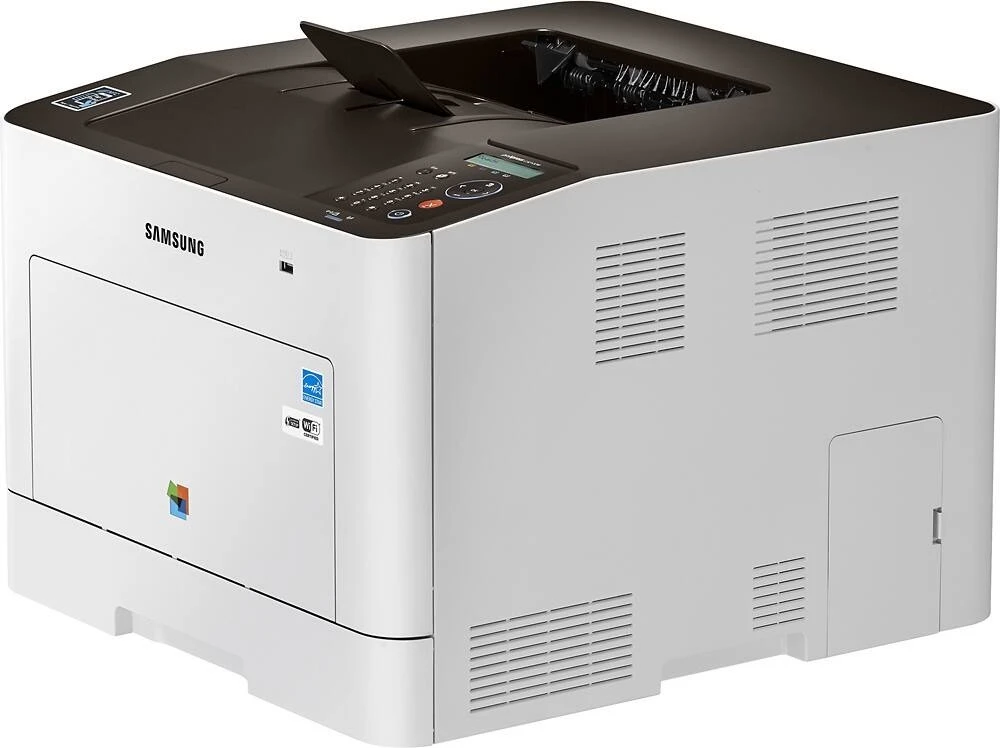
The ProXpress C3010ND was Samsung's business-class color laser entry in the mid-2010s ProXpress generation, sold as a configuration variant of the C3010 line for specific channel needs and aimed at workgroups that needed reliable A4 color output day after day. Samsung paired it with the CLT-503L line: black CLT-K503L, cyan CLT-C503L, magenta CLT-M503L and yellow CLT-Y503L. Every one of those codes is stocked below, as singles, black multi-packs and color sets.
A channel variant is a useful reminder of how toner buying actually works. The C3010ND reached its owners through particular sales channels rather than the standard shelf, yet nothing about its appetite is channel-specific: it takes the same four cartridges as the rest of its family, identified by code rather than by how the printer was sold. For a workgroup that inherited one of these machines, or bought it through a reseller bundle, that is good news — the code on the cartridge is the whole compatibility story, and it is printed on every cartridge that comes out of the printer.
Toner Cartridges for ProXpress C3010ND
- CLT-K503L — Black — the everyday cartridge for text-heavy A4 work
- CLT-C503L — Cyan — single cyan cartridge
- CLT-M503L — Magenta — single magenta cartridge
- CLT-Y503L — Yellow — single yellow cartridge
- CLT-K503L — 2 Black — two black cartridges in one box
- CLT-K503L — 3 Black — three black cartridges in one box
- CLT-K503L — 5 Black — five black cartridges in one box
- CLT-503L — 4 Color Set — one cartridge of each color
- CLT-503L — 5 Color Set — five-cartridge set on the black, cyan and magenta codes
- CLT-503L — 8 Color Set — eight cartridges across the four codes
- CLT-503L — 3 Color Set — cyan, magenta and yellow only
- CLT-503L — 6 Color Set — six cartridges across the three color codes
- ProXpress C3010ND Black (CLT-K503L) — model-named black listing
- ProXpress C3010ND Cyan (CLT-C503L) — model-named cyan listing
- ProXpress C3010ND Magenta (CLT-M503L) — model-named magenta listing
- ProXpress C3010ND Yellow (CLT-Y503L) — model-named yellow listing
- ProXpress C3010ND 4 Color Set — model-named full set
Which cartridge should you buy?
Buy the code that is empty, not the family. The four cartridges run independently, and on a workgroup A4 machine their levels drift apart quickly — black first, then whichever color dominates your documents. Samsung's list for this model also includes an S-coded set of counterparts (CLT-K503S, CLT-C503S, CLT-M503S, CLT-Y503S); the listings stocked here are the L line, so read the last letter of the code on your old cartridge before ordering. If your group burns through black between color changes, the two-, three- and five-black packs cut down on reordering; if the machine is new to the office, one four-color set puts every level at full and lets you learn its appetite from a clean start.
Chip, toner and everyday use
Each cartridge reports its own level through its chip, and jams that start right after a cartridge change usually trace back to that cartridge sitting slightly off its seat — remove it, reseat it firmly, and let the printer cool before reaching inside, since the fuser area runs hot. A pale streak down one color late in a cartridge's life responds to a gentle shake that redistributes the toner inside. Store unopened spares upright in their boxes in a cool, dry cupboard; compatible cartridges on this page are backed by a 1-year warranty and 1-year returns.
Frequently Asked Questions
Can a toner cartridge cause paper jams in the C3010ND?
It can when it is poorly seated: a cartridge sitting slightly proud can obstruct the paper path. If jams began immediately after a change, reseat that cartridge first. Clear any jam only after the machine cools — the fuser runs hot — and once the path is truly clear the printer picks up where it left off.
How can I make the color cartridges last longer?
The printer mixes all four toners to build every shade, so heavy use of one hue drains its cartridge first. Watch which color empties soonest on your machine and stock accordingly, and print internal text documents in black-only mode so routine paperwork never touches the color cartridges at all.
Should I order the L code or the S code?
Order the code printed on the cartridge you are replacing. This page stocks the L line — CLT-K503L, CLT-C503L, CLT-M503L and CLT-Y503L — which is the line Samsung paired with this model in its specification here. If your old cartridge shows an S code instead, match that code rather than assuming the two are interchangeable.
More printers that use the same cartridges
The same four cartridges serve the rest of this ProXpress color family: ProXpress C3010DW, ProXpress C3010DW, ProXpress C3060F, ProXpress C3060FW.