




ProXpress C3010ND
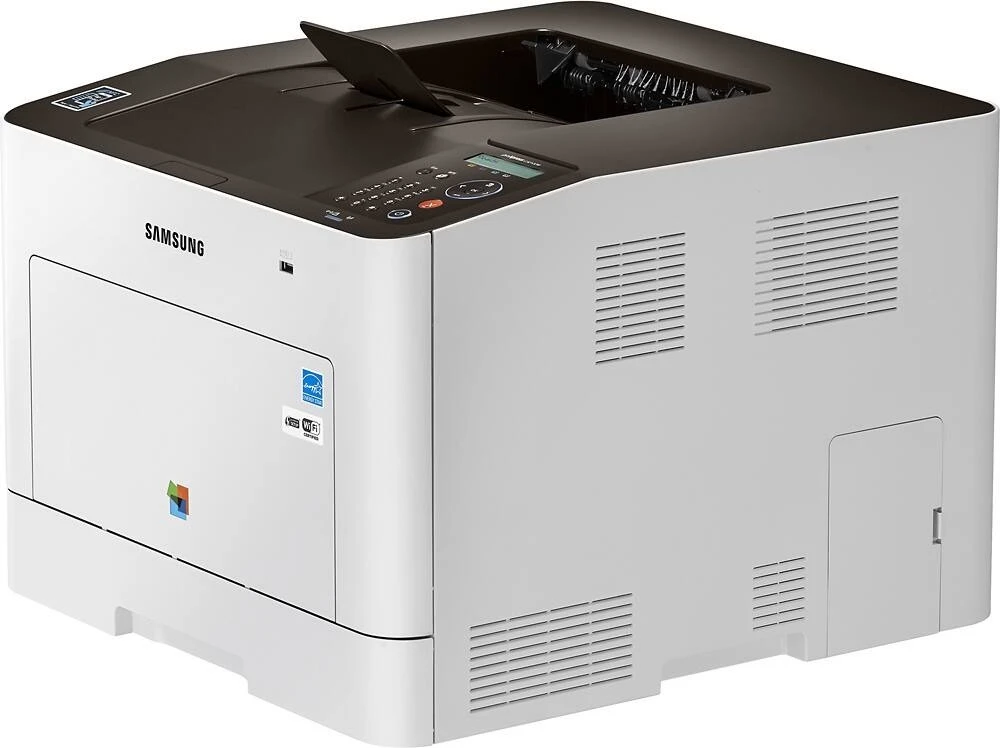
The ProXpress C3010ND was Samsung's business-class color laser printer entry in the mid-2010s ProXpress generation. Samsung sold it as a configuration variant of the ProXpress C3010 line for specific channel needs. It was a practical fit for business workgroups that needed reliable A4 color output day after day.
Samsung paired this model with CLT-K503 toner — CLT-K503L for black pages and CLT-C503L among the colors. Compatible CLT-K503 toner and genuine Samsung OEM cartridges are both in stock, with fast Clever Supplies shipping. The remaining two colors are covered by the CLT-M503L in magenta and the CLT-Y503L in yellow, each sold as its own cartridge for the C3010ND.
Toner Cartridges for ProXpress C3010ND
This printer works with the following toner cartridges:
- Samsung CLT-K503L
- Samsung CLT-C503L
- Samsung CLT-M503L
- Samsung CLT-Y503L
- Samsung CLT-K503S
- Samsung CLT-C503S
- Samsung CLT-M503S
- Samsung CLT-Y503S
More Samsung Printers
Frequently Asked Questions
Can a CLT-K503L cartridge cause paper jams in the ProXpress C3010ND?
A poorly seated CLT-K503L can obstruct the paper path, so reseat the cartridge if jams started right after a change. Let the ProXpress C3010ND cool before reaching inside after a jam — the fuser area runs hot. Once the paper path is truly clear, the ProXpress C3010ND picks up right where it left off.
First-time toner buyer: how can I make the ProXpress C3010ND's color cartridges last longer?
The ProXpress C3010ND mixes its four toners to create every shade, so heavy use of one hue drains its cartridge first. Track which color empties first on your ProXpress C3010ND; buying patterns follow usage patterns. Watch the levels, replace as needed, and color printing on the ProXpress C3010ND stays economical.
Do I need Samsung software or just the driver for the ProXpress C3010ND?
Always match the driver to your OS version; a Windows 10 driver on Windows 11 can cause subtle ProXpress C3010ND failures. Check Device Manager for warning icons when the ProXpress C3010ND is not detected; they point at the failing layer. Get the driver from the source, install it cleanly, and the ProXpress C3010ND behaves.