




CLX-3175N
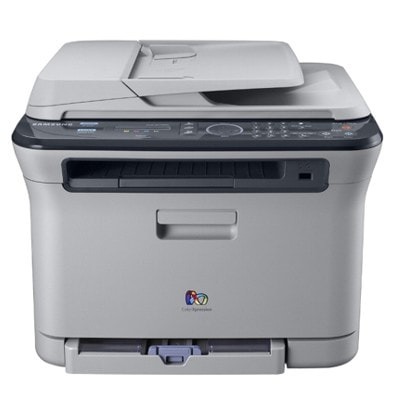
The CLX-3175N arrived in the late 2000s as a color laser multifunction printer with running costs kept firmly in check. That letter means this version adds wired Ethernet networking compared with the standard CLX-3175. It was pitched squarely at home users and small offices that wanted full color in a compact footprint.
The toner story here is the CLT-K409S family: CLT-K409S does the black work and CLT-C409S handles magenta. We stock compatible CLT-K409S toner as well as genuine Samsung OEM cartridges, and every order ships fast from Clever Supplies.
Toner Cartridges for CLX-3175N
This printer works with the following toner cartridges:
- Samsung CLT-K409S
- Samsung CLT-C409S
- Samsung CLT-M409S
- Samsung CLT-Y409S
More Samsung Printers
Frequently Asked Questions
Help me decide: what is the practical difference between the two yields for the CLX-3175N?
The CLX-3175N runs on the CLT-K409S black cartridge — one yield, genuine or compatible alike. In a busy CLX-3175N the savings come from printing smarter: duplex by default, Eco for internals. The code on the box is the compatibility guarantee, not the yield.
Straightforward question: my CLX-3175N displays not compatible after I installed CLT-K409S — now what?
The CLX-3175N may still print fine despite the warning — many Samsung printers let you acknowledge it and continue. Do not force the cartridge — the CLX-3175N's chip reader aligns only when the CLT-K409S slides in smoothly. The CLX-3175N and a good compatible cartridge coexist happily once the chip handshake succeeds.
Why does my CLX-3175N have two separate consumables?
The imaging unit on the CLX-3175N typically outlasts several CLT-K409S cartridges, so do not replace them on the same schedule. Do not expose the imaging unit to bright light for long; cover it during the CLX-3175N swap. Learn which warning means which part and the CLX-3175N becomes easy to maintain.