




CLX-3175FN
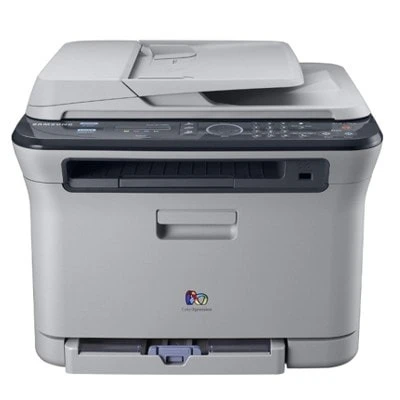
A color laser multifunction printer from Samsung's late 2000s CLP/CLX range, the CLX-3175FN brought color laser output to smaller budgets. It shares its engine and toner system with the rest of the CLX-3175 family. It was a practical fit for home users and small offices that wanted full color in a compact footprint.
It runs on Samsung's CLT-K409S toner set, with CLT-K409S handling black and CLT-C409S among the color cartridges. Both compatible and genuine OEM versions of the CLT-K409S set are available here, shipping fast from Clever Supplies. The remaining colors sit in their own cartridges as well: magenta CLT-M409S and yellow CLT-Y409S complete the CLX-3175FN set, letting you renew a single faded color instead of the whole group.
Toner Cartridges for CLX-3175FN
This printer works with the following toner cartridges:
- Samsung CLT-K409S
- Samsung CLT-C409S
- Samsung CLT-M409S
- Samsung CLT-Y409S
More Samsung Printers
Frequently Asked Questions
Before I order: my CLX-3175FN prints gibberish — is that a driver problem?
Samsung's full software package adds useful status monitoring for the CLX-3175FN, but the basic driver alone prints fine. Check Device Manager for warning icons when the CLX-3175FN is not detected; they point at the failing layer. Driver problems feel complex but usually resolve with a clean reinstall.
First-time toner buyer: should I keep the old CLT-K409S box when installing the new one in the CLX-3175FN?
The sealing tape on a new CLT-K409S must be removed entirely — a partial pull leaves the CLX-3175FN printing blank or streaked. Install the cartridge promptly after unsealing; leaving a CLT-K409S open to the air invites moisture. First prints after a CLT-K409S change should be crisp; if not, recheck the install steps.
Help me decide: does heat damage toner cartridges meant for the CLX-3175FN?
There is no strict expiry on CLT-K409S, but manufacturers generally suggest using stock within a couple of years. Avoid stacking heavy items on CLT-K409S boxes — crushed packaging can damage the cartridge inside. Proper storage means every CLT-K409S performs like new when the CLX-3175FN needs it.