




CLX-3175
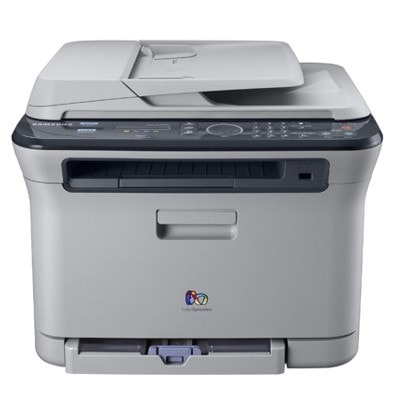
Samsung built the CLX-3175 as a color laser multifunction printer for the late 2000s, part of its CLP/CLX family. Samsung sold it as a configuration variant of the CLX-3175 line for specific channel needs. Buyers were typically home users and small offices that wanted full color in a compact footprint.
Toner for this machine comes from the CLT-K409S family — CLT-K409S for black, plus CLT-C409S and its cyan and yellow siblings. Both compatible and genuine OEM versions of the CLT-K409S set are available here, shipping fast from Clever Supplies.
Toner Cartridges for CLX-3175
This printer works with the following toner cartridges:
- Samsung CLT-K409S
- Samsung CLT-C409S
- Samsung CLT-M409S
- Samsung CLT-Y409S
More Samsung Printers
Frequently Asked Questions
Maintenance check: how do I turn on toner-save mode for the CLX-3175?
Toner-save on the CLX-3175 is ideal for emails, drafts, and reference prints where perfect density is unnecessary. Review the setting after driver updates — defaults sometimes reset on the CLX-3175. Eco plus a spare CLT-K409S on the shelf: the CLX-3175 at its most economical.
First-time toner buyer: will a CLT-K409S cartridge from another printer work in the CLX-3175?
Ordering for a CLX-3175 comes down to one code: CLT-K409S. If a CLT-K409S cartridge comes in both standard and high-yield versions, the printer accepts either; the high-yield simply lasts longer between changes. Correct fit means clean installation and no error messages on first power-up.
New owner here — does the CLX-3175 support printing from mobile devices?
Router reboots and password changes silently break the CLX-3175's connection, so re-run wireless setup after either. Keep the CLX-3175 within reasonable range of the router; walls and microwaves are the usual interference culprits. Wireless convenience is real, but Ethernet reliability wins for a shared CLX-3175.