




CLX-3175FW
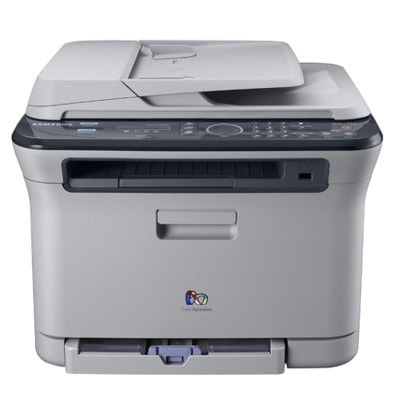
The CLX-3175FW is Samsung's late 2000s color laser multifunction printer, sold under the CLP/CLX banner. That letters mean this version adds fax and wireless networking compared with the standard CLX-3175. Its buyers were mostly home users and small offices that wanted full color in a compact footprint.
Its consumable is the CLT-K409S set — CLT-K409S in black, CLT-C409S in cyan, with magenta and yellow to complete the quartet. Compatible CLT-K409S toner and genuine Samsung OEM cartridges are both in stock, with fast Clever Supplies shipping.
Toner Cartridges for CLX-3175FW
This printer works with the following toner cartridges:
- Samsung CLT-K409S
- Samsung CLT-C409S
- Samsung CLT-M409S
- Samsung CLT-Y409S
More Samsung Printers
Frequently Asked Questions
Office question: should I worry about cost per page with my CLX-3175FW?
The CLX-3175FW stretches every CLT-K409S cartridge further when you print double-sided and reserve full quality for final documents. Store spare CLT-K409S cartridges properly so none of your investment goes stale on the shelf. Your CLX-3175FW is capable of economical printing; the defaults just are not tuned for it.
Maintenance check: which driver should I pick for the CLX-3175FW on a Mac?
Always match the driver to your OS version; a Windows 10 driver on Windows 11 can cause subtle CLX-3175FW failures. Check that the CLX-3175FW is powered on and awake — sleep mode fools more not-detected diagnoses than anything else. The CLX-3175FW is a well-supported printer — current drivers exist for all major operating systems.
New owner here — can I keep a spare CLT-K409S in the garage for my CLX-3175FW?
Store CLT-K409S cartridges upright as they would sit in the CLX-3175FW; it keeps the toner distributed evenly. If a stored CLT-K409S prints lightly at first, remove it and redistribute gently — settled toner wakes up. Think of spare toner like pantry goods: sealed, dated, and rotated.