




CLX-3170FN
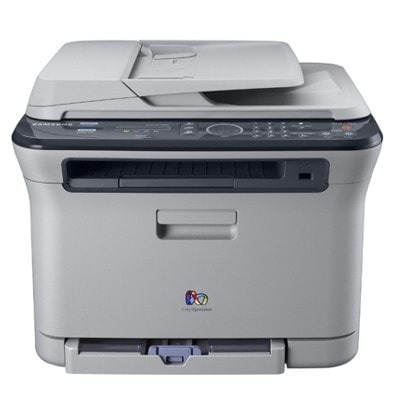
The CLX-3170FN joined Samsung's CLP/CLX stable in the late 2000s as a color laser multifunction printer. Unlike the plain CLX-3170, this one adds fax and wired Ethernet networking — which is what the letters mean. It was pitched squarely at home users and small offices that wanted full color in a compact footprint.
It feeds on the CLT-K409S cartridge set, where CLT-K409S covers black and CLT-C409S covers cyan. We keep compatible and genuine OEM CLT-K409S cartridges on the shelf, and orders leave our warehouse fast.
Toner Cartridges for CLX-3170FN
This printer works with the following toner cartridges:
- Samsung CLT-K409S
- Samsung CLT-C409S
- Samsung CLT-M409S
- Samsung CLT-Y409S
More Samsung Printers
Frequently Asked Questions
Quick question: how do I remove the old CLX-3170FN driver before reinstalling?
If the computer misses the CLX-3170FN, try a different USB port or cable first; detection failures are often physical. Check that the CLX-3170FN is powered on and awake — sleep mode fools more not-detected diagnoses than anything else. Document which driver version works on your CLX-3170FN; it saves time at the next reinstall.
New owner here — how do I find the CLX-3170FN's IP address?
When the CLX-3170FN connects but will not print, the driver is usually pointing at an old IP — reinstall or update the port. If mobile printing fails, confirm the phone and the CLX-3170FN share the exact same network name. Keep the setup utility handy; you will need it again the day the router gets replaced.
Help me decide: do starter cartridges differ from replacement CLT-K409S cartridges on the CLX-3170FN?
Your CLX-3170FN takes CLT-K409S cartridges — the model number on the box is the compatibility check. The suffix on CLT-K409S identifies the yield and color variant; getting one letter wrong means the cartridge will not register. If you manage several Samsung printers, keep each model's code listed separately to avoid mix-ups.