




C332DN
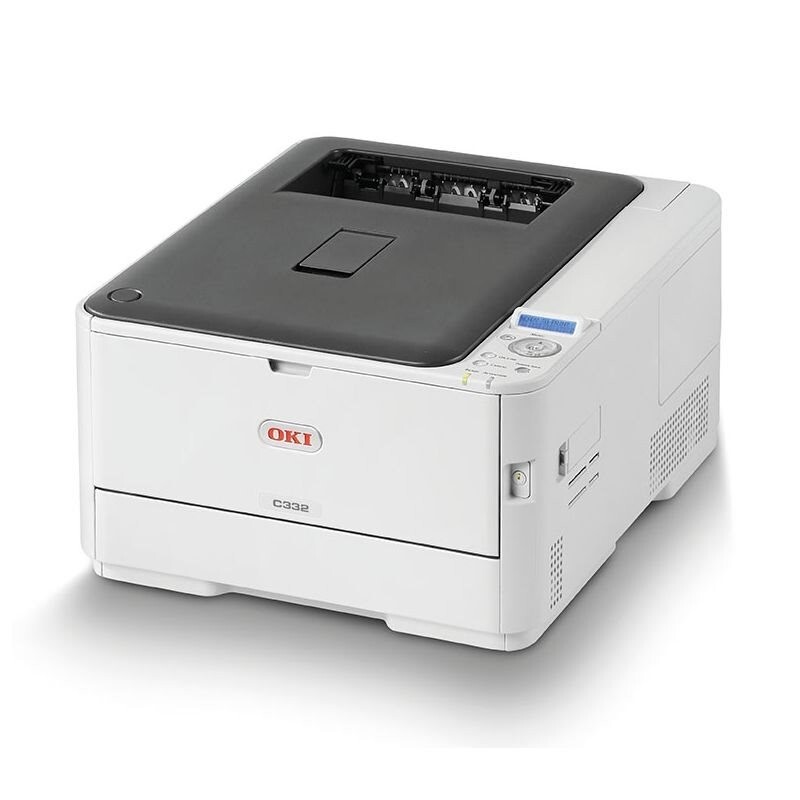
The Okidata C332DN is a compact color laser printer with automatic duplexing and network connectivity, aimed at small offices that want current-generation color performance from a small machine. It runs four cartridges: 46508704 black, rated at 3,500 pages, and 46508701 yellow, 46508702 magenta and 46508703 cyan at 3,000 pages each.
The DN specification is doing quiet economic work. Automatic two-sided printing halves paper use on everyday documents without anyone remembering to set it, and the network connection lets a small team share one color machine instead of scattering desktop printers — which also means one toner shelf, stocked with the four numbers above, serves the whole group.
Toner Cartridges for C332DN
| Cartridge | Color | Page Yield |
| 46508704 | Black | 3,500 pages |
| 46508703 | Cyan | 3,000 pages |
| 46508702 | Magenta | 3,000 pages |
| 46508701 | Yellow | 3,000 pages |
Also stocked for this model: the black 46508704 2 Pack for text-heavy desks, and the 4 Color Set carrying one of each cartridge.
Which cartridge should you buy?
This printer's shelf offers one capacity per color, so the decision is about quantity, not yield tiers. For everyday mixed office work, buy the single color the panel names and leave the rest running. Where the C332DN mostly prints documents, black empties roughly on its own schedule — the 2 Pack keeps a spare black ready and lowers how often you reorder. Choose the 4 Color Set when the printer is new, when three or more cartridges are low together, or when you are building the spare shelf for a shared machine that cannot afford to wait on a delivery.
Chip, toner and everyday use
The cartridges are chipped and recognized on installation. One habit pays off on this model in particular: run the printer's color calibration after fitting any new cartridge. Fresh toner lays down at a slightly different density than the half-used cartridge it replaced, and calibration realigns the four colors before the difference shows in a presentation. Yields are rated at light coverage, so graphics-heavy pages will finish cartridges sooner. Keep spares sealed, flat and out of sunlight.
Frequently Asked Questions
What does DN mean on the C332DN?
Duplex plus network: two-sided printing is automatic and the printer connects over the office network rather than a single USB cable. Set duplex as the driver default and everyday documents come out two-sided without anyone thinking about it.
Why do colors look different right after I replace a cartridge?
A fresh cartridge's toner density differs slightly from the part-used one beside it, which can shift color balance for a few pages. Run the color calibration after installing any new 46508702, 46508703 or 46508704 cartridge and output settles back into line.
Does the C332DN share toner with the MC363DN?
Yes — the multifunction MC363DN runs on the same four cartridges, so an office with both machines stocks one family. The two models are linked in the family list below.
Are these cartridges specific to the C332DN?
They belong to this model and its family partners listed below. Do not borrow cartridges from other C300-series machines on the strength of a similar name — match the 4650870x numbers.
More printers that use the same cartridges
These family partners take the same four cartridges: