




X522s
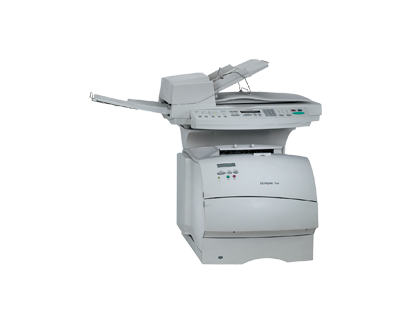
The Lexmark X522s is the distinct variant within the X522 multifunction line, built for offices that want the 522-class engine in this particular configuration. Its toner comes from the same black cartridge family as the T522 printers and the X520: this page stocks the compatible 12A6735, the family’s companion standard-yield cartridge. The other cartridge the family was built around is the high-yield 12A6835, rated at about 20,000 pages.
What the X522s offers a fleet manager is sameness. An office can run a mix of T520 and T522 printers alongside X520 and X522 multifunction units and still stock exactly one black cartridge, which makes ordering simpler, shelves tidier and emergency swaps painless — any cartridge on the shelf fits any machine in the group. For a variant model that might otherwise have meant a special supply line, that shared cartridge is the practical detail that keeps it cheap to run year after year.
Toner Cartridges for X522s
| Cartridge | Color | Page Yield |
|---|---|---|
| Lexmark T520 (12A6735) Toner Cartridge Black 2 Pack | Black | See product page |
| Lexmark T520 (12A6735) Toner Cartridge Black 4 Pack | Black | See product page |
| Lexmark T520 (12A6735) Toner Cartridge Black | Black | See product page |
Which cartridge should you buy?
The choice on this page is about quantity rather than type. The stocked 12A6735 is the standard-yield cartridge for the family, suited to the steady copying, scanning and printing rhythm of a shared office MFP. A single cartridge is enough for a lightly used machine, while the 2-pack and 4-pack listings — the identical cartridge, boxed in multiples — make sense wherever a toner warning would otherwise halt a whole workgroup. Offices whose X522s prints far more than it copies should know the family also offers the high-yield 12A6835 at roughly 20,000 pages, the longer-running alternative built for exactly that pattern.
Chip, toner and everyday use
Because the X522s is a shared machine, a toner outage stops copying and scanning queues as well as print jobs, so the standing advice is to keep one sealed spare beside it. The compatible cartridge’s chip lets the machine track remaining toner and warn in good time. When you swap, pull the spent unit straight out, give the replacement a gentle side-to-side rock to level the toner, and slide it home firmly. Store spares flat, sealed and out of strong light; opened early, toner powder can pick up humidity and lose quality.
Frequently Asked Questions
Which cartridge does the Lexmark X522s take?
This page stocks the compatible 12A6735 black cartridge for the X522s. It is the standard-yield member of the family this machine shares with the T520, T522 and X520 models.
Is the X522s toner really the same as the toner for the other family models?
It is. Every model in this group — printer-only and multifunction alike — draws from the same black cartridge family, which is why one stocked cartridge can cover an entire mixed fleet without compatibility worries.
How long does the family’s high-yield cartridge last?
The high-yield 12A6835 is rated at about 20,000 pages at 5% coverage. That figure is a testing benchmark; offices printing dense documents will see fewer pages, and light text-only work can stretch a cartridge further.
When should I order a replacement for the X522s?
At the first persistent low-toner warning rather than when pages visibly fade. On a shared multifunction machine the warning is the cue to put the spare in and reorder, keeping copying and scanning uninterrupted.
More printers that use the same cartridges
The same black cartridge also serves these Lexmark models across the T520/T522 and X520/X522 families: Sbe, T520, T520Sbe, T520d, T520dn, T520n, T522, T522dn, T522n, X520, X520 MFP, X522, X522s MFP.