




X520
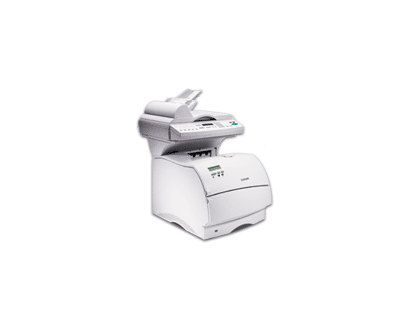
The Lexmark X520 takes the T520 print engine and builds a compact multifunction machine around it, adding scanning and copying so a single unit handles document work that used to be split across two devices. Everything stocked on this page feeds that machine: the compatible 12A6735 black toner cartridge, the standard-yield cartridge for this family at roughly 7,500 pages. The X520 also accepts the family’s high-yield 12A6835, rated near 20,000 pages, for offices whose print volume outgrows the standard cartridge.
The X520 earns its place in departments that are tired of walking between a printer at one end of the office and a copier at the other. Intake forms, signed pages and everyday correspondence can be printed, copied and scanned at the same desk-side unit, and because its toner is shared with the T520 printers many offices already run, the supply shelf does not gain a second cartridge type when an X520 arrives. One machine also means one device to maintain instead of two, which small IT teams feel at budget time.
Toner Cartridges for X520
| Cartridge | Color | Page Yield |
|---|---|---|
| Lexmark T520 (12A6735) Toner Cartridge Black 2 Pack | Black | ~7,500 pages |
| Lexmark T520 (12A6735) Toner Cartridge Black 4 Pack | Black | ~7,500 pages |
| Lexmark T520 (12A6735) Toner Cartridge Black | Black | ~7,500 pages |
Which cartridge should you buy?
Begin with how much of the X520’s work is printing. The 12A6735 stocked here is the standard-yield cartridge at about 7,500 pages, a sensible match for a multifunction unit that divides its day between copying, scanning and moderate print runs. The 2-pack and 4-pack listings are this same cartridge in multiples; they simply keep a spare on the shelf so a low-toner warning never turns into a stopped queue. If the machine mostly prints and monthly volume keeps climbing, the family’s high-yield 12A6835 at roughly 20,000 pages cuts the number of swaps and lowers cost per page — that is the point where stepping up starts to pay.
Chip, toner and everyday use
Each compatible cartridge carries a chip the X520 reads to report toner levels, and a clean install is mostly about seating: slide the old unit out, rock the new one gently from side to side so the toner inside settles evenly, remove its protective strip, and push it in until it clicks. Keep the spare cartridge sealed in its bag, stored flat and away from direct sunlight and heat, and it will be ready when the warning appears. Page yields are measured at about 5% coverage, so dense forms and bold graphics will use toner faster than plain correspondence.
Frequently Asked Questions
Which toner does the Lexmark X520 use?
The cartridge stocked for the X520 on this page is the compatible 12A6735 black cartridge. The machine also accepts the family’s high-yield 12A6835, so both cartridges fit — the difference is how long each one lasts.
How many pages will the cartridge sold here print in the X520?
Around 7,500 pages at 5% coverage under the ISO/IEC 19752 testing method. Real-world output shifts with what you print: pages heavy with tables, logos or shading consume more toner per sheet than plain text.
Can the X520 share cartridges with the T520 printers in our office?
Yes. The X520 was built on the T520 print engine and the toner story is identical across the family, so one cartridge type covers both the printers and this multifunction unit — a single shelf item for the whole group.
What should I do when X520 prints start looking light?
Remove the cartridge and rock it gently side to side a few times; redistributing the remaining toner usually restores even coverage for a while. When the fading returns after a shake, the cartridge is genuinely near the end and it is time to install the spare.
More printers that use the same cartridges
One black cartridge family covers a wide group of Lexmark printers and MFPs, including: Sbe, T520, T520Sbe, T520d, T520dn, T520n, T522, T522dn, T522n, X520 MFP, X522, X522s, X522s MFP.