




T522n
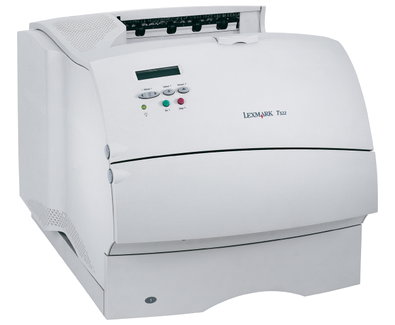
Built to live on a shared office network rather than beside a single desk, the Lexmark T522n is the networked twin of the base T522, ready to serve a whole team without a dedicated print server in sight. Its supplies come from the 12A6835 cartridge family — a high-yield black rated at roughly 20,000 pages — and that family holds one further black cartridge for this printer, the 12A6735, offered here as a compatible in single, 2-pack and 4-pack boxes.
The real economy of the T522n shows up in the supply closet. This one printer shares its cartridge with the entire T520, T522 and X520 generation, so a single toner purchase can cover every machine in the fleet regardless of which model sits in which office. For IT staff that means fewer part numbers to track, fewer emergency orders when a unit runs dry during a deadline, and no drawer full of near-identical boxes that each fit only one printer. Standardizing on one cartridge across mixed hardware quietly removes a whole category of small daily frictions.
Toner Cartridges for T522n
| Cartridge | Color | Page Yield |
|---|---|---|
| Compatible Lexmark T520 (12A6735) Toner Cartridge Black 2 Pack | Black | See product page |
| Compatible Lexmark T520 (12A6735) Toner Cartridge Black 4 Pack | Black | See product page |
| Compatible Lexmark T520 (12A6735) Toner Cartridge Black | Black | See product page |
Which cartridge should you buy?
Think in terms of the fleet, not the single printer. A single 12A6735 suits a small office running one T522n at a gentle pace. The 2-pack fits the common pattern of a shared machine with a steady monthly queue: one cartridge in the printer, one waiting, and no gap between an empty unit and its replacement. Where several T520-family machines share a supply shelf, the 4-pack is the practical choice, since any box can serve any printer and bulk buying lowers the cost of each cartridge. Because all three listings hold the identical cartridge, the decision is about stock depth and ordering rhythm, nothing else.
Chip, toner and everyday use
A networked printer may sit far from the person who changes its toner, so the chip matters: it reports the cartridge level to the T522n as soon as the unit is seated, and anyone checking the printer's status can see a fresh cartridge has been fitted. When output fades toward the end of a cartridge, remove it and tilt it gently end to end a few times; the toner settles back into an even layer and print usually evens out for the remaining pages. Page-yield ratings for this family assume documents at 5% coverage, so a department printing dense contracts will cycle cartridges faster than one printing short letters. Store unopened spares in their bags, out of sunlight, and rotate stock so the oldest box gets used first.
Frequently Asked Questions
What toner does the T522n use?
It runs on the 12A6835 family of black cartridges, whose high-yield member is rated near 20,000 pages. The compatible cartridge stocked for this page is the family's other black option, the 12A6735, available singly or in multi-packs.
How long does one cartridge last in a shared office?
Lexmark rates the family's high-yield black at about 20,000 pages at 5% coverage, so an office printing around 2,000 pages a month can expect many months from a single high-yield unit. Heavier coverage on each page shortens that span, which is why most shared printers are stocked with a spare.
Does the T522n need its own special cartridge?
No. Despite the different badge on the front, the T522n drinks from exactly the same cartridge pool as the T520 and T522 printers and the X520-series multifunction models. A cartridge bought for any of them fits this one.
What should I check if the new cartridge is not detected?
Pull the cartridge out, confirm any protective tape or seal came off during unpacking, and slide it back in until it seats with a click. Power the printer off and on once; the chip handshake happens during start-up, and a clean restart resolves most recognition complaints.
More printers that use the same cartridges
One black cartridge design covers the whole T520 generation and its X-series multifunction cousins:
Sbe, T520, T520Sbe, T520d, T520dn, T520n, T522, T522dn, X520, X520 MFP, X522, X522s, X522s MFP