




T522
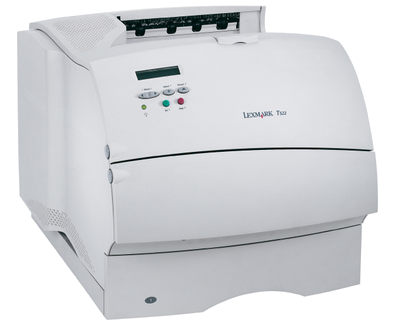
Stepping up from the T520, the Lexmark T522 delivers a higher performance tier in the same rugged mono laser chassis — a workgroup printer built for queues that keep growing. The cartridge stocked on this page is the 12A6735 black toner, sold in compatible form as a single cartridge and in multi-packs under the T520 family listings. An upgrade that keeps familiar supplies is an upgrade an office actually enjoys making, and that continuity is the T522's quiet strength.
Growing offices chose this machine because it absorbs volume without drama, and its supply picture has two layers worth knowing. The 12A6735 stocked here is the family's companion cartridge and the one these listings cover. The T522 also accepts the family's high-yield cartridge, rated at roughly 20,000 pages, for offices whose queues have grown into truly heavy territory. Whichever layer you buy at, the printer, the drivers and the daily routine stay exactly the same — only the interval between cartridge changes moves.
Toner Cartridges for T522
| Cartridge | Color | Page Yield |
|---|---|---|
| 12A6735 — single cartridge | Black | See product page |
| 12A6735 — 2 pack | Black | See product page |
| 12A6735 — 4 pack | Black | See product page |
Which cartridge should you buy?
Decide by queue length. The 12A6735 listings here — single, 2 pack and 4 pack — are the same cartridge in different counts, with the yield rating for the cartridge itself shown on the product pages. A single suits a T522 that supports one team at moderate volume. The 2 pack is the working default for most offices: a spare on site means the person who hits the empty warning solves it in minutes. The 4 pack fits the busiest installations and the best per-cartridge pricing. If your T522's workload has outgrown even comfortable multi-pack intervals, remember the machine also accepts the family's high-yield cartridge rated around 20,000 pages — the longest stretch this chassis offers between changes.
Chip, toner and everyday use
Compatible cartridges for this family are built to the original specification and chipped, so the T522's normal toner monitoring keeps working — low-toner alerts arrive as they should, with time to act on them. Installation follows the family's front-access pattern: power on, open the cover, slide the spent cartridge out, rock the replacement slowly from side to side five or six times so the powder bed levels out, remove the protective seals and tape, and push the cartridge in until it locks. If a nearly finished cartridge starts printing light bands, that same rocking, done with the cartridge held level, redistributes what toner remains. Keep spares sealed, flat and away from heat; a workgroup printer eats toner steadily, and shelf stock should rotate oldest-first.
Frequently Asked Questions
Which toner cartridge is sold on this page for the T522?
The 12A6735 black cartridge, offered as a single and in 2 pack and 4 pack listings. Its yield rating is shown on the product pages linked in the table above.
Does the T522 accept a higher-yield cartridge?
Yes. Alongside the 12A6735, the T522 runs the family's high-yield cartridge rated at approximately 20,000 pages at 5% coverage. Offices with the longest queues choose it to maximize the distance between cartridge changes.
Will a compatible cartridge void my T522's warranty?
No. Compatible cartridges built to the original specification do not void the printer's warranty, and the cartridges themselves are covered by our 1-year warranty with 1-year returns.
Will toner-level reporting still work with these cartridges?
Yes. The cartridges carry a working chip, so the T522 tracks and reports toner levels normally, including the low-toner alerts you rely on to time a replacement.
More printers that use the same cartridges
The wider family sharing this cartridge platform:
Sbe, T520, T520Sbe, T520d, T520dn, T520n, T522dn, T522n, X520, X520 MFP, X522, X522s, X522s MFP