




MX410de
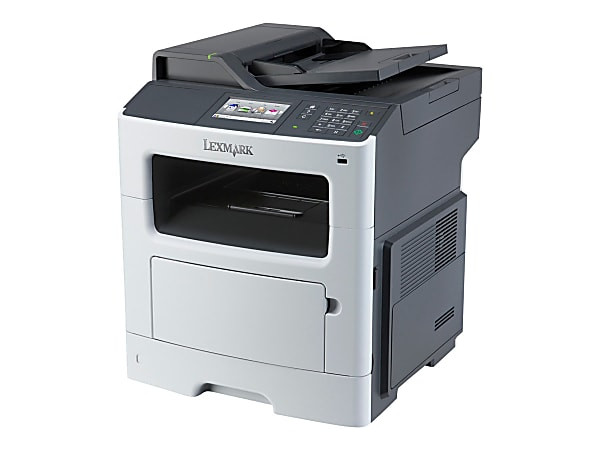
The step from a printer to a multifunction is where an office starts retiring other machines, and the Lexmark MX410de is built for exactly that move: midrange monochrome printing joined by copying, scanning and fax capability in one networked unit. Shared devices eat toner faster than personal ones, so the cartridge matters more here — this page stocks the 601H (60F1H00) high-yield black cartridge, rated near 10,000 pages, sized for the steady draw of a machine the whole team relies on.
Consolidation pays in quiet currencies: one power draw instead of three, one footprint on the floor plan, one maintenance relationship, one supply to stock. It also concentrates risk — when the single device stops, printing, copying and faxing all stop together — which is why experienced offices treat the spare cartridge as part of the machine purchase rather than an afterthought. The MX410de rewards that discipline with long, uneventful service; it is the natural choice for a team that wants one device doing the work of three and doing it without drama.
Toner Cartridges for MX410de
| Cartridge | Color | Page Yield |
|---|---|---|
| Compatible Lexmark 601H (60F1H00) Toner Cartridge Black 2 Pack | Black | ~10,000 pages |
| Compatible Lexmark 601H (60F1H00) Toner Cartridge Black 4 Pack | Black | ~10,000 pages |
| Compatible Lexmark 601H (60F1H00) Toner Cartridge Black | Black | ~10,000 pages |
Which cartridge should you buy?
The Lexmark range for this model pairs the 601H with a smaller standard-yield 601 (60F1000) of about 2,500 pages. On a shared machine the small cartridge is a false economy: it empties four times as often, each emptying interrupts somebody, and its cost per page is the highest of the family. The 601H is the sensible default, and it is the cartridge stocked here. For buying format, a shared printer argues for the 2-pack or 4-pack — the next cartridge lives beside the machine, swaps take a minute, and the per-cartridge price improves. Singles make sense only where the MX410de prints occasionally and a spare would sit for a year.
Chip, toner and everyday use
Shared machines have a particular failure mode: the cartridge runs dry at the worst moment because no single user felt responsible for it. The chip in each cartridge reports levels to the printer, so make the first low-toner alert somebody's job — order that day and the replacement arrives while the old cartridge is still printing. Near the end of its life a cartridge often fades gradually; slide it out, rock it gently side to side to redistribute the toner, and it will usually finish the day's work. Store the spare sealed and upright in a cool spot, and swap takes less time than the coffee run.
Frequently Asked Questions
Which toner cartridge does the MX410de use?
The high-yield 601H, Lexmark part 60F1H00, rated at about 10,000 pages. That is the cartridge listed on this page for the MX410de, sold as a single and in 2-pack and 4-pack formats.
Does receiving faxes use up toner?
Yes — every fax that prints comes off the same engine and the same 601H cartridge as an ordinary print job. Offices that receive long faxes or frequent copy runs should count that volume when judging how long a cartridge will last.
How many pages should we expect from one 601H in shared use?
About 10,000 pages at the standard 5% coverage rating (ISO/IEC 19752). A busy shared machine will work through that faster in calendar terms than a personal printer would, which is precisely why the high-yield size suits this model.
Is there any difference between the cartridge in a single box and in a multipack?
None at all. The cartridges are identical; the multipack simply bundles two or four of them at a better per-unit price, which is why most offices running this model buy that way.
More printers that use the same cartridges
These MX models draw from the same 601H supply, so a mixed fleet still stocks a single cartridge:
MX310dn, MX510de, MX511de, MX511dhe, MX511dte, MX610de, MX611de, MX611dfe, MX611dhe, MX611dte